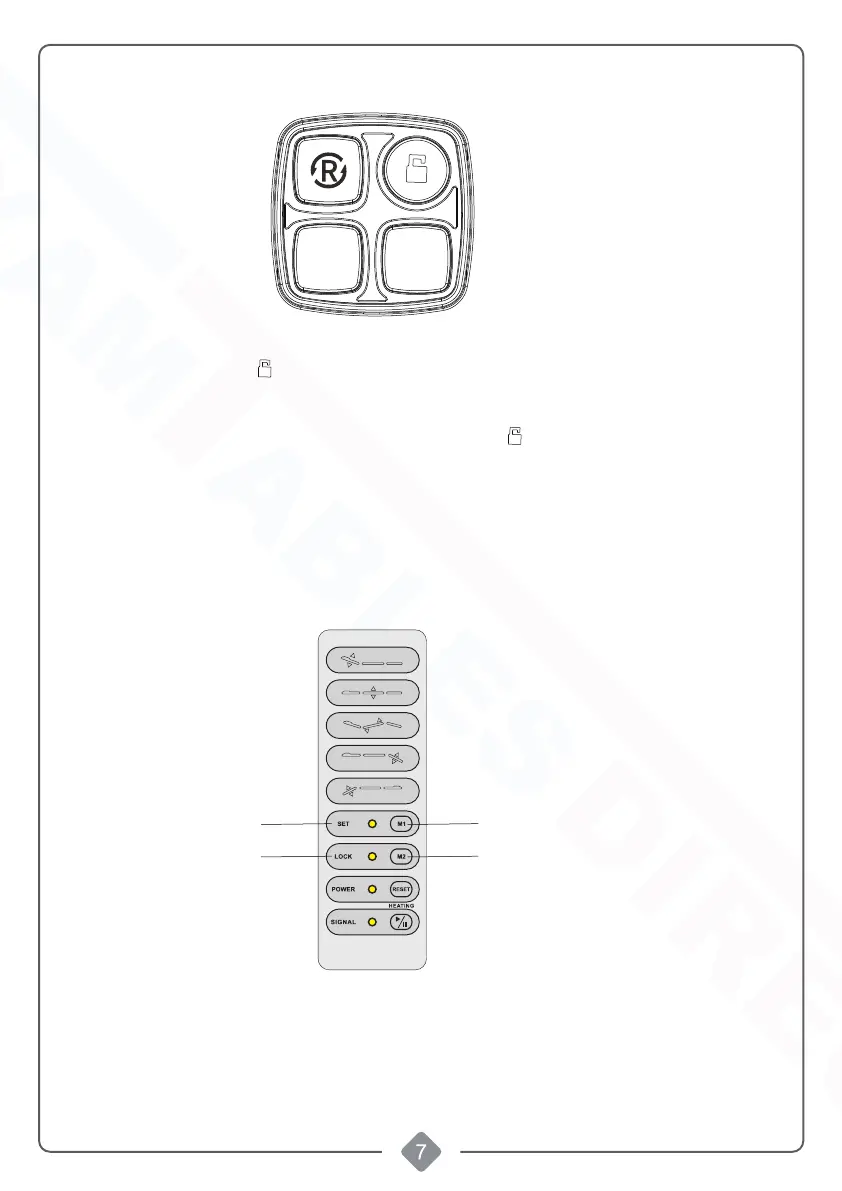
M1
M2
Lighting adjustment
The adjustment is controlled by buttons on backrest and seat.
1. Short press the button " " to enter the lighting adjustment mode. The light around the buttons will
rapidly blink.
2. Press the button "M1" to change the color(total 16 kinds of modes)
3. Press the button "M2" to change the brightness(total of 12 kinds of gear)
4. Set the light color and brightness you need, and press button " " again to exit the lighting adjustment
mode. Or if no action is taken within 10 seconds, the lighting adjustment mode will automatically exit.
SET
LOCK
M1
M2
Control by hand control
1.Keep pressing “SET”/ “LOCK” for 2 seconds to enter the light regulating mode
2.press "M1" to choose the light mode (total 16 kinds of modes)
3.Keep pressing "M2" to adjust the brightness (total of 12 kinds of gear)
4.After choosing the light mode and light brightness, then Keep pressing "SET"/"LOCK" to
exit the light adjustment.
Shop tables & accessories at


 To Next Page