Installation guide
1
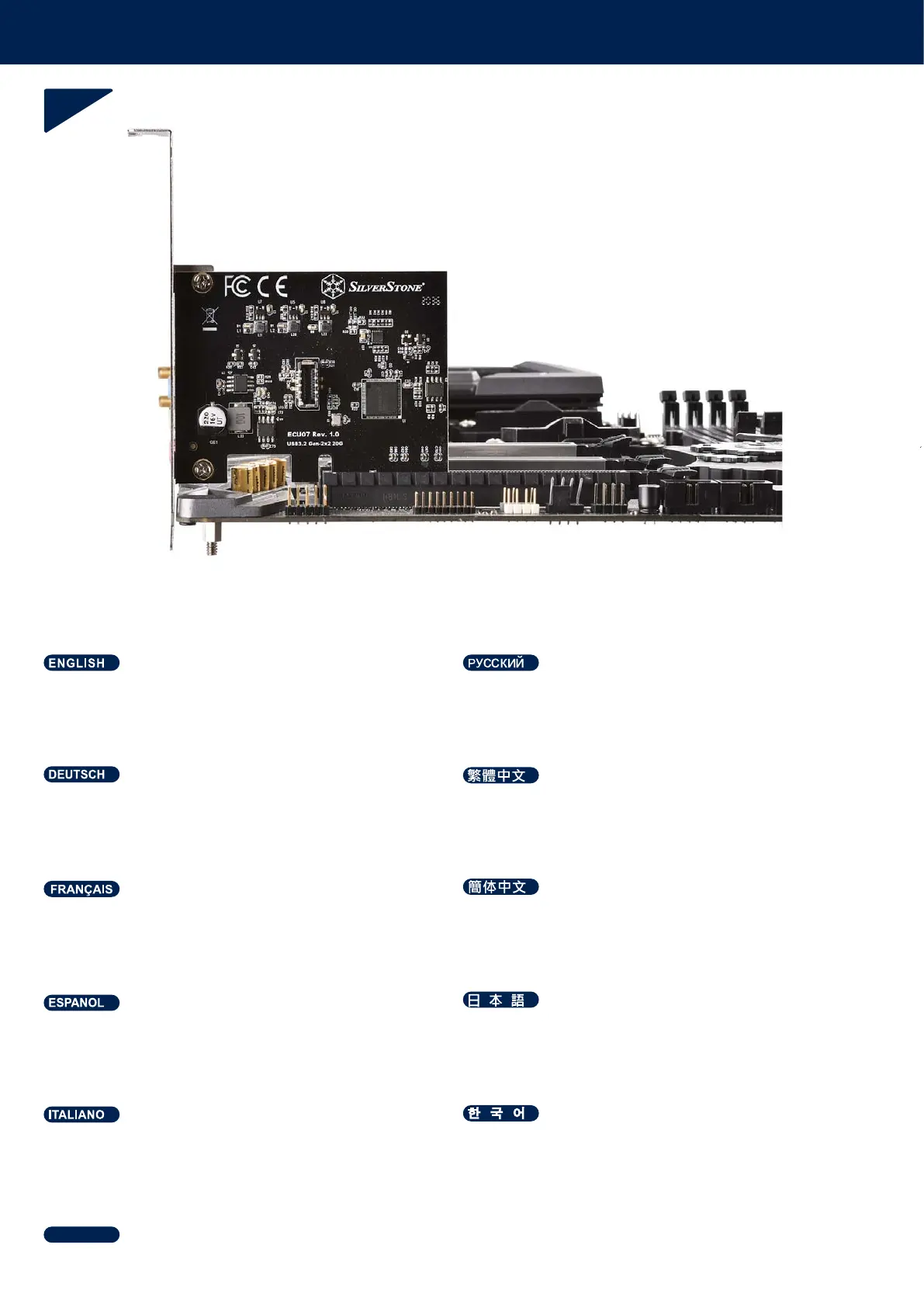
Install ECU07 into PCIe x4 slot (or above) on the
motherboard. (refer to illustration)
Установите ECU07 в слот PCIe x4 (или выше)
на материнской плате. (см. иллюстрацию)
Installieren Sie ECU07 im PCIe-x4-Steckplatz
(oder darüber) am Motherboard. (Vgl. Abbildung)
安裝ECU07至主機板上的PCIe x4(或更高版本)插槽 (如圖)
Instale el ECU07 en el zócalo PCIe x4 (o superior)
de la placa base. (Consulte la ilustración)
ECU07をマザーボードのPCIe x4スロット(またはそれ以上)
に 装着します。(図を参照)
Installez l’ECU07 dans l'emplacement PCIe x4
(ou plus) de la carte mère. (voir l'illustration)
安装ECU07至主机板上的PCIe x4(或更高版本)插槽 (如图)
Installare ECU07 nello slot PCIe x4 (o superiore)
sulla scheda madre. (Fare riferimento all’illustrazione)
ECU07을 마더보드의 PCIe x4 슬롯(또는 그 위)
에 설치합니다(그림을 참조)
ติดตั้ง ECU07 ลงในสล็อต PCIe x4 (หรือสูงกว่า) บนเมนบอร์ด
(ดูภาพประกอบ)
ไทย



 To Next Page