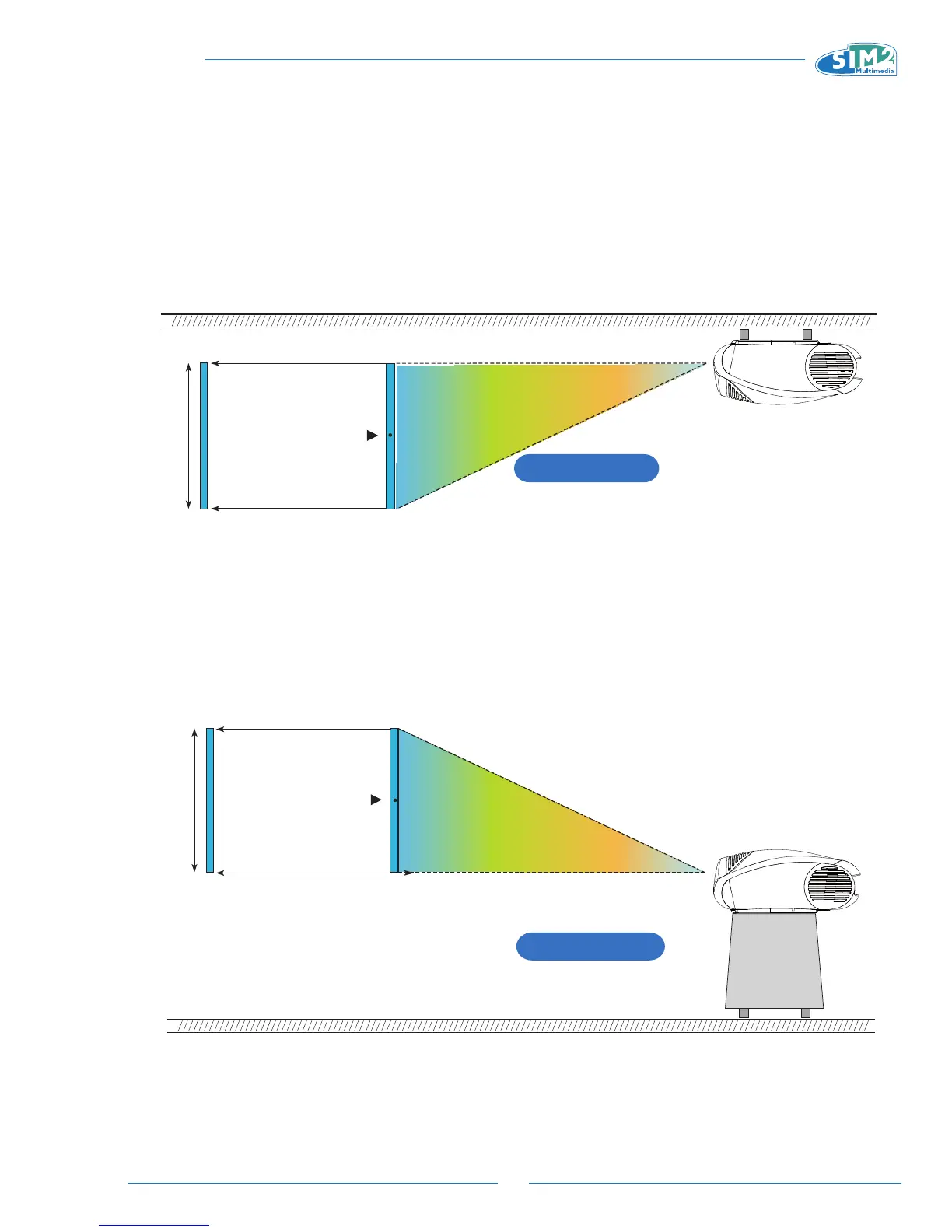
VERTICAL SHIFT (ASSUMING +50% OFFSET)
Screen center= 0
Screen
Height
Ceiling installation
+50% Oset
VERTICAL SHIFT (ASSUMING +50% OFFSET)
Screen Center= 0
Screen
Height
Floor Installation
+50% Oset
If it is not possible to position the projector perpendicular to the projection screen (with the centre of the lens in line
with the centre of the screen) you can use the mechanical shift to move the projected image either above or below the
centre of the projection lens.
CAUTION:
The examples shown in the figure give only general indication on the use of the vertical shift. Each projection
lens may require differing vertical shift settings. For more detailed information, see the technical specifications
or contact an authorised SIM2 Multimedia centre.
C3X Lumis HOST - Appendice.indd 5 9-07-2009 9:00:14



 To Next Page