CRYSTAL4-SH
User Guide
38
User: this mode is dedicated for the user, where he is able to change the
whole relative values of the color gamut through the On Screen Display, in
the CMS menu.
Cinema: the color gamut nearest to the DLP Cinema. As for the User
mode, the user could change the whole relative values of the color gamut
through the On Screen Display, in the CMS menu.
Note: Any CRYSTAL4-SH is factory adjusted to reach the HDTV REC709 standard
color gamut. Calibration is stored in the Color Gamut “HDTV” and it was obtained
selecting the Display Mode “Natural”, “HDR” or “HLG” with Color Temperature
“D65” and Gamma “2.2”.
Note: Any CRYSTAL4-SH is factory adjusted to have the primaries colors in the
maximum gamut positions, that coverage the 82% of DCI-P3, and secondaries
colors calibrated. Calibration is stored in the Color Gamut “LCC” and it was
obtained selecting the Display Mode “BrightHDR”, or “BrightHLG”.
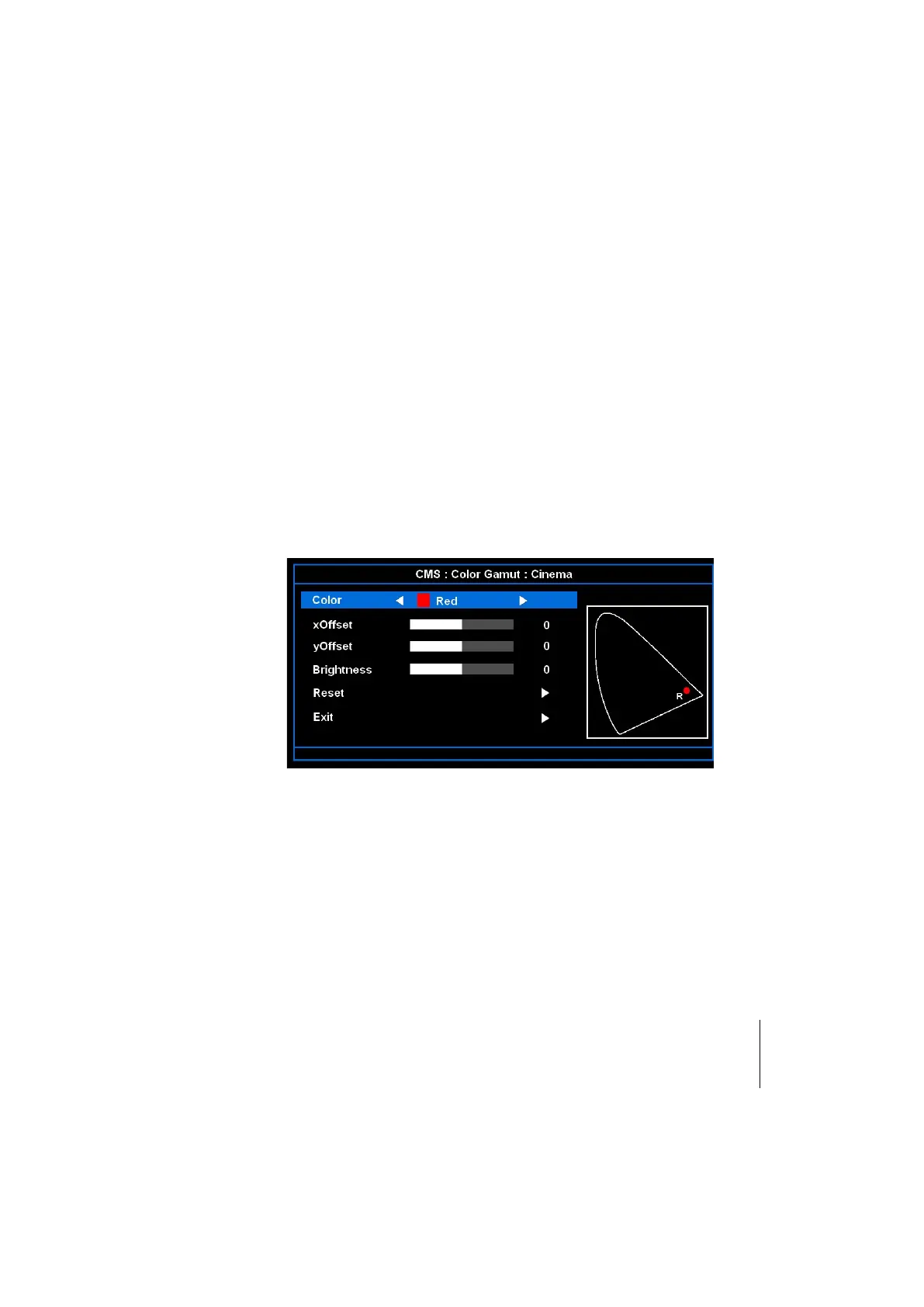
Color Management System (CMS)
This function allow to customize the Color Gamut by the user, when it is selected
the Color Gamut “User” or “Cinema”.
Press the to enter the menu and then use or to select item.
Select one of the colors (Red/Green/Blue/Cyan/Magenta/Yellow/White) to adjust
its x & y offset and brightness.
Color: use or to select from Red, Green, Blue, Cyan, Magenta,
Yellow or White colors.
x Offset: use or to adjust the x offset value of selected color.
y Offset: use or to adjust the y offset value of selected color.
Brightness: use or to adjust the brightness value of selected color
(not available for White).
Reset: choose “YES” to apply the factory default settings for color
adjustments.
Exit: to exit from the CMS settings.



 To Next Page