24
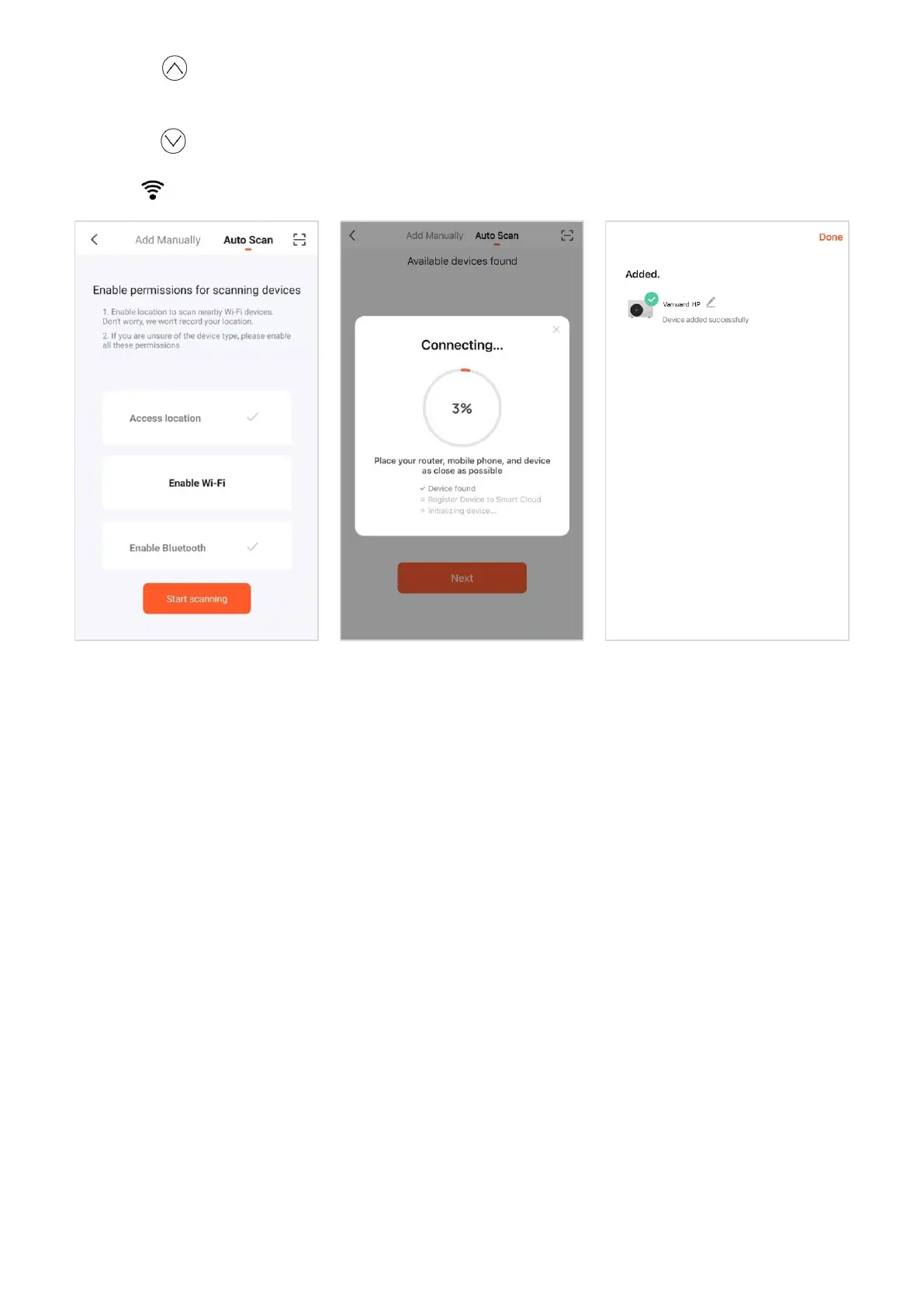
Long press button on control panel, it starts scanning for appliance after the speaker makes noise.
Press Next (Fig4.6) after find the appliance. And then press Done (Fig4.7) to complete the connection.
Long press button to disconnect the appliance.
1.6 The icon will keep light on after the connection is done.
Fig4.5 Fig4.6 Fig4.7
2. APP operation.
2.1 Enter home page
After the appliance is connected to Wi-Fi, the appliance will be displayed on APP (Fig4.8).
Press the appliance icon to enter the home page (Fig4.9).
The home page is display the operation mode, current water temperature and desired water
temperature set point.
2.2 Change the desired water temperature set point
Slide the temperature bar (Fig4.9) on home page to change the set point directly.


 To Next Page