36
EN
Esc Back
GENERAL SETTINGS [...]
INFORMATION [...]
TECHNICAL [...]
MENU
TECHNICAL
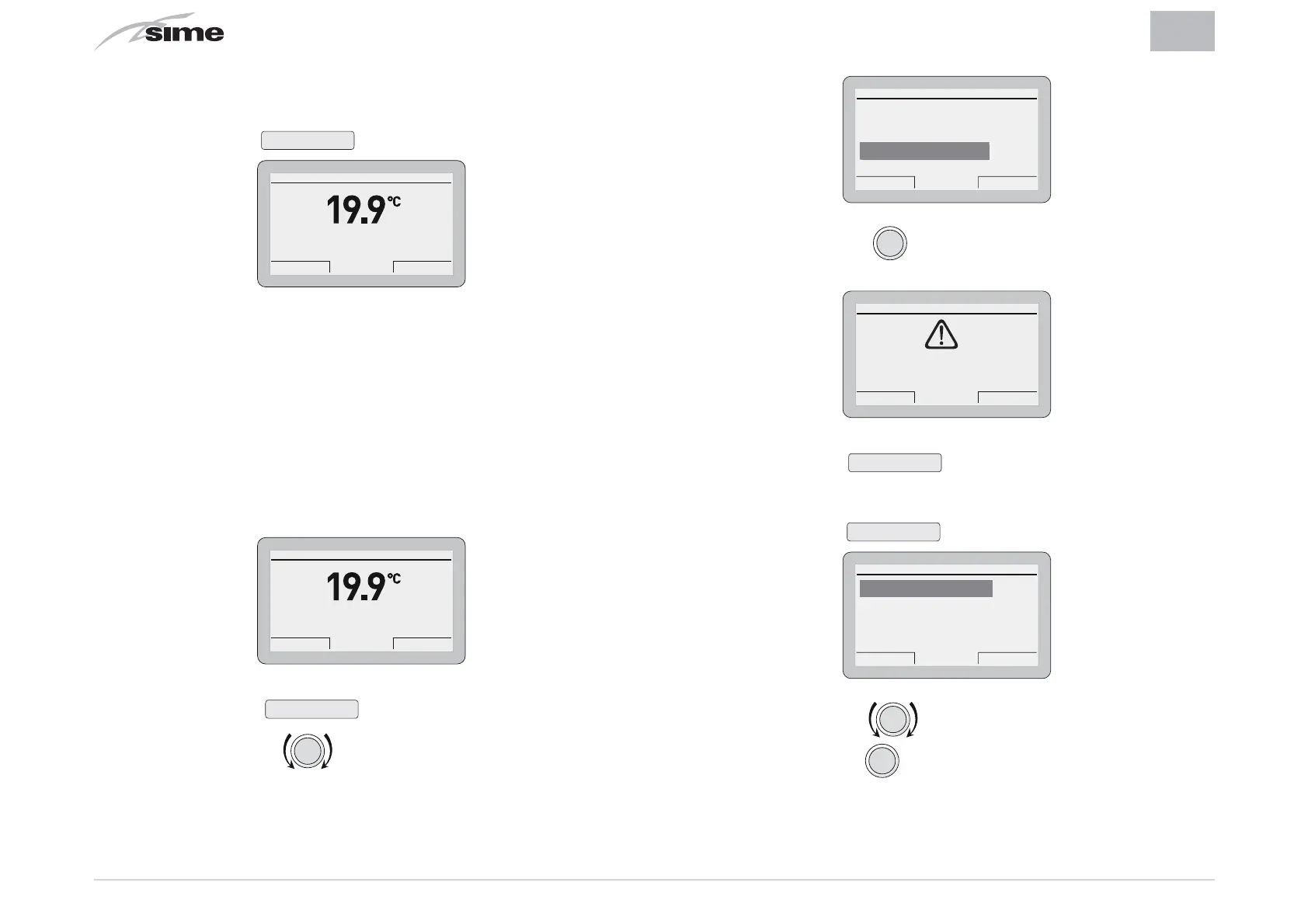
– Press the encoder
click
to go into a modifiable area. A
screen appears offering the following options:
Cancel Confirm
CONFIRM REQUEST
Confirm operation?
– Press the button
Cancel
to go back to the menu
“TECH-
NICAL”
– Press the button
Confirm
to go into the submenus
TECHNICAL
Esc Back
Zone heating [...]
Boiler parameters [...]
Total reset [...]
– Rotate the encoder to select the required submenu
– Press the encoder
clic
to confirm the submenu selected
and go into the area for modifiable parameters.
– Continue in this way until all the necessary information has
been shown
– Press the button
Esc
to go back to the
“main screen”
.
Th 20 Mar 2014Zone 1 10:30
Winter manual - set 20.0°C
Menu Mode
4.2.3 TECHNICAL Menu
It is recommended that the TECHNICAL Menu is only used by
Professionally Qualified Personnel, since it is used to modify
system management data.
The submenu
“Boiler parameters”
requires the CODE (or pass-
word)
“1 2 3 4 5”
to be entered.
From the
“main screen”
Th 20 Mar 2014Zone 1 10:30
Winter manual - set 20.0°C
Menu Mode
– Press the button
Menu
to go into the screen to select
“Menu”
– Rotate the encoder to select the menu
“TECHNICAL”


 To Next Page
 Loading...