37
EN
WARNING
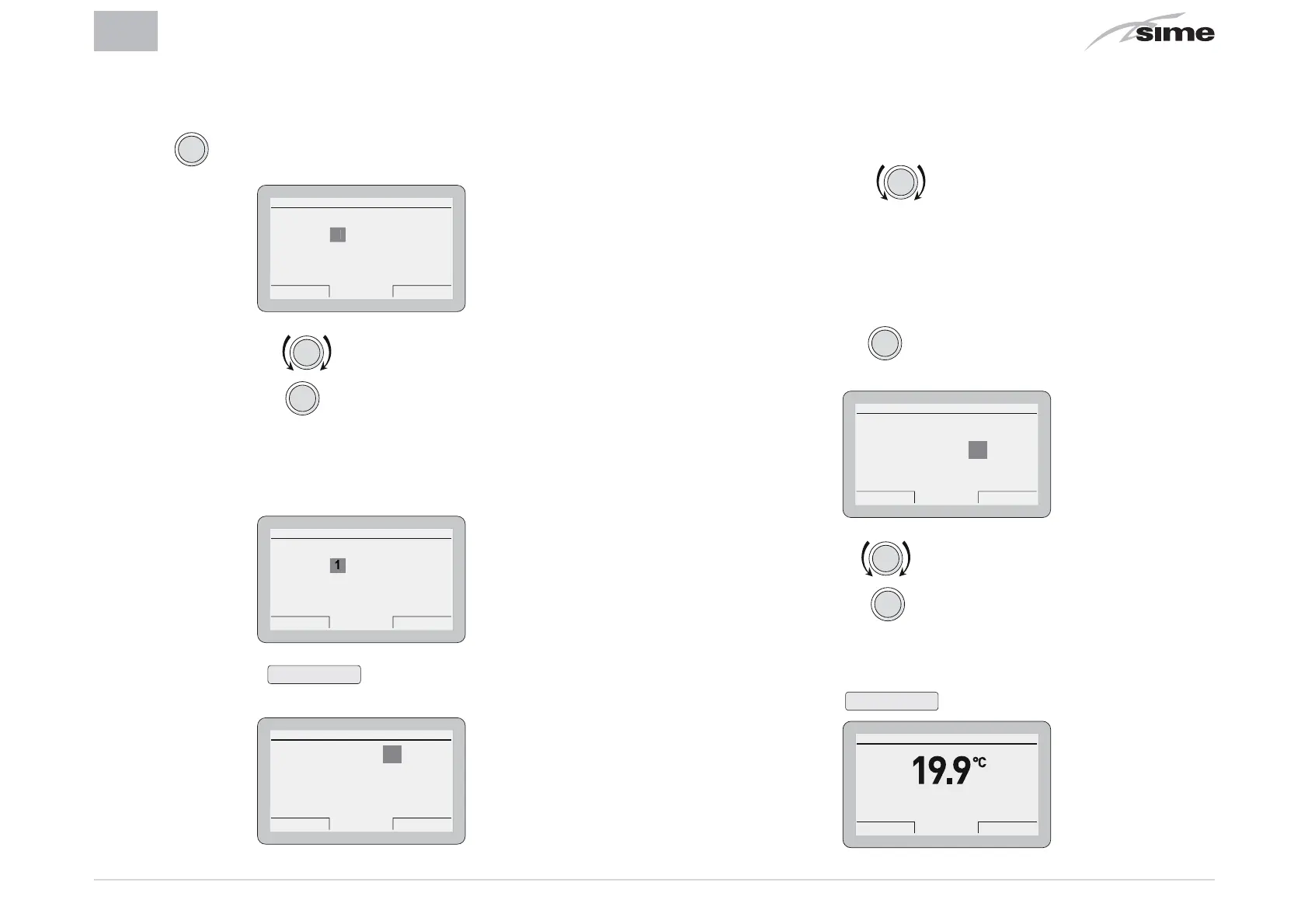
When the submenu
“boiler parameters”
is selected,
the following screen appears when the the encoder
clic
is pressed.
ENTER ACCESS CODE
Code: 000000
Cancel Confirm
– Rotate the encoder to modify the first digit from 0 to 1
– Press the encoder
click
to confirm the modification and
select the next digit
– Continue in this way until the CODE (or password)
“1 2 3 4 5”
has been completed
ENTER ACCESS CODE
Code:
Cancel Confirm
12345
– Press the button
Confirm
to go into the
“Parameter set-
tings”
area for the boiler
Boiler parameters
Esc Back
Parameter Index: 1
Parameter Value: 0
1--------42
– where
“Parameter index”
refers to the parameter table in the
manual of the installed boiler (eg. 1=tS 0.1 or 1=PAR 01).
– Rotate the encoder
to scroll through the list of pa-
rameters and check the value
– If the value of the selected parameter is to be modified:
– Press the encoder
clic
to go into the value modification
area
Boiler parameters
Esc Back
Parameter Index: 1
Parameter Value: 0
1--------42
– Press the encoder to set the new value
– Press the encoder
clic
to confirm the modification and
move on to another parameter.
– Once all the displays/modifications have been completed,
press the button
Esc
to go back to the
“main screen”
.
Th 20 Mar 2014Zone 1 10:30
Winter manual - set 20.0°C
Menu Mode


 To Next Page
 Loading...