32
USER INFO MENU3.3.3.6
The menu User Info includes a set of values and items related to the control system operation and to some external components. All the displayed
values cannot be changed; by this way, on the top line of text won’t be shown Set/Ok, but only esc.
On the bottom line the item name whose value is displayed will be shown.
The arrow keys allow the user to browse through the various menu items.
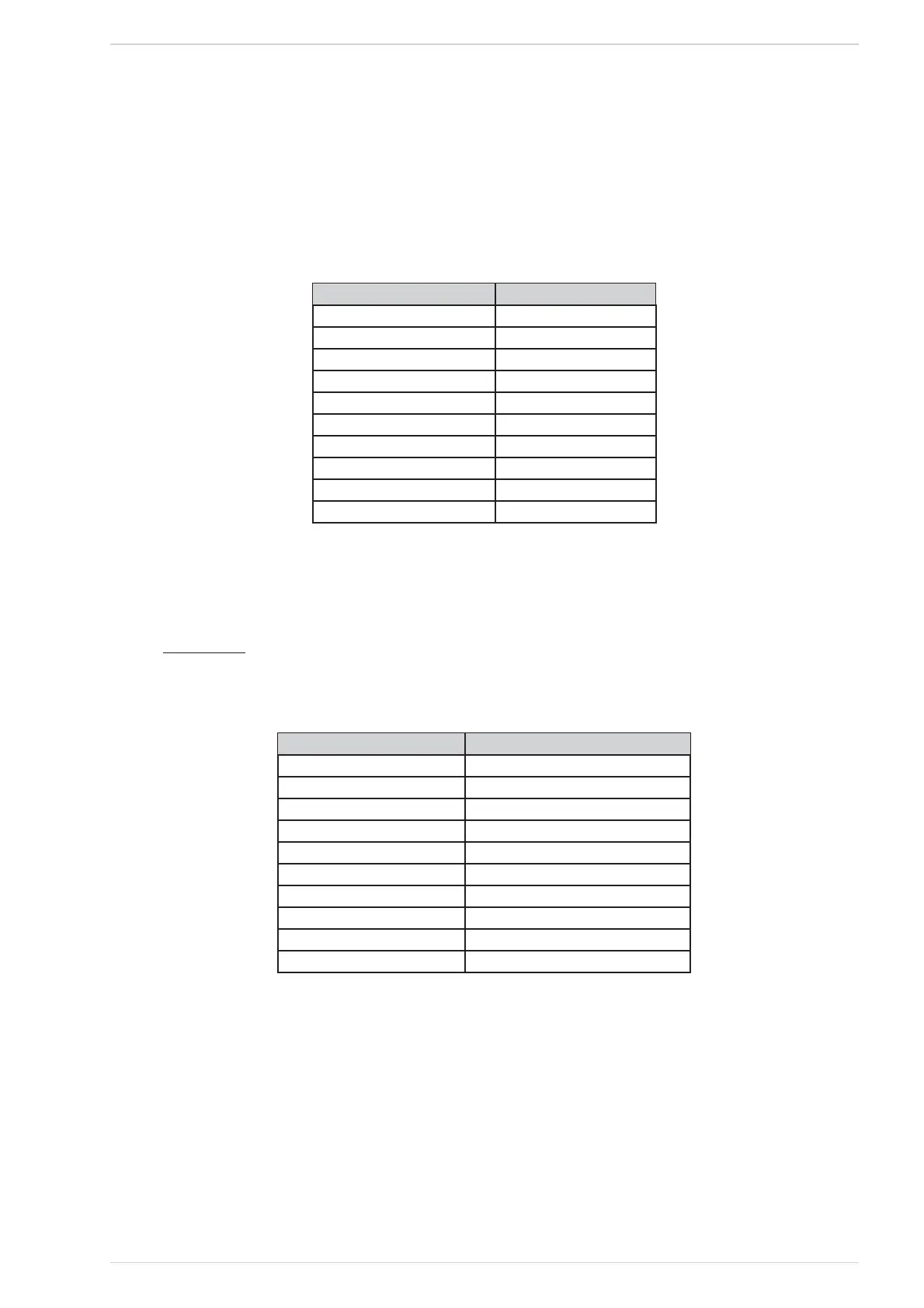
Table 13 shows the various menu items, in the same order as they appear, with their expected values.
Function Value
Control Board Code 000000
Security code 000000
Display Code 000000
Functioning Time (running hours) 000000 ÷ 999999 hours
Service Time 0000 ÷ 9999 hours
Service (phone number)
Fumes Extractor (exhauster fan) 0000 ÷ 2500 rpm
Fumes Temperature 000 ÷ 300 °C
Pellet Feeder Time 0.1 ÷ 12.0 seconds *
Water pressure ** 0.0 ÷ 5.0 bar
User Info menu items listTable 13
* The maximum value which can be displayed depends on the set value.
** Displayed only if hydro mode and the water pressure switch option are enabled. (See § 2.5.4.5 – Hydro Menu)
HIDDEN ITEMS
The key #3 is associated with some “hidden items”, without any description being displayed. The item purpose varies; anyway, by pressing and holding
for 10 seconds the key #3, the associated option is turned on.
Menu item Function
Control Board Code -
Security code -
Display code -
Functioning Time (running hours) -
Service Time -
Service -
Fumes Extractor (exhauster fan) -
Fumes Temperature -
Pellet Feeder Time -
Water pressure -
Hidden items listTable 14



 To Next Page