SD7K
www.simmonsdrums.net
11
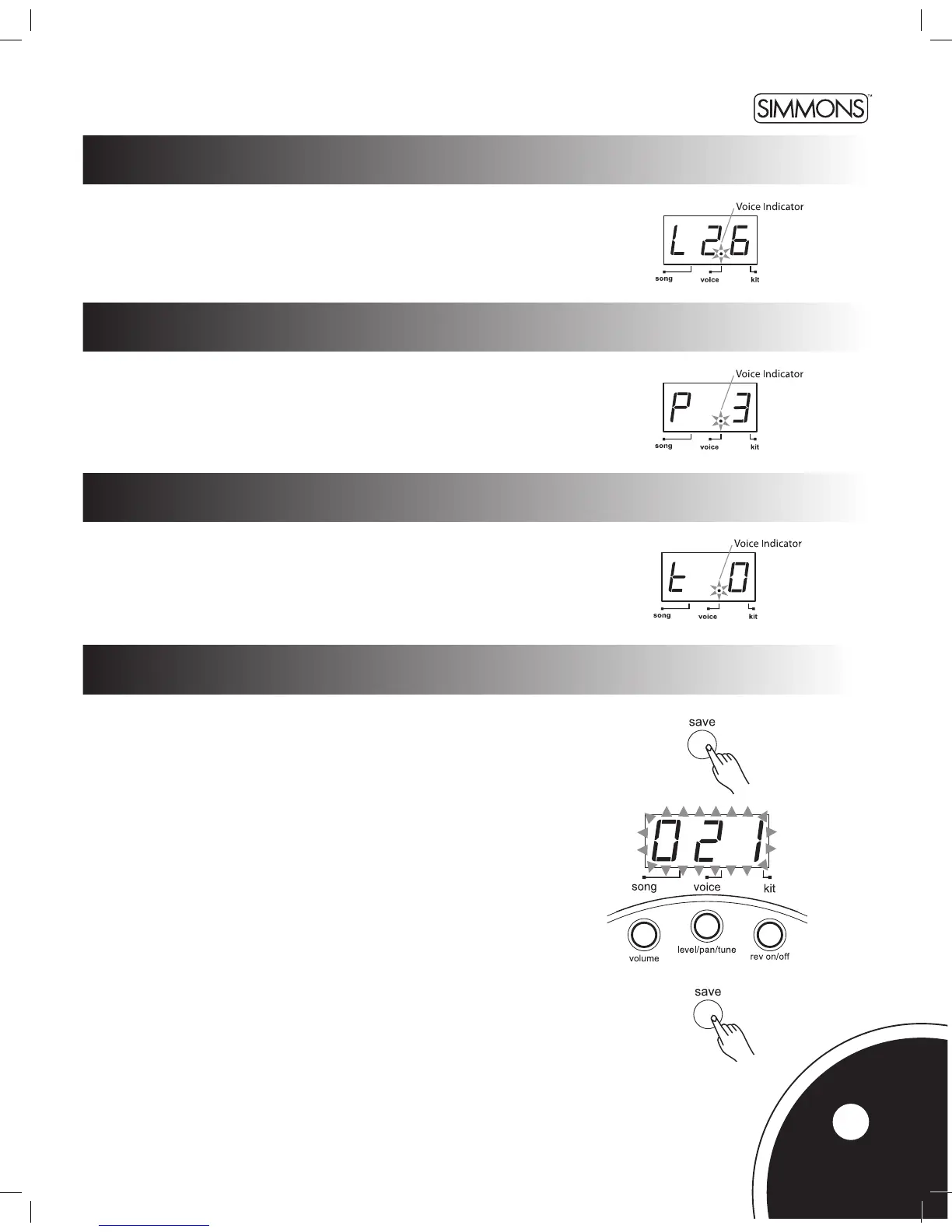
Press the [VOICE] button until the LED display shows “Pxx”. (xx = Pan value: -8 ~ +8)
Use the [+] and [-] buttons to adjust the Pan of the current pad.
adjusting pad level
Press the [VOICE] button until the LED display shows “Lxx”. (xx = Level value: 0 ~ 32)
Use the [+] and [-] buttons to adjust the level of the current pad.
adjusting pad pan
adjusting pad tuning
Press the [VOICE] button until the LED display shows “txx”. xx = Tuning value: -8 ~ +8)
Use the [+] and [-] buttons to adjust the tuning of the current pad.
saving user kits
Make sure you save your customized kit; otherwise, your changes will be
lost when you select another kit or turn off the SD7K.
Kits 001 ~ 020 are factory presets. Customized kits can be saved in
User kits 021 ~ 050.
User kits store all the voice settings (voice number, level, pan and tuning)
for all the pads.
To save your customized kit to one of the User kits:
1. Press the [SAVE] button. The kit number ashes on the LED.
2. Use the [+] or [-] buttons to set the User kit number (021 ~ 050).
The kit number will still be ashing.
3. Press the [SAVE] button again. The kit number stops ashing
and the SD7K returns to Kit Mode.
Note: To cancel the save operation while the LED is ashing, press the
[KIT] or [VOICE] button.



 To Next Page