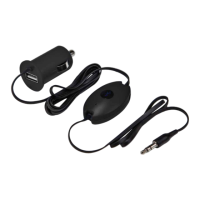
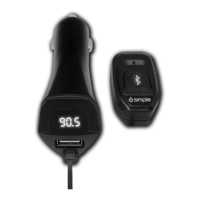
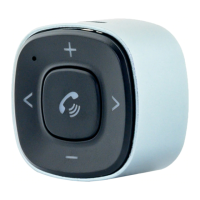
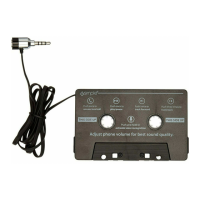
a. Charge your ISBT32R using the USB charging cable included.
b. When connected to a USB power source, BT icon will glow
red while charging. When charging is complete, red LED light
will turn off.
a. After charging your ISBT32R , unplug it from the USB cable.
b. Enable your Bluetooth function on your smart device.
c. Turn on ISBT32R by pushing and holding the Bluetooth button for 3
seconds. BT icon will be blinking red and blue. Power is on, and you
are now in pairing mode..
d. Open the Bluetooth menu on your smartphone, and scan for
available Bluetooth accessories.
e. Choose “ISBT32R” from the list, and select “Connect”.
f. When a successful connection has been established, LED light will
change to a solid blue light.
TO PAIR ADDITIONAL DEVICES: 2 phones can be connected at the
same time with only one playing music. You can toggle back and forth
between both connected phones To do this turn off the Bluetooth on
your first device and repeat steps b-f. NOTE: You can store up to 5 devices
in the memory, but ISBT32R can only play two devices in tandem at the same time.
.
3. Let’s go! Connect!
a. Plug ISBT32R into the vehicle’s AUX port.
b. Select the AUX input source on your radio to enjoy your music.
c. Use your phone to access your music.
To save battery life while not in use, press the control button
for 3 seconds to turn off ISBT32R .
Here is what you get
ISBT32R USB Charging Cable3.5mm Extension Cable
Control Button
Charge
Power
Pair
Plug into AUX
Push to Play
NEW
INSTRUCTION MANUAL
BluJax - ISBT32R Rev B
LED Indicator Guide
Paring mode: Flashing red and blue lights
Paired: Steady blue light
Low Battery: Flashing red light
Charging: Steady red light
Full battery: No light
4. Day to Day Operation
Press “PLAY” button to play
Press “PAUSE” button to pause
Press “FORWARD” button to skip track
Press “BACK” button to go back to beginning of track Double
click to go back to previous track
Turning Off Your BluJax
1. Charge
2. Initial Pairing
NOTE: Make sure you are parked in a safe spot before installation
and whenever you are pairing your device. NEVER WHILE DRIVING
.

 Need help?
 General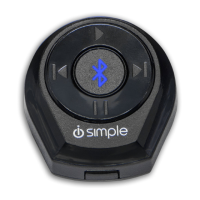

 To Next Page