EasyManua.ls Logo

Simplicity S40 - User Manual

Simplicity S40
28 pages
Print Icon
To Next Page IconTo Next Page
Loading...
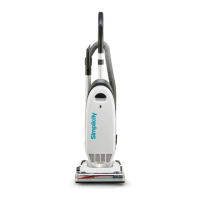
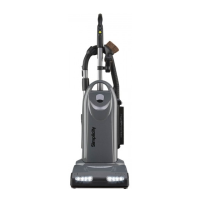
Description of the vacuum
www.SimplicityVac.com
(The chances are youre
never going to read me)
Owners Manual
Models S40 & S40P
SYNERGY UPRIGHT

Questions and Answers

  • R
    robyntaylorJul 31, 2025
    Why won't my Simplicity S40 turn on?
    • D
      Daniel HaleJul 31, 2025
      If your Simplicity Vacuum Cleaner won't turn on, there are several possible causes: * Ensure the power cord is firmly plugged into the outlet. * Check your house fuse or breaker. Replace the fuse or reset the breaker if necessary. * If neither of these solutions works, the vacuum may need professional service. Take it to an Authorized Simplicity Vacuum Retailer.
  • V
    Victoria NealAug 16, 2025
    How to fix low suction on a Simplicity S40?
    • C
      Catherine KingAug 16, 2025
      If your Simplicity Vacuum Cleaner has low suction, try the following: 1. Ensure the “Carpet” button is activated (illuminated). 2. Replace the vacuum bag if it's full. 3. Replace any clogged filters. 4. Remove any obstructions from the hose. 5. Replace worn brush strips. 6. Turn the Tool Activation Dial to the “Off” position for carpet and bare floor cleaning. 7. If the belt is broken, take the vacuum to an Authorized Simplicity Vacuum Retailer.

Summary

Important Safety Instructions

Polarization Instructions

State of California Proposition 65 Warnings

Description of the Vacuum

Assembling the Vacuum

Attaching the Handle to the Vacuum

Steps to connect the handle to the vacuum body.

Unwinding the Power Cord

Instructions for managing the power cord.

Operation

Reclining the Handle

How to adjust the handle angle for use.

Vacuuming Carpet

Instructions for cleaning carpeted surfaces.

Bare Floor Cleaning

Instructions for cleaning hard floors.

Brushroll Auto Shut-Off Feature

Explanation of the brushroll's automatic stop feature.

Dirt Sensing Display (S40 P model only)

How the amber lights indicate dirt detection.

Carpet Height Adjustment

How to set the vacuum for different carpet pile heights.

Vacuuming Under Furniture

How to lay the vacuum flat for cleaning under furniture.

Carrying the Vacuum

Safe methods for transporting the vacuum.

Attachment Cleaning

Wand Cleaning

Steps to remove and extend the telescopic wand.

Cleaning Tools

Details and uses of dusting brush, upholstery tool, and crevice tool.

Adjusting the Suction Power for Tool Cleaning

How to adjust suction power using the relief valve.

Disconnecting the Hose

Instructions for detaching the hose from the vacuum unit.

Maintenance and Care

Annual Checkup

Recommendation for professional annual vacuum inspection.

Power Cord Care

Guidelines for handling and maintaining the power cord.

When to Change the Vacuum Bag

Indicator light function and when to replace the vacuum bag.

Replacing the Vacuum Bag

Step-by-step guide to replacing the vacuum bag.

When to Change the Filters

Filter replacement schedule and indicator light reset.

Replacing the HEPA Media Filter

Instructions for removing and installing the HEPA filter.

Replacing the Charcoal Filter (S40 model only)

Steps to replace the charcoal filter in the S40 model.

Replacing the Granulated Charcoal Filter (S40 P model only)

Steps to replace the granulated charcoal filter in the S40P model.

Replacing the Direct Air Motor Filter

Guide to replacing the direct air motor filter.

Lifetime Belt

Information about the lifetime warranty on the vacuum belt.

Jammed Brushroll

How to identify and resolve a jammed brushroll condition.

Cleaning the Dirt Sensor Eye (S40 P model only)

Method for cleaning the dirt sensor eye with uncooked rice.

Thermal Motor Protection

How the thermal protection system works and how to reset it.

Problem Solving Guide

Troubleshooting

Table listing common problems, reasons, and solutions.

Key Replacement Parts

List of essential replacement parts like bags and filters.

For Best Performance

Tips for maintaining optimal vacuum cleaning performance.

Warranty

What is Covered

Details of what the product warranty covers.

How Long Coverage Lasts

Duration of warranty coverage for different models.

What is Not Covered

Specific items or conditions excluded from warranty coverage.

What We Will Do

Services provided under warranty at no cost to the owner.

How to Get Service

Procedure for obtaining warranty service from a retailer.

How State Law Applies

Information on how state laws affect warranty rights.

Owners Warranty Information

Simplicity S40 Specifications

General IconGeneral
BrandSimplicity
ModelS40
CategoryVacuum Cleaner
LanguageEnglish

Related product manuals