man-en-smx-rns02.docx
© 2020 SIMPLINX
After activating the internet sharing option you want to use;
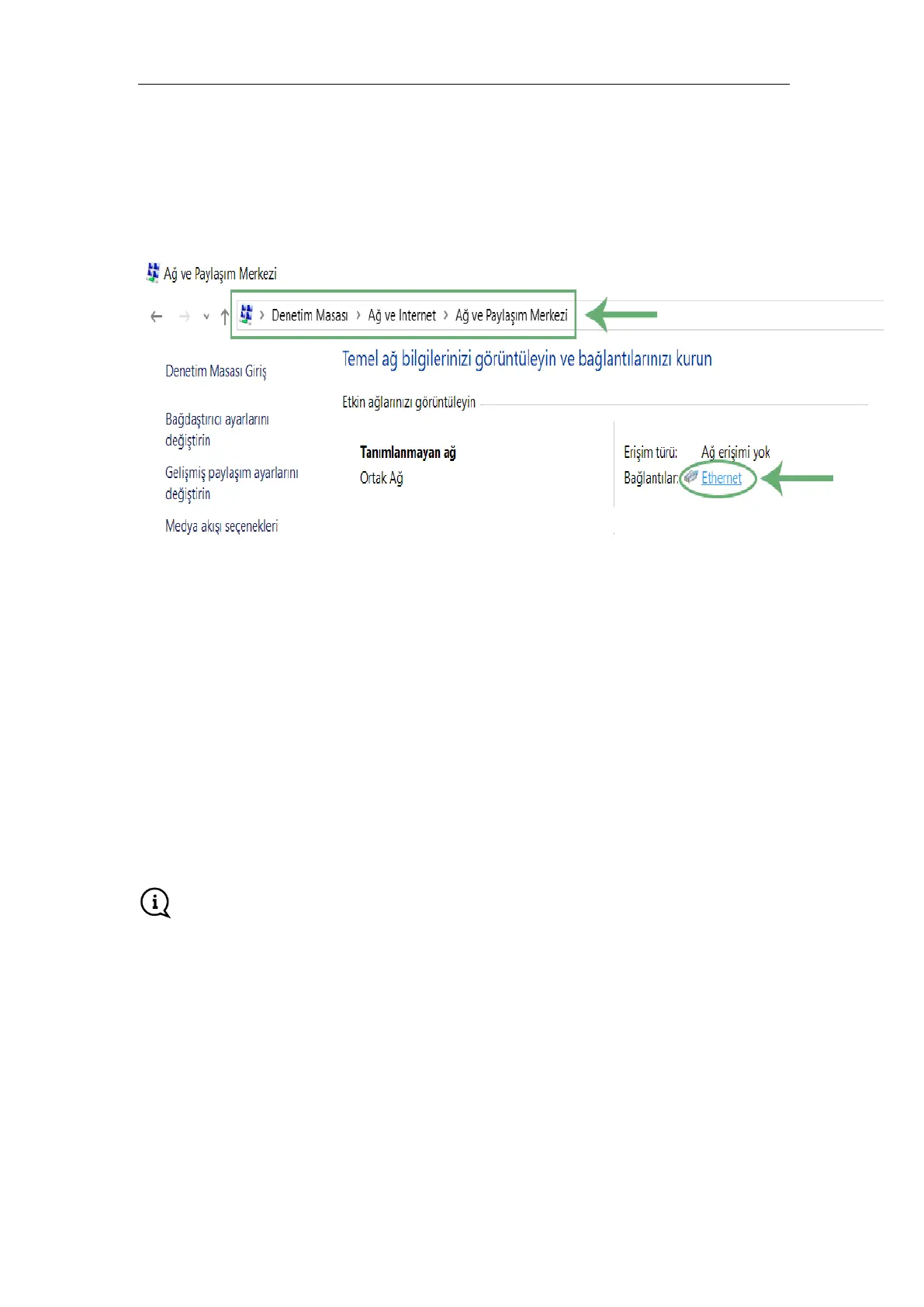
Go to "Control Panel" on the PC (Or Devices on LAN)
Go to the "Network and Internet" > "Network and Sharing Center" page and click on the "Links"
Press the "Properties" button in the pop-up window
Select TCP/IPv4 and press the "Properties" button again
Use the following IP address: select and specify the values as follows
IP Address: It must be in the LAN IP block of your SMX-RNS02 module.
Subnet Mask: Must be the same as the LAN MASK of your SMX-RNS02 module.
Default Gateway: Must be the LAN IP of your SMX-RNS02 module.
Preferred DNS Server: Must be the LAN IP of your SMX-RNS02 module.
Press the "OK" button.
You can close other remaining windows by pressing the "OK" button.
If you change these settings, you must restart the device for the new settings to take effect.



 To Next Page