Baking
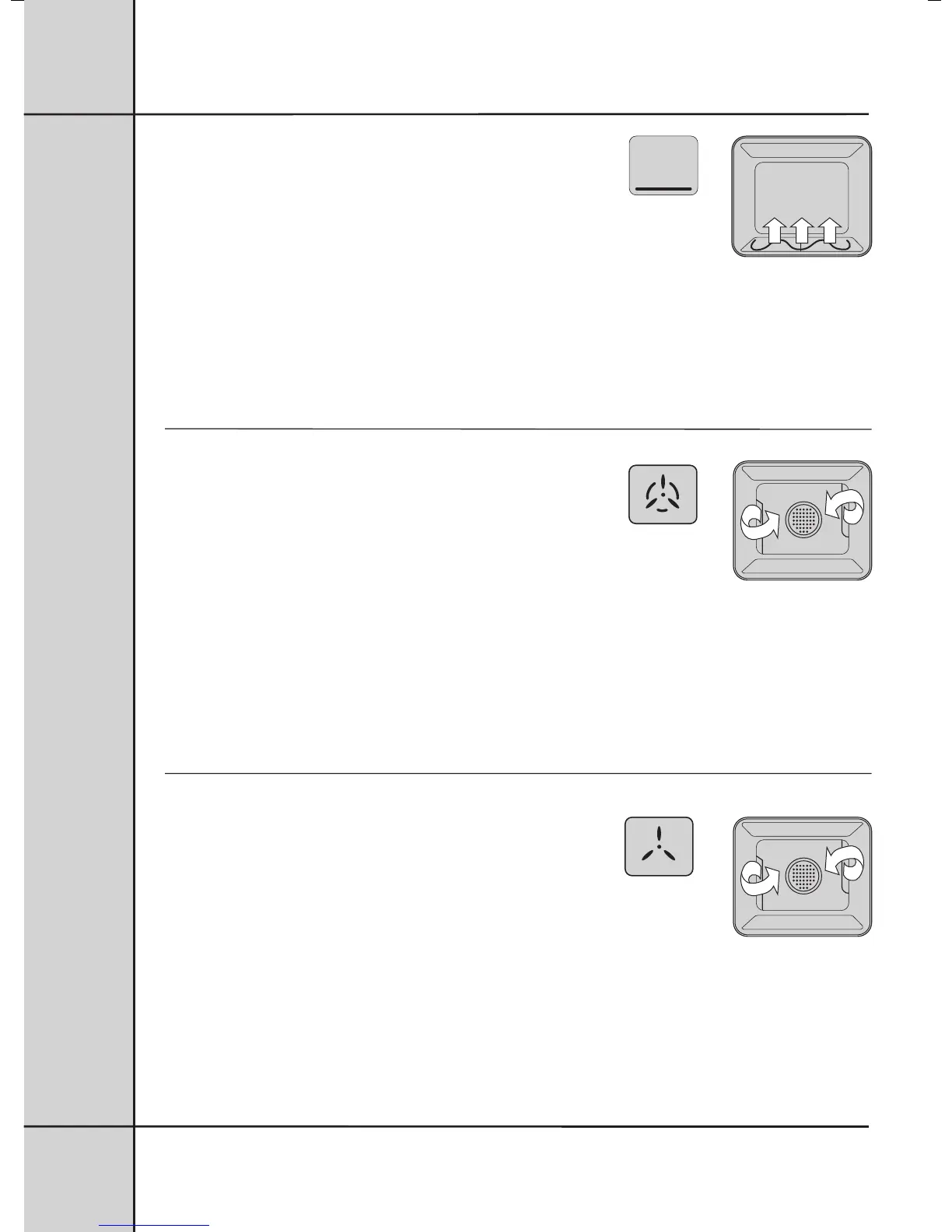
Heat comes from the element below the food. The element is controlled
by the thermostat and will turn on and off to maintain the set temperature.
You can use the “Bake” function for single trays of biscuits, scones,
muffins, cakes, slices, casseroles, baked puddings, roasts and delicate egg dishes.
Cook in the lower half of your oven when you are using only one shelf.
We recommend you preheat your oven before cooking. To do this 1. set the temperature you want, 2. when the
oven indicator light goes out, put your food in the oven, close the door and set the timer.
12
UNDERSTANDING THE FUNCTIONS
Fan Baking
Heat comes from the element surrounding the fan. This fan
circulates the hot air around the oven cavity so that you can
put your food in different places in the oven and still cook
them at the same time.
You can use the “Fan bake” function for multi-shelf cooking, reheating cooked foods, pastries and complete
oven meals.
It will cook at a lower temperature and be faster than baking.
Please note that some variation in browning is normal.
We recommend you preheat your oven before cooking. To do this 1. set the temperature you want, 2. when the
oven indicator light goes out, put your food in the oven, close the door and set the timer.
Defrosting
The “Defrost” function uses low temperature air that is
circulated by the fan. You can defrost (thaw) your food before
you cook it. You can also use “Defrost” to raise
your yeast dough and to dry fruit, vegetables and herbs.
2



 To Next Page