T-SAS-GCNM12 ©2012 Simpson Strong-Tie Company Inc.
-15-
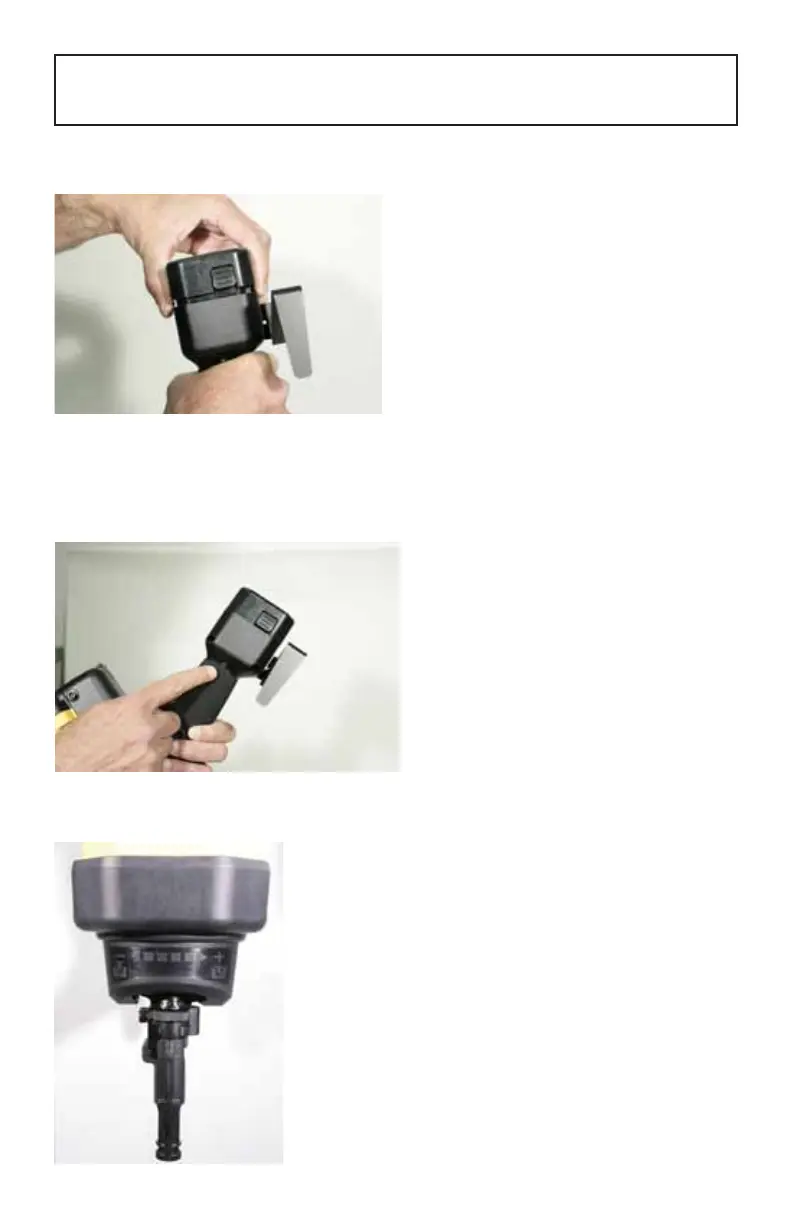
INSTALLING THE BATTERY (GCN-PPA020)
GENERAL OPERATING INSTRUCTIONS FOR THE
GCN150/GCN-MEP GAS-ACTUATED TOOL
The GCN150/GCN-MEP uses a 6-volt
NiMH battery than can be fully charged in
approximately two hours. Install the battery
by pushing into place until it click-locks. To
remove the battery, push the release tabs and
pull the battery out.
Note: During extended periods of non-use, Simpson Strong-Tie recommends charging the
battery for at least 15 minutes every three months for optimal battery life.
THE GCN-MEP TOOL HAS A BATTERY CHARGE INDICATOR LIGHT
1. When the light is sold green, the battery is
fully charged.
2. When the light is ashing green, the
battery charge is getting low.
3. When the light is orange/ red, the battery
requires charging.
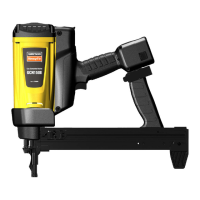
DEPTH CONTROL DIAL:
The GCN-MEP tool has a depth control
dial with allows the operator to adjust the
embedment depth of the fastener. Turn the
dial towards the “+“ symbol to increase the
embedment depth or turn the dial towards
the “-“ symbol to reduce the embedment
depth.



 To Next Page