3. Start a program to remove any processing
residuals that can still be inside the appliance. Do
not use detergent and do not load the baskets.
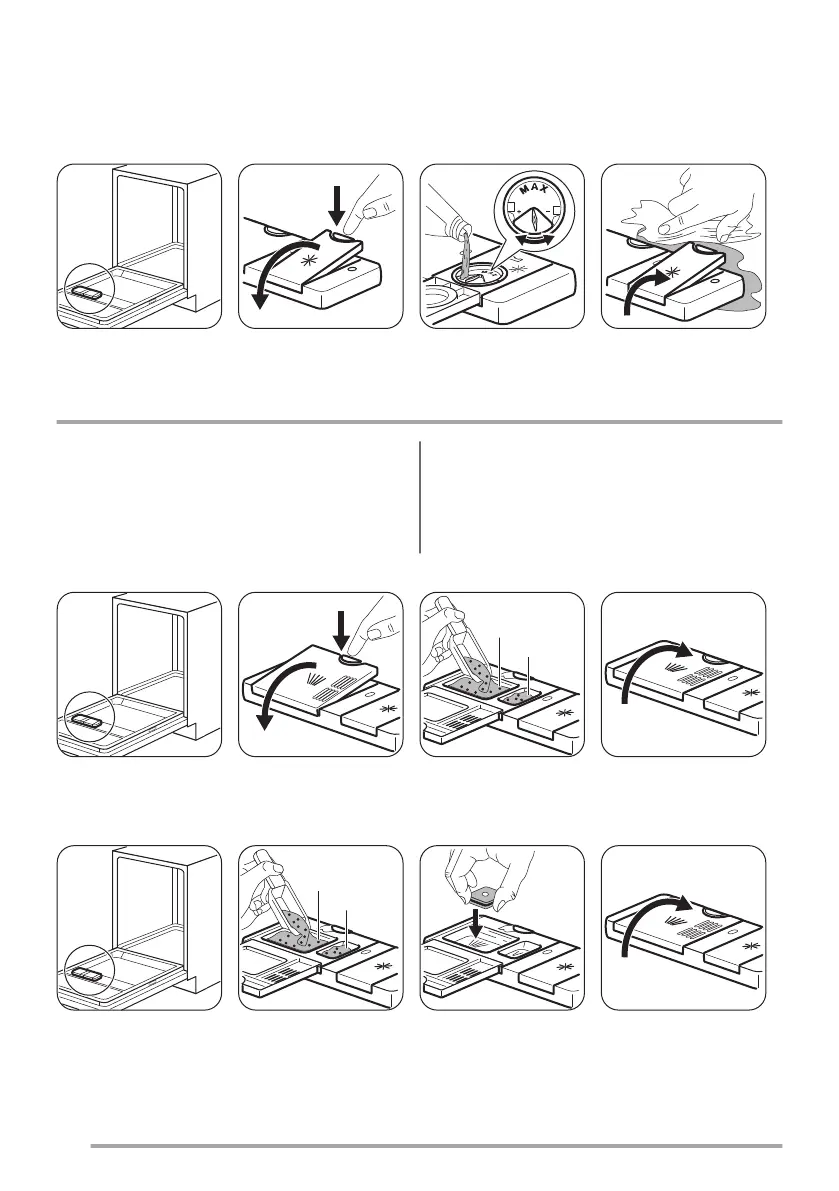
Adding rinse aid
The rinse aid helps to dry the dishes without streaks and stains. It is automatically released during the hot rinse
phase.
Daily use
1. Open the water tap.
2. Set the correct program for the type of load and the
degree of soil.
Make sure that the appliance is in Program selection
mode.
• If the rinse aid indicator is on, fill the rinse aid
dispenser.
3. Load the baskets.
4. Add the detergent.
5. Start the program.
Adding detergent
If the program has a prewash phase, put a small quantity of detergent also in compartment B.
Adding multi-tablets
• Set the rinse aid dispenser to the lowest position.
6



 To Next Page