88
SUREFIRE ELECTRONIC IGNITION SYSTEM
S.I.T. PROFLAME 1 TROUBLESHOOTING
SimTech Proflame I
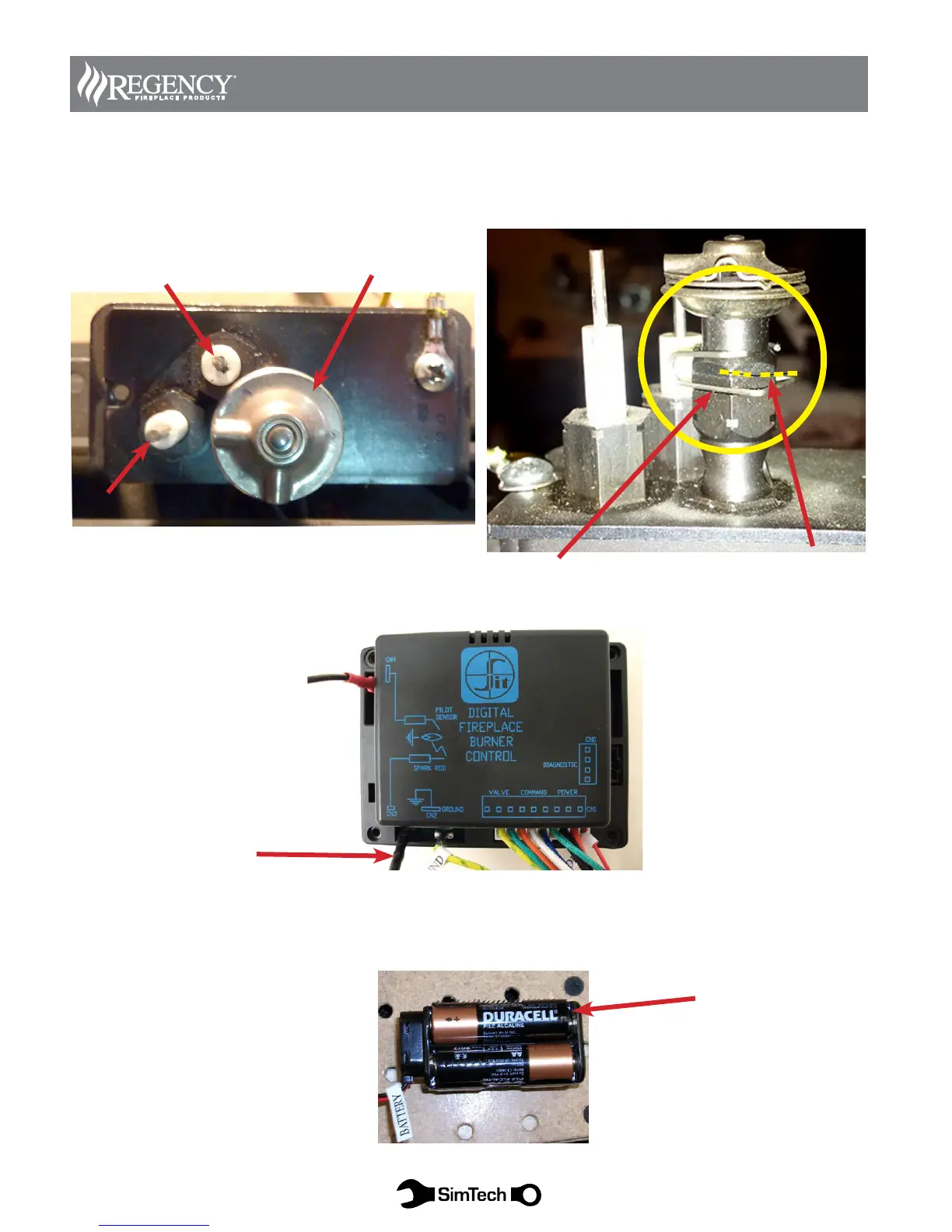
Diagram 1
Remove the electrode from the assembly to examine for cracks in the porcelain.
Remove pilot hood ground clip and hood then clean ground contact points from hood to assembly. Examine electrode
wire and connector for breaks or abrasion.
Pilot Ground Clip
Clean ground contact points from hood
to assembly
Diagram 2
Conrm the igniter wire is properly connected and check for any breaks in the wire or connector
Check Igniter Wire
Connection
Diagram 3
Check that the batteries are correctly installed in the holder. Push batteries forward towards the (+) positive end. The
holder is very tight and sometimes the batteries will not make a good connection
Pilot hood
Flame Sensor
4 x AA Batteries
Spark Electrode


 To Next Page