EasyManua.ls Logo

Sine Audio DS6405 - User Manual

Default Icon
24 pages
Print Icon
To Next Page IconTo Next Page
Loading...
DS6X Series
Model: DS6201/6301/6401/6501/6601/6701
DS6202/6302/6402/6502/6602/6702
DS6203/6303/6403/6503/6603/6703
DS6205/6305/6405/6505/6605/6705
User Manual
Total 50W
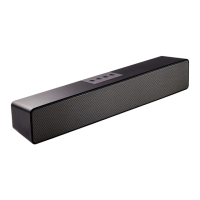
36 Inches Stereo
TV Sound Bar System

Questions and Answers

  • J
    Jesse MooreAug 5, 2025
    How to fix Sine Audio Speaker System with no power?
    • A
      Alexander JordanAug 5, 2025
      To resolve a Sine Audio Speaker System with no power, verify the power adapter is securely connected to the electrical outlet and the DC plug is properly inserted into the DC IN socket. If it still doesn't work, unplug the power adapter for a minute, then reconnect it.
  • J
    Jillian FarmerAug 9, 2025
    What to do if my Sine Audio Speaker System has no sound?
    • J
      Jacqueline PerryAug 9, 2025
      If your Sine Audio Speaker System has no sound, first, ensure the sound bar is on and the power indicator is green. Maximize your TV's volume and check that the mute button isn't activated. Make sure the source device's volume is appropriately set and playing. Verify the correct source device is selected. Also, ensure your audio cables are connected to the correct output connectors on your TV (Audio Output, Optical OUT, or Coaxial OUT). Activate PCM in your source device's audio settings and turn on your TV speakers.
  • K
    ksmithAug 13, 2025
    Why is my Sine Audio DS6405 remote control not working?
    • G
      gregoryayersAug 13, 2025
      If the remote control for your Sine Audio Speaker System isn't working, first ensure the batteries are correctly inserted or replace them. Then, move the remote closer to the sound bar, ensuring no obstacles are in the way, and make sure you're within 16.5 feet (5 meters). Aim the remote directly at the infrared receiver on the system.
  • A
    Angela ArroyoAug 18, 2025
    How to improve poor audio quality on Sine Audio DS6405?
    • A
      Alan HarringtonAug 18, 2025
      If you're experiencing poor audio quality with your Sine Audio Speaker System, try the following: * Select a suitable sound mode by pressing the movie, music, or news button on the remote. * Set the sound bar volume to 75% of maximum. * Secure the cable connections on the sound bar and TV (or other connected sources). * Test with different source devices. Also, ensure all cables are correctly and fully plugged in.
  • W
    William CookAug 21, 2025
    What causes poor audio quality on Sine Audio DS6405 Speaker System and how to fix it?
    • A
      awilkersonAug 22, 2025
      To address poor audio quality on your Sine Audio Speaker System, reduce the volume of your source device or restore the volume by double-clicking the boost button on the remote. If you're using a Bluetooth device, bring it closer to the sound bar, ensuring no obstacles interfere with the connection.
  • C
    Catherine MorrisAug 27, 2025
    What to do if Sine Audio DS6405 doesn’t react?
    • J
      Jonathan HayesAug 27, 2025
      If your Sine Audio Speaker System isn’t reacting, unplug the power adapter for at least one minute and then reconnect it. This can resolve malfunctions caused by electrostatic discharge.
  • T
    Thomas CarsonAug 30, 2025
    Why can't I connect my Bluetooth device to my Sine Audio Speaker System?
    • E
      Erin ValenciaAug 31, 2025
      If your Bluetooth device won't connect to the Sine Audio sound bar: * Move the Bluetooth device closer to the sound bar. * Switch off and on your device and/or sound bar, then repeat the pairing process. * Ensure the sound bar isn't connected to another Bluetooth device. * Select Sine Audio from your device's Bluetooth list. * Verify you're using the correct device. * Remove the sound bar (Sine Audio) from your phone/tablet's paired devices list, then turn the sound bar off and on again, and pair it again. * Try connecting another Bluetooth device. If issues persist, consult your dealer for repair.

Summary

SineAudio Important Notes

SineAudio Important Safety Instructions

General Safety Precautions

General safety guidelines for operating the sound bar system, including handling, placement, and electrical safety.

Battery Precautions

Guidelines for safe handling and use of batteries in the remote control, preventing damage and injury.

SineAudio Features and Specifications

SineAudio Setting Up the System

Unpacking and Preparation

Instructions for unpacking the sound bar system and initial preparation steps before installation or connection.

Wall Mounting Guide

Step-by-step guide for securely mounting the sound bar to a wall using provided brackets.

SineAudio Using the System

SineAudio Troubleshooting

Power, Sound, and Audio Quality Issues

Solutions for common problems like no power, no sound, or poor audio quality, including connection checks.

Remote Control and Bluetooth Connection Issues

Troubleshooting steps for unresponsive remote controls, system errors, and difficulties connecting Bluetooth devices.

Sine Audio DS6405 Specifications

General IconGeneral
BrandSine Audio
ModelDS6405
CategorySpeaker System
LanguageEnglish

Related product manuals