
 Need help?
Do you have a question about the Sine Audio SaiYin DS5101 and is the answer not in the manual?
Use charging equipment with output voltage less than 5.15V and current over 0.9A.
Avoid rain, moisture, high temperatures, direct sun, dropping, throwing, squeezing, and corrosive chemicals.
Do not use the product while riding a bike, motorcycle, or driving a car.
Charge for 4 hours before first use. Maintain battery by using at least monthly and avoiding full discharge.
Dispose of damaged products responsibly via local authorities due to battery content.
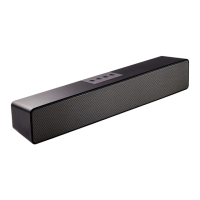
Highlights include 2.0 stereo sound, full range drivers, AUX input, USB/TF playback, and Bluetooth support.
Details power supply, output power, frequency response, signal-to-noise ratio, and audio format.
Details FCC rules, conditions for operation, and measures to correct interference.
Outlines the 12-month warranty period and common exclusion cases like misuse or natural disasters.
Describes top view buttons, indicator lights, and connector panel ports for system operation.
Explains the meaning of red and blue indicator lights for charging, modes, and playback status.
Guides users on how to select audio sources via Bluetooth, USB/TF, or AUX input.
Details the functions of buttons like Power/Play, Volume, and Mode based on click, double-click, or long-press.
Step-by-step instructions for pairing the sound bar with external Bluetooth devices.
Procedures for disconnecting the current Bluetooth device and reconnecting.
Provides tips for troubleshooting pairing issues and optimizing Bluetooth performance.
Addresses problems like no power, no sound, and ensures correct charging and playback settings.
Offers solutions for audio quality problems, including checking connections and source devices.
Guides on resolving issues where the Bluetooth device cannot connect to the sound bar.
 General
| Configuration | 2.0 |
|---|---|
| Speaker Type | Active |
| Signal-to-Noise Ratio | ≥85dB |
| Input Impedance | 10KΩ |
| Frequency Response | 20kHz |
| Audio Input | 3.5mm AUX |



 To Next Page