EasyManua.ls Logo

Singer 1410 - Connecting to Power Supply; Speed Controller and Sewing Lamp

Singer 1410
38 pages
Print Icon
To Next Page IconTo Next Page
To Previous Page IconTo Previous Page
Loading...
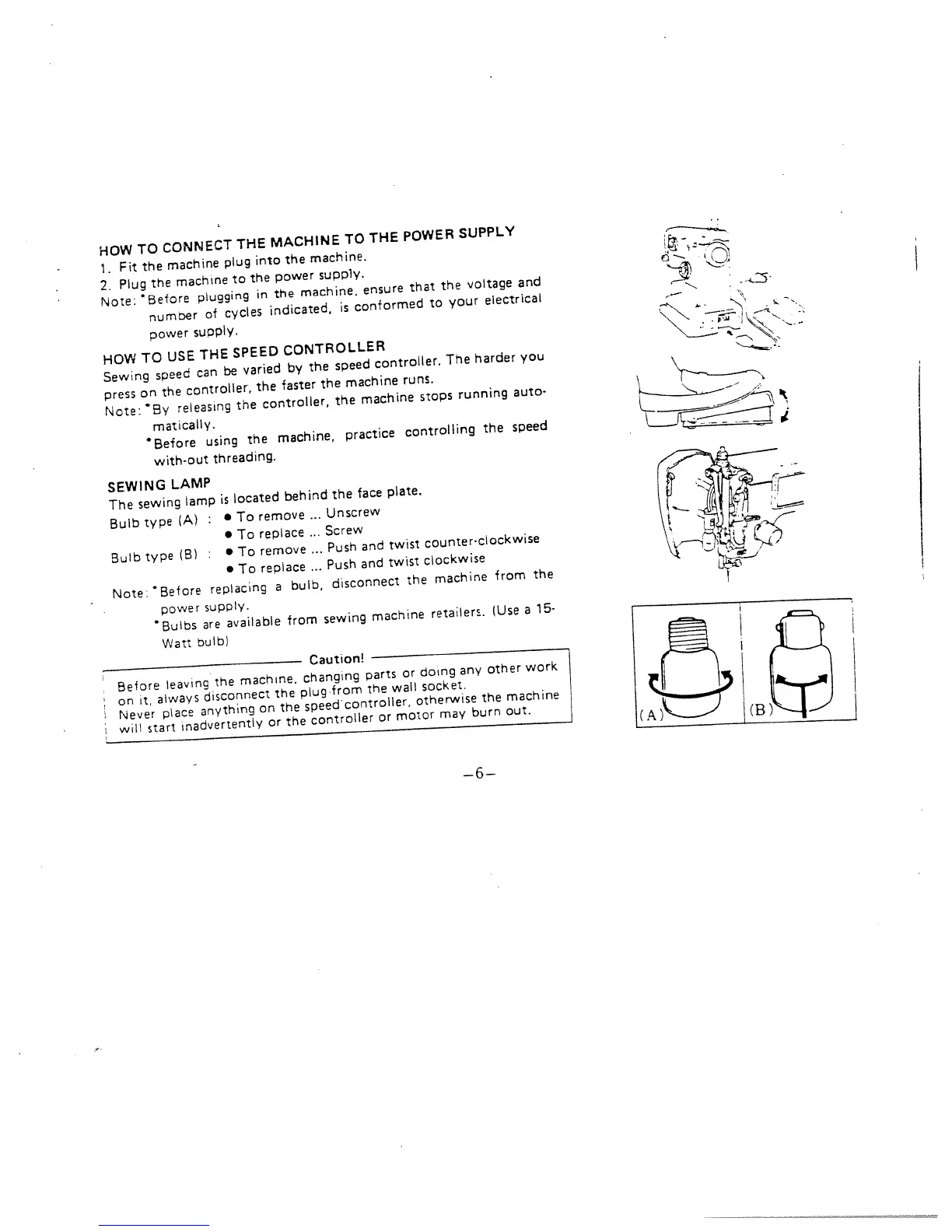
HOW
TO
CONNECT
THE
MACHINE
TO
THE
POWER
SUPPLY
1.
Fit
the
machine
plug
into
the
machine.
2.
Plug
the
machine
to
the
power
supply.
Note:
Before
plugging
in
the
machine,
ensure
that
the
voltage
and
number
of
cycles
indicated,
is
conformed
to
your
electrical
power
supply.
HOW
TO
USE
THE
SPEED
CONTROLLER
Sewing
speed
can
be
varied
by
the
speed
controller.
The
harder
you
press
on
the
controller,
the
faster
the
machine
runs.
Note:
8y
releasing
the
controller,
the
machine
stops
running
auto
mat
cally.
Before
using
the
machine,
practice
controlling
the
speed
with-out
threading.
SEWING
LAMP
The
sewing
lamp
is
located
behind
the
face
plate.
Bulb
type
(A)
:
To
remove
..
Unscrew
To
replace
...
Screw
Bulb
type
(B)
To
remove
..
Push
and
twist
counter-clockwise
To
replace
.
Push
and
twist
clockwise
Note:
Before
replacing
a
bulb,
disconnect
the
machine
from
the
power
supply.
Bulbs
are
available
from
sewing
machine
retailers.
(Use
a
15-
Watt
bulb)
Caution!
Before
leaving
the
machine,
changing
parts
or
doing
any
other
work
on
it,
always
disconnect
the
plug
from
the
wall
socket.
Never
place
anything
on
the
speedcontroller.
otherwise
the
machine
will
start
inadvertently
or
the
controller
or
motor
may
burn
out.
d—’-.
—6—

Related product manuals