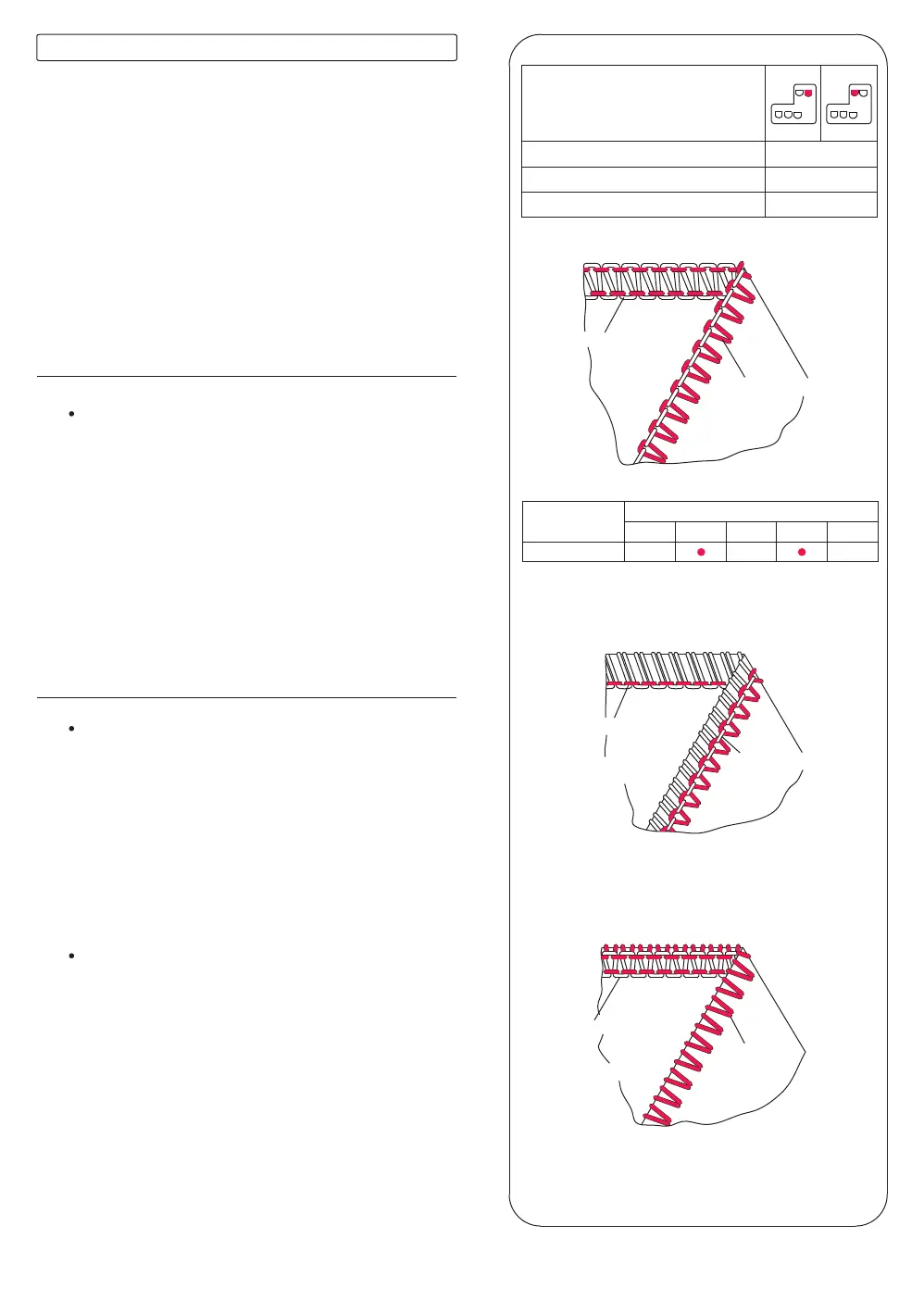
Underside
Underside
Underside
Needle thread
Lower looper thread
Needle thread
Lower looper thread
Topside
Needle thread
Topside
Lower looper thread
Topside
STITCH LENGTH
SPREADER
NEEDLE POSITION
SEAM WIDTH FINGER KNOB
USE
N
2~4
Spreader
Fabric
Medium weight
Tension Dial
Green
Orange
Blue Red Brown
42
Set auto tension dial to E as shown on illustration
and test sew on a sample of your fabric.
* See page 36 for instructions on converting
upper looper to spreader.
When the lower looper thread lies on the underside
of the fabric;
-Move the lower looper thread tension fine tuning lever
(red) toward a higher position.
-Or, move the needle thread tension fine tuning lever
(orange or blue) toward a lower position.
When the needle thread tension is too loose;
-Move the needle thread tension fine tuning lever
(orange or blue) toward a higher position.
-Or, move the lower looper thread tension fine tuning
lever (red) toward a lower position.
Tension is automatically set when seiecting the
desired stitch type with the Auto Tension Dial (ATD).
Tension may be fine tuned with the Fine Tuning Levers
according to the following variables:
1) Type and thickness of fabric
2) Needle size
3) Size, type and fibre content of thread
3) 2-thread Overedge
How to Balance
Correct Balance
ATD:E


 To Next Page