How to Choose Your Pattern
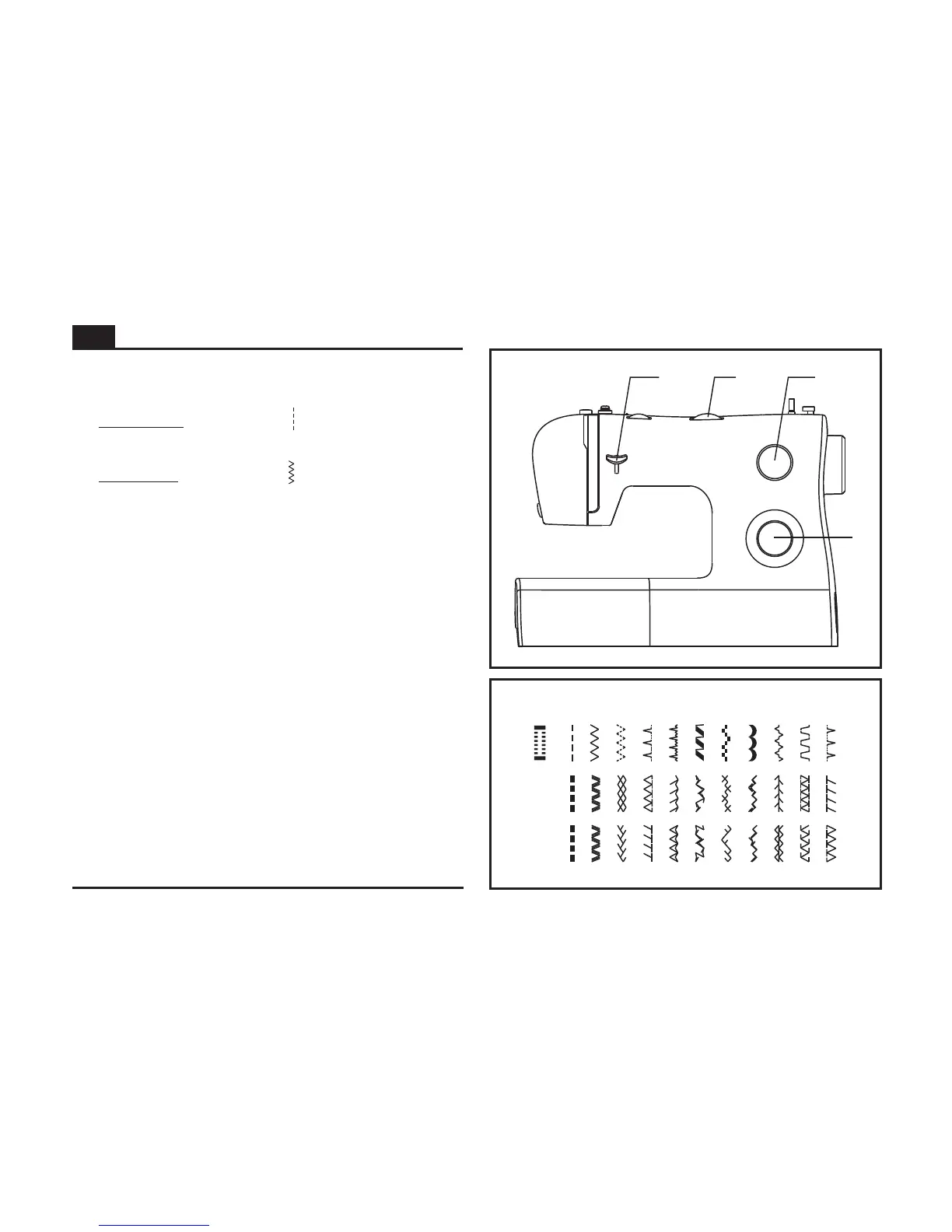
c
d
ab
To select a stitch, simply turn the pattern selector dial. The
pattern selector dial may be turned in either direction.
For , select pattern " " with the pattern selector
dial. Adjust the stitch length with the stitch length dial.
For , select pattern " " with the pattern selector
dial. Adjust the stitch length and stitch width according to the
fabric being used.
To obtain the other patterns, turn the stitch length dial to
"S1" or "S2", select the pattern desired with pattern selector
dial, and adjust the stitch width with the stitch width dial.
straight stitch
zigzag stitch
a. Reverse Sewing Lever
b. Stitch Width Dial
c. Stitch Length Dial S1-S2
d. Pattern Selector Dial
EN
23
BAIKDC
J
EGFH
S1
S2


 To Next Page