r
J
Adjusting Forward'Reverse
Stitch Balance
Differences in stitch density between the right
and left sides of the buttonhole (forward and
reverse stitching) are equalized by adjusting the
reverse-stitch push button. A very slight
rotation of the button will produce a noticeable
change.
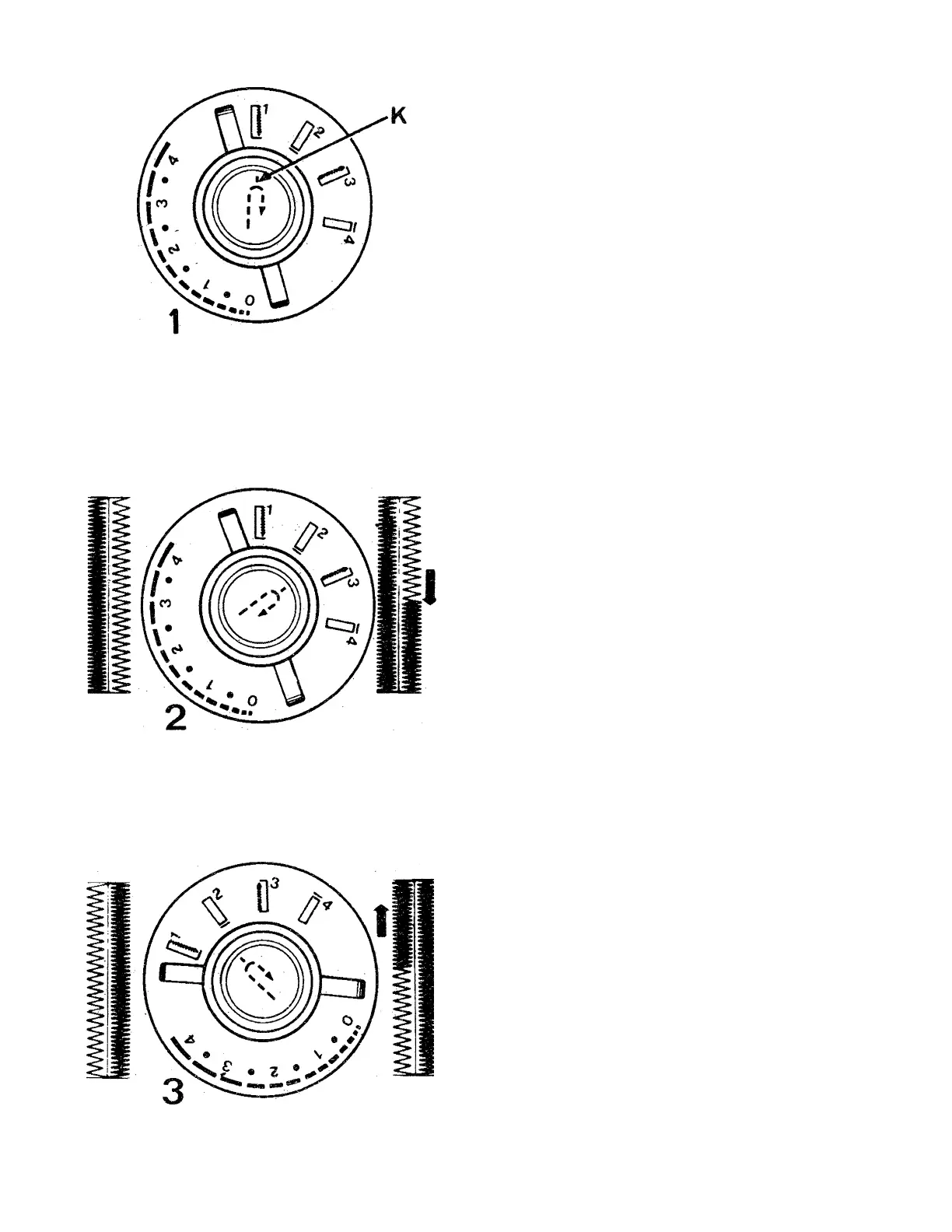
1. Make a test buttonhole with the push
button in neutral position (indicator dot
directly below ^ symbol on control
panel).
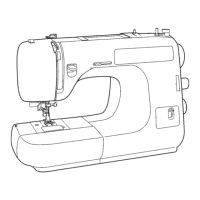
2. If the stitches on the right side of the
buttonhole are too open, rotate the push
button clockwis^ from its neutral position
to increase density of stitching.
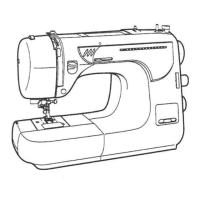
3. If the stitches on the left side of the
buttonhole are too open, rotate the push
button counterclockwise from its neutral
position to increase density of stitching.
After buttonhole stitching is completed, return
push botton to its neutral position (indicator
dot directly below symbol on control
panel).
53



 To Next Page