GETTING READY TO SEW
2
2
14
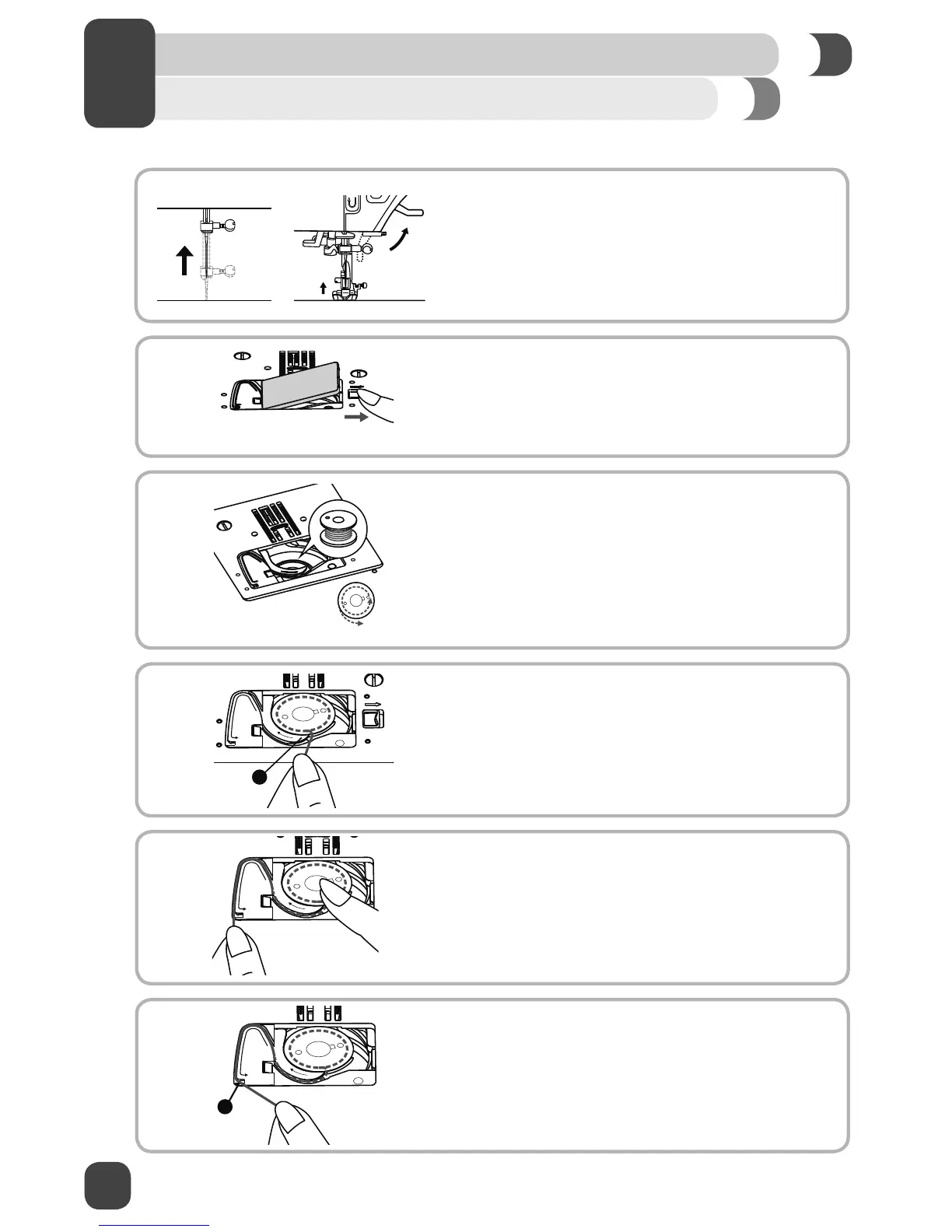
Inserting the Bobbin
B
A
⚠ Turn power switch off before inserting or removing the bobbin.
1. When inserting or removing the bobbin, the needle and
presser foot must be fully raised.
2. Push the bobbin cover release button to remove the
bobbin cover plate. Remove the empty bobbin.
3. Insert the wound bobbin in the bobbin case with the
thread running in a counterclockwise direction (arrow).
4. Pull the thread through the slit (A).
5. With a ¿nger held gently on top of the bobbin, place
thread ¿rmly into guides as shown.
6. To cut off excess thread pull it toward you to cut it with
the cutter at point (B). Replace the bobbin cover plate.


 To Next Page