9
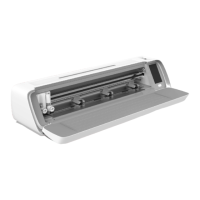
1. Place your machine on a sturdy,
horizontal surface. Make sure there is
enough room both in front and behind
the machine for the material to move
in and out of the machine while cut-
ting.
2. Connect the power adapter to the
machine and then plug it into a wall
outlet.
3. Open the layat door of the machine.
4. Press the power button located under
the LCD screen of the machine to turn
it on. The lights will turn on and the
machine heads will calibrate.
5. Wait until the machine beeps, indi-
cating that it is ready to use.
Aer downloading the soware, you will
receive a step-by-step installation guide
that will guide you through the process.
Simply follow the prompts displayed on
the screen to initiate the installation.
To create a free user account and down-
load the soware, visit mySewnet.com.
Note: Aer turning o the machine,
residual power may remain in the ma-
chine. This could cause the light to stay
on for a few seconds while the power is
consumed. This is normal for an energy
ecient appliance.
Setting Up Machine


 To Next Page