

EasyManua.ls Logo

Singer momento - User Manual

Singer momento
26 pages
Print Icon
To Next Page IconTo Next Page
Loading...
User Guide
Cra Cutting Machine
Question and Answer IconNeed help?

Do you have a question about the Singer momento and is the answer not in the manual?

Summary

IMPORTANT SAFETY INSTRUCTIONS

DANGER - TO REDUCE THE RISK OF ELECTRIC SHOCK

Safety warning about unattended operation and unplugging the machine.

WARNING - TO REDUCE THE RISK OF BURNS, FIRE, ELECTRIC SHOCK, OR INJURY TO PERSON

General safety precautions for appliance use, supervision, and proper operation.

Federal Communication Commission Interference Statement

INTRODUCTION

Intended Use

Specifies the intended use of the product and where to find additional assistance.

Machine Overview - Front

Details the components and features visible on the front of the machine.

Machine Overview - Back Side

Details the components and features on the back side of the machine.

Overview Accessories

Lists and describes the standard accessories included with the machine.

Optional Accessories

Mentions additional accessories available for purchase.

Layflat Door - Front Flap

Explains how to use the layflat door and its features.

Preparations - Unpacking The Machine

Provides instructions on verifying contents and unpacking the machine.

Setting Up Machine

MySewnet Crafting Software

LCD Screen

LCD Screen: Settings

Explains the various settings available on the LCD screen, such as Wifi, Language, and Unit.

Connecting the Machine to Computer Via USB

Connecting the Machine to Computer Via WIFI

To change the blade

Installing Cutting Blade On Machine

Step-by-step guide for inserting a cutting blade into the machine.

Removing Cutting Blade

Instructions on how to safely remove a cutting blade from the machine.

Installing Pen

Guide on how to correctly install a pen into the machine's tool holder.

Installing Rotary Blade

Instructions for installing a rotary blade into the machine.

Pinch Wheels

How to load the mat

Starting a Cut

Canceling a Cut

Steps to pause, resume, or cancel an ongoing cutting job.
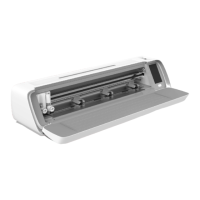
Matless cutting - only for selected materials

Camera Calibration Guide for Left Pen

Camera Calibration Guide for Right Tool Holder

Non-Original Parts and Accessories

INTELLECTUAL PROPERTY

MANUFACTURER

Summary

IMPORTANT SAFETY INSTRUCTIONS

DANGER - TO REDUCE THE RISK OF ELECTRIC SHOCK

Safety warning about unattended operation and unplugging the machine.

WARNING - TO REDUCE THE RISK OF BURNS, FIRE, ELECTRIC SHOCK, OR INJURY TO PERSON

General safety precautions for appliance use, supervision, and proper operation.

Federal Communication Commission Interference Statement

INTRODUCTION

Intended Use

Specifies the intended use of the product and where to find additional assistance.

Machine Overview - Front

Details the components and features visible on the front of the machine.

Machine Overview - Back Side

Details the components and features on the back side of the machine.

Overview Accessories

Lists and describes the standard accessories included with the machine.

Optional Accessories

Mentions additional accessories available for purchase.

Layflat Door - Front Flap

Explains how to use the layflat door and its features.

Preparations - Unpacking The Machine

Provides instructions on verifying contents and unpacking the machine.

Setting Up Machine

MySewnet Crafting Software

LCD Screen

LCD Screen: Settings

Explains the various settings available on the LCD screen, such as Wifi, Language, and Unit.

Connecting the Machine to Computer Via USB

Connecting the Machine to Computer Via WIFI

To change the blade

Installing Cutting Blade On Machine

Step-by-step guide for inserting a cutting blade into the machine.

Removing Cutting Blade

Instructions on how to safely remove a cutting blade from the machine.

Installing Pen

Guide on how to correctly install a pen into the machine's tool holder.

Installing Rotary Blade

Instructions for installing a rotary blade into the machine.

Pinch Wheels

How to load the mat

Starting a Cut

Canceling a Cut

Steps to pause, resume, or cancel an ongoing cutting job.

Matless cutting - only for selected materials

Camera Calibration Guide for Left Pen

Camera Calibration Guide for Right Tool Holder

Non-Original Parts and Accessories

INTELLECTUAL PROPERTY

MANUFACTURER

Singer momento Specifications

General IconGeneral
BrandSinger
Modelmomento
CategoryCutter
LanguageEnglish