TS+ TS380+
Table of Contents Previous Page | Next Page
18
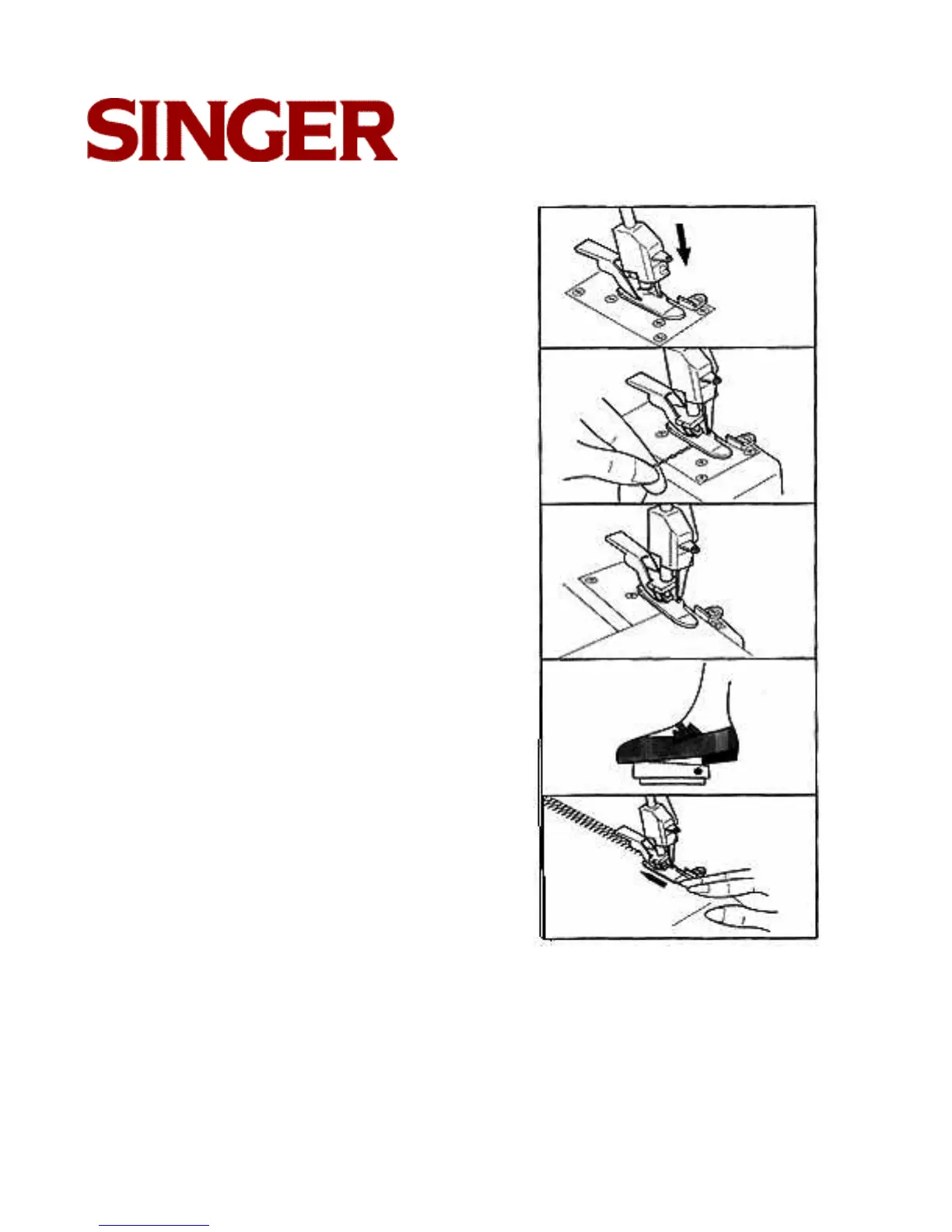
START TO SEW
• Note: Seam guide is preset to limit stitch
width to approximately 11 /64 inch (4.2mm).
• Place needle clamp body to lowest position.
• Place thread chain 90 to needle.
• Place fabric under presser foot touching
needle and against seam guide.
• Plug in foot switch
• Select High or Low sewing speed.
• Start stitching.
• Lightly guide fabric.
• When seam is completed, continue to sew
until enough thread tail available for next
sewing.




 To Next Page