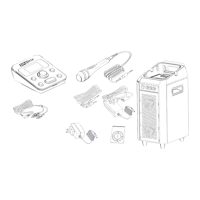
Singtrix support resources (FAQs, guides, videos, tips & trix) at http://www.singtrix.com. Voxx Tech & Warranty Portal at: http://voxrightnow.custhelp.com/app/home or call (800-645-4994).
Step
Symptom / Cause Check / Troubleshooting Solution
No Audio from both Mic & Music Device
1 Studio or Speaker not powered on
Check that you have turned on power to both the Studio
and Speaker
Power all components
2
Cables plugged incorrectly or not fully
inserted
Check all connections Make proper connections
3 Speaker cable not functioning
Check Speaker light is on.
Plug headphones directly into Studio speaker output.
Try Speaker output 1 and 2
If sound is heard on the headphones, replace Speaker
cable
4 Speaker not functioning
Check for lights on the Speaker and Speaker AC
Adapter.
If no power, Speaker needs to be replaced or repaired.
5 Speaker AC Adapter not functioning Check for lights on Speaker AC Adapter
If no power, Speaker the AC Adapter or plug connector
needs to be replaced.
6 Studio speaker output not functioning
Plug Music Device directly into the Speaker using the
Speaker cable
If sound is heard, Studio needs to be replaced or
repaired.
7
Speaker turns off (power indicator light is
off) after a period of time when system is
not in use.
Turn Speaker power off for 5 seconds and then back on.
An environmentally friendly energy saving feature may be
active on your Speaker. Turning power off and on resets
the power saving mode on some units.
Reset power
There is Music Device audio but no Mic audio
1
Incorrect volume mix: Speaker too low and
Music Device too loud
Raise Speaker volume to 75% while singing into the Mic
If Mic audio is heard, lower Music Device volume as per
the Quick Start Guide.
2 Studio Mic input not functioning
Check for audio by plugging and unplugging Mic into the
Studio while Speaker volume at 75%.
Check both Mic inputs.
If you DO NOT hear audio from unplugging but no audio
when singing into the Mic, Studio needs to be replaced or
repaired.
3 Mic not functioning
Check for audio by plugging and unplugging Mic into the
Studio while Speaker volume at 75%.
You should hear audio from unplugging. Check both Mic
inputs.
If you hear amplified unplugging noise but no audio when
singing into the Mic, Mic needs to be replaced or
repaired.
There is Mic audio but no music audio
1 Music Device volume on mute or too low
Raise Music Device volume Raise Music Device volume
2
Music Device speaker output not
functioning
Confirm that Music Device speaker output works by
plugging in headphones to your device.
Try different Music Device
3
3.5mm audio cable from Music Device to
the Studio music input not functioning
Check 3.5mm Music Audio Cable is working properly by
unplugging and plugging the cable from your music device
while other end is plugged into music input and Speaker
volume at 75%.
Check music input of the Studio is working properly by
plugging and unplugging 3.5mm Music Audio Cable into
the music input while Speaker volume at 75%.
If amplified sound is not heard when unplugging and
plugging the music audio from the music device, but
amplified sound is heard when plugging and unplugging
cable into the Studio music input, replace 3.5mm Music
Audio Cable.
4 Studio music input not functioning
Check music input of the Studio is working properly by
plugging and unplugging 3.5mm Music Audio Cable into
the music input while Speaker volume at 75%.
If no amplified sound is heard when unplugging cable
from the music input on the Studio, Studio needs to be
repaired or replaced.


 To Next Page