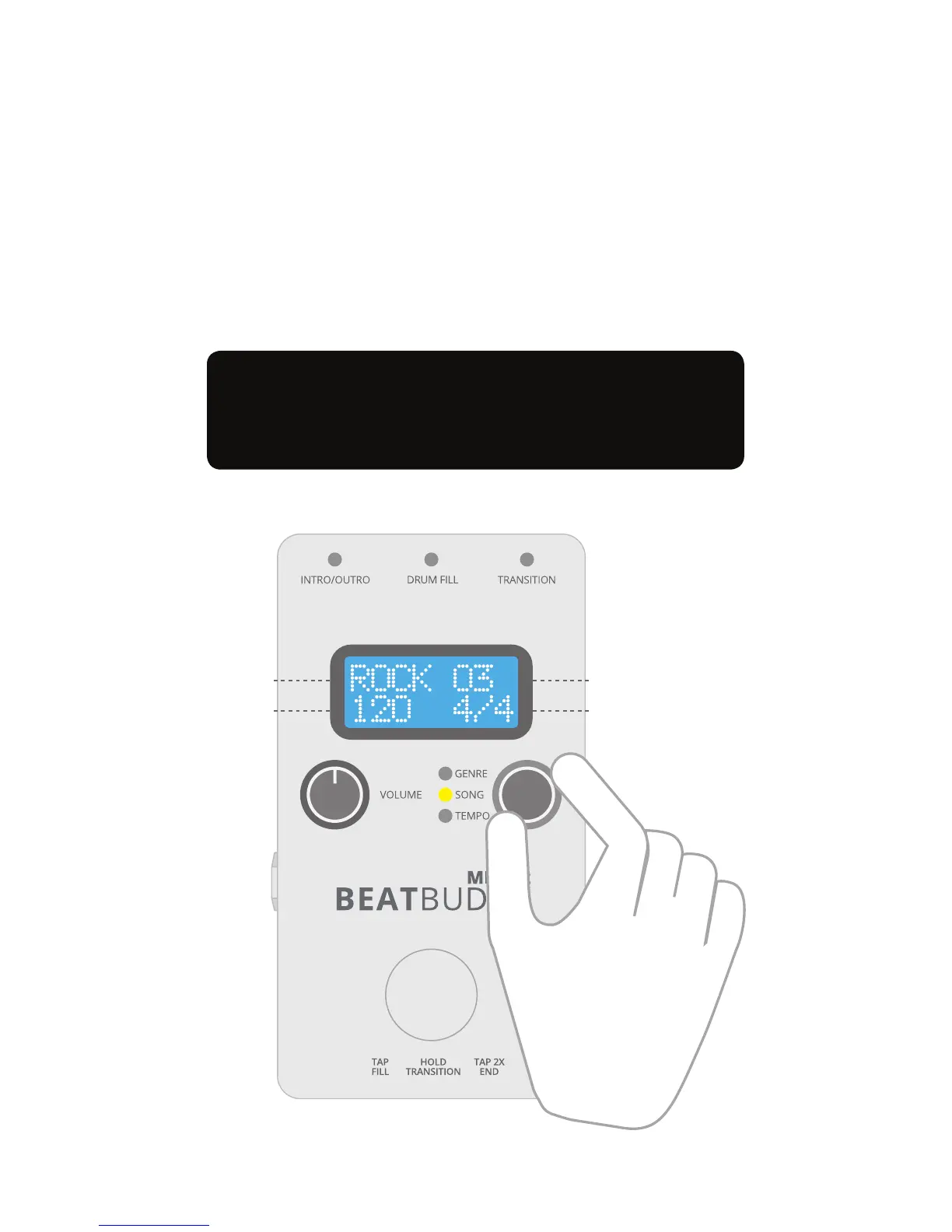
2. Twist knob to scroll through songs within a
genre. Each song’s time signature and default
tempo are displayed on the bottom row.
Changing Tempo: To change the tempo,
press the knob again. The light advances
from “Song” to “Tempo”. Adjust the tempo by
rotating the knob.
Change Genre, Song, and Tempo with
hands-free control: See page 9
Time signatureTempo
Song number
Genre
4


 To Next Page