Sinocan International Technologies Co., Ltd. P06-U/S/L User’s Manual
9
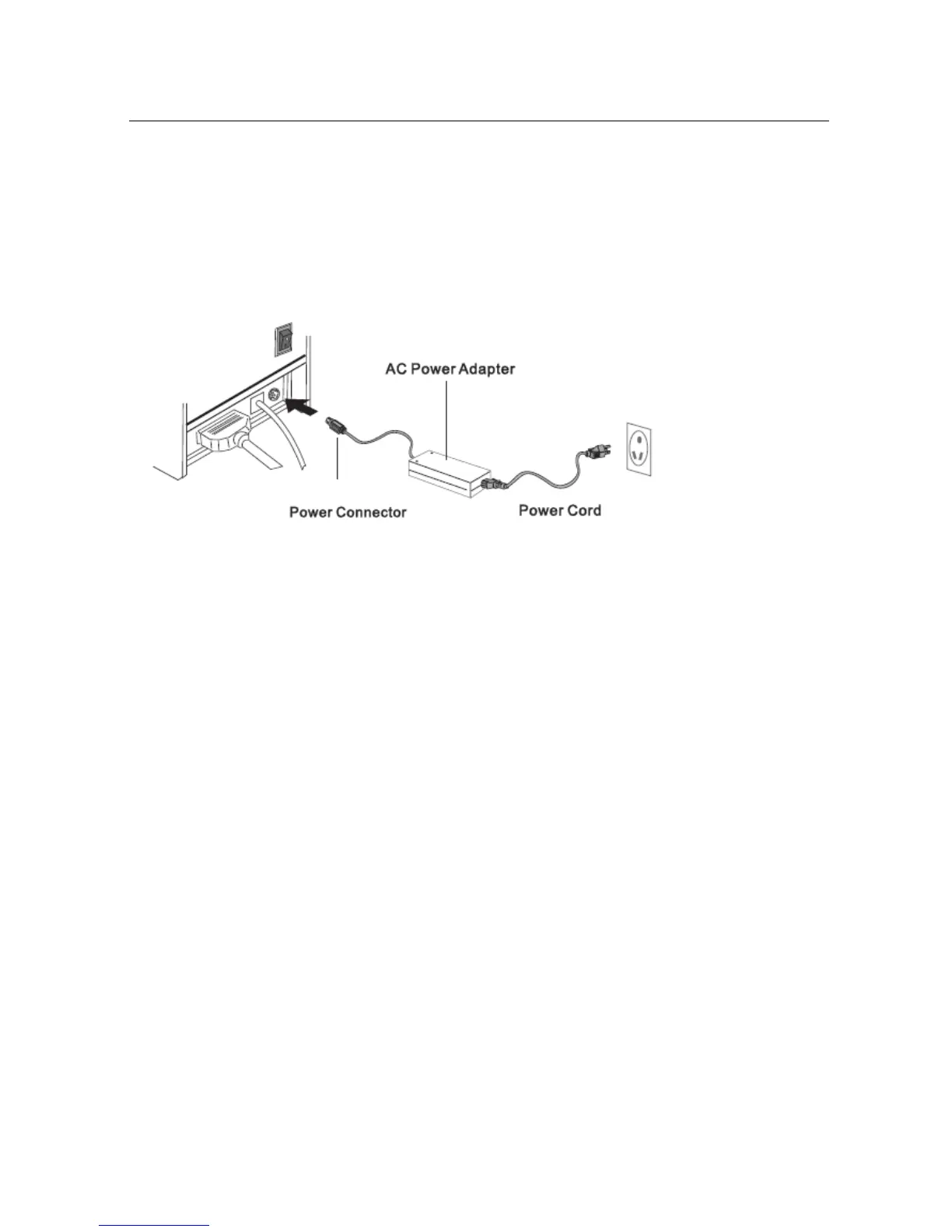
3.3) Connecting the AC Adapter
a. Connect the AC power cord to the inlet of AC adapter, and then connect the power cord plug to a
suitable electrical outlet
b. Connect the adapter cable to power connector of printer, make sure the printer power switch is
OFF before making any connections
c. Set the power switch as shown. The POWER lamp on the control panle will light up.


 To Next Page