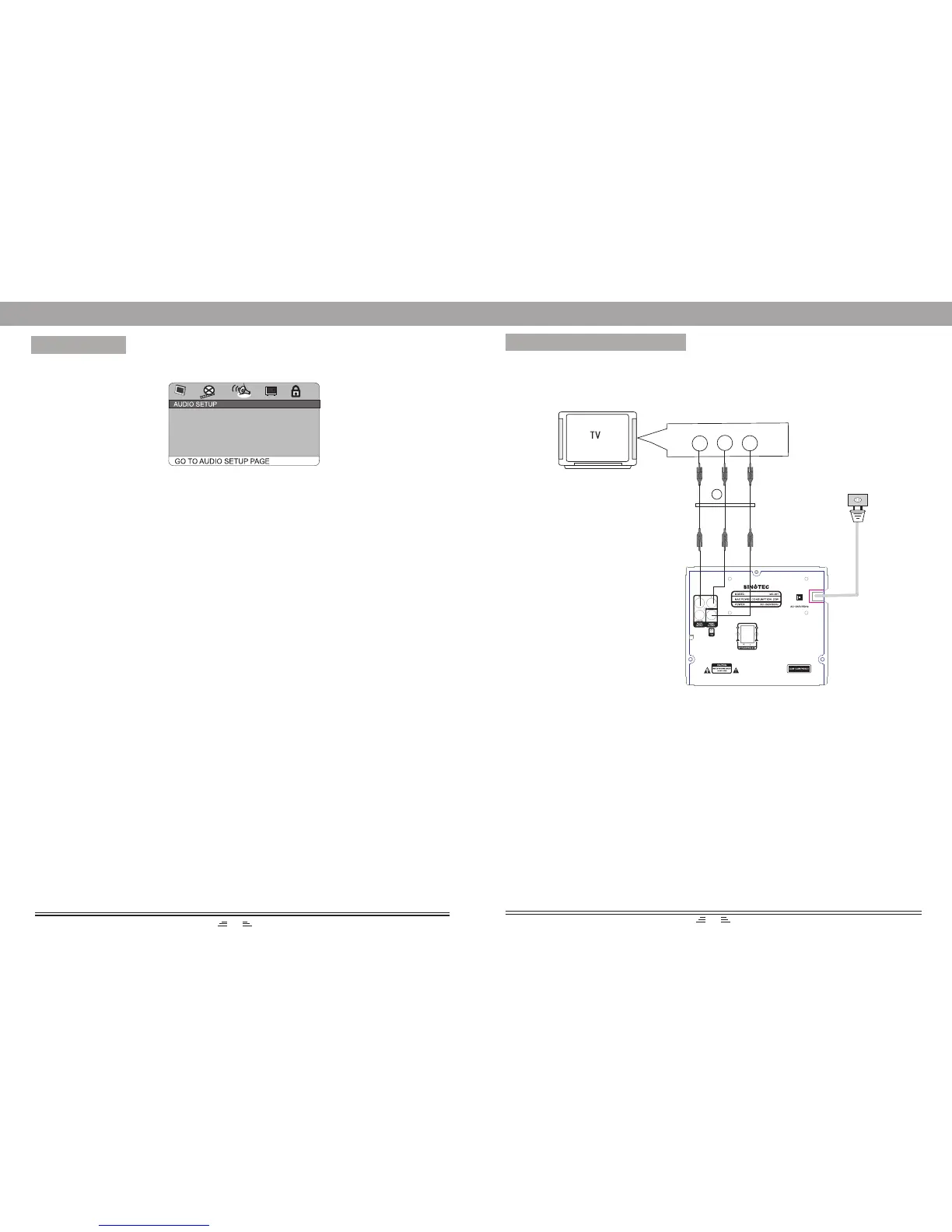
CONNECT TO THE TV-SET
If your TV-set has an AV input, use the AV cable to connect the player to the TV-set.
Afterwards make sure the connection is right; by selecting AV status for your TV-set.
NOTES:
1. Before connecting the player to the TV-set; turn off and unplug both units.
2. When a disc is being played, we recommend changing the settings of the player in
order to make it compatible with the TV-set.
3. You can connect the player to the TV-set in different ways. Choose only one of them
as multiple connections negatively influence the source and picture quality.
Audio L
Audio R
Video Input
Audio/Video Cable accessories
1
MENU SETUP
1. Analog Audio Setup
a) Downmix
LT/RT: audio output from Left and Right channel
Stereo: stereo audio output
b) Dual Mono
This option is used to set the mode of audio output, including L-Mono, R-Mono,
Mix-Mono and Stereo.
c) Dynamic
This option is used when Line output is selected for the compression mode. Linear
compression ratio is adjusted to acquire different compression effects.
2. Digital Audio
a)Digital Output
When playing the audio or MPEG discs, coaxial terminal will be output in SPDIF/
RAW format. Meanwhile the connected amplifier must be able to decode the DIGITAL
or MPEG format.
SPDIF/PCM may be selected when the player is connected to a 2CH digital stereo
amplifier.
b) LPCM Output
LPCM (linear pulse code modulation) is a non-compressed audio digital technology.
There are two output modes: 48KHz, 96KHz.
3. Equalizer
1) Sound Mode
This option is used to select the different sound balanced effects, such as OFF, ROCK,
POP, LIVE, DANCE, TECHNO, CLASSIC, SOFT.
2) Bass Boost
It is used to adjust the sound effect of Bass boost to ON or OFF.
3) Super Bass
ON: sets the super bass on, and adjusts the super bass effect.
OFF: sets the super bass off.
4) Treble Boost
ON: sets the treble boost on and adjusts the treble effect.
OFF: sets the super treble boost off.
3. Audio Setup Page
ANALOG AUDIO SETUP
DIGITAL AUDIO SETUP
EQUALIZER
17
6


 To Next Page