BASIC OPERATION
12
BASIC OPERATION
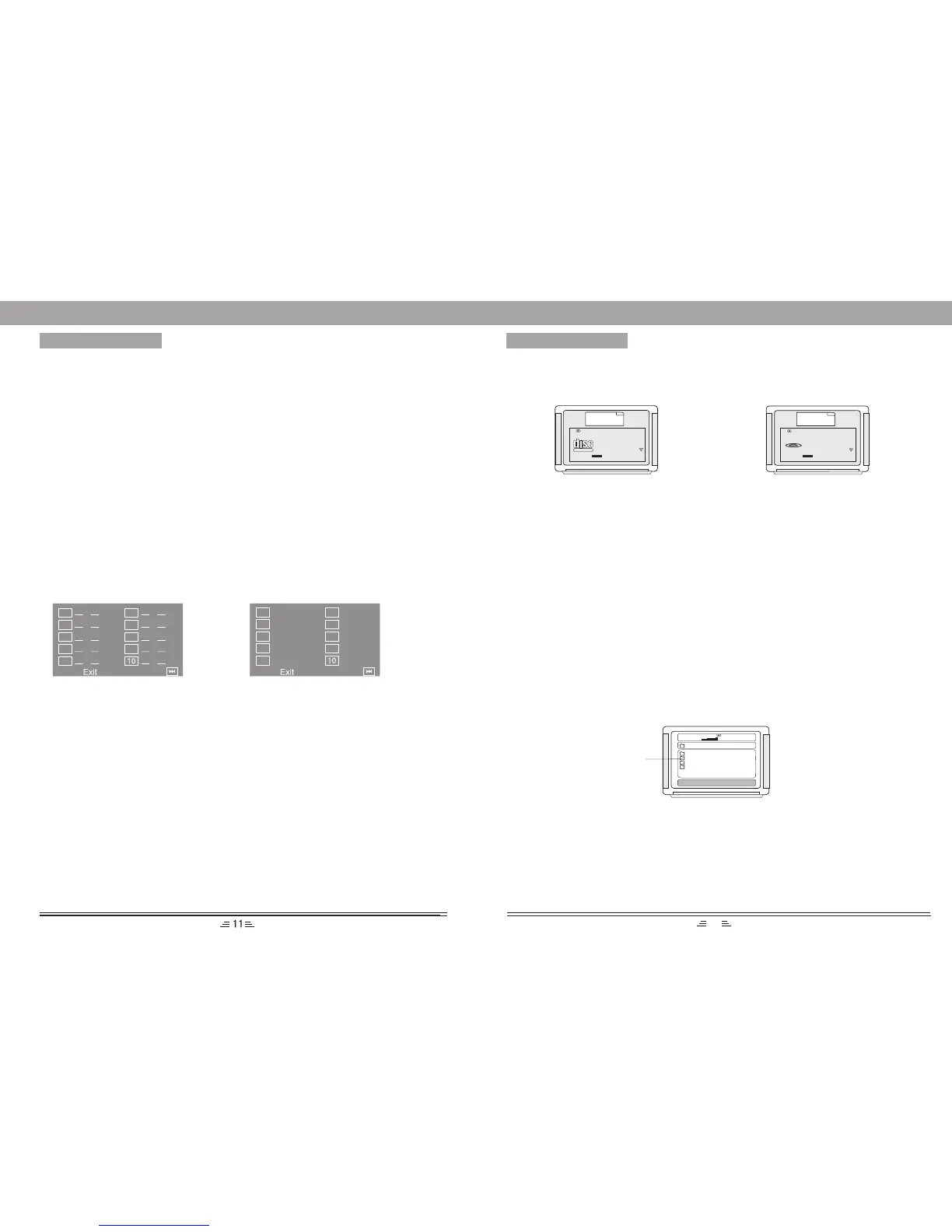
PROGRAM
• In play VCD/CD, press PROGRAM
button, the TV screen shows:
• In play DVD, press PROGRAM
button, the TV screen shows:
1. If the player is in the PBC (Playback Control) ON status, playing the programmed songs
will result in the PBC turning off.
2. Input the number that you want at the place of the cursor; move the cursor to “Start”; press
the PLAY/ENTER button the songs will play in the specified order.
3. While programming, press the CLEAR button to eliminate the digits that you input.
4. To cancel programmed play: press the PROGRAM button again, the cursor will move to
“Stop” automatically; press the PLAY/ENTER button. The cursor will move to “Exit”
automatically. Press the PLAY/ENTER again to cancel programmed play.
CLEAR
Press CLEAR button to cancel the data you have entered. For example: the setting of
programmed songs.
TIME SELECTION
In play status, press T/F button, the TV screen displays the data of playing disc. Such as:
VCD disc display:
DVD disc display:
CD disc display:
--:--
T:--/xx
MP3 disc display:
---/xx
--:--
MPEG4 disc display:
SELECT:---
GO TO:-:--:--
While playing CD, MP3 or MPEG4, press Time button to switch between the ``Time Selection (current
song/chapter)`` and ``Song/Charpter Selection``; then input the digital you want. The system begins
playing from the specified time/song/charpter.
TT:CH:
TT:CH:
TT:CH:
TT:CH:
TT:CH:
TT:CH:
TT:CH:
TT:CH:
TT:CH:
TT:CH:
01
02
03
04
05
06
07
08
09
01
02
03
04
05
06
07
08
09
MENU
COMPACT
DIGITAL VIDEO
BITRATE 72 TOTAL ELAPSED X:XX:XX
TRACK XX/XX
DISC TIME X:XX:XX
TRACK TIME X:XX:XX
REPEAT OFF
Current Playing Picture
MENU
BITRATE 72 TITLE ELAPSED X:XX:XX
TITLE XX/XX
CHAPTER XX/XX
AUDIO 2CH
SUBTITLE OFF
Current Playing Picture
DVD
VIDEO
You can press the direction key to move the cursor to the setting option according to the afore-
mentioned screen suggestions, then press the PLAY/ENTER button to confirm and use number keys
to input the corresponding time numbers, after it is done, DVD player will start to play according to the
setting time. When press the DOWN direction button, you can see the next item in the above screen.
1) There are 5 items in VCD screen: Track, Disc time, Track time, Repeat, Time DISP (Display);
2) There are 9 items in DVD screen: Title, Chapter, Audio, Subtitle, Angle, TT(Total) time, CH
(Chapter) time, Repeat, Time DISP(Display).
Note: The optional time range depends on the volume of discs.
OK ON/OFF
OK MENU
Press the OK ON/OFF button on the remote control to set the microphone on or off.
Please do not point the microphone at the speakers when you set the microphone ``on``.
Press the OK MENU button to adjust the Mic. Volume and Echo effect. For example: To turn
up the volume, press OK MENU button and switch to ``MIC``, then press the VOL + button.
DVD TITLE MENU SELECTION FUNCTION
DVD disc features high capacity, records more than one movie, background data and songs.
It is hereby given a name of TITLE, while more sections will be given under each TITLE,
which are called Chapters. There are some songs in one chapter.
During playing DVD discs, press the TITLE button, the TITLE menu will appear on the TV
screen. (Available for the DVD discs that contain more than one title menu)
You can use the direction buttons to move the cursor to the desired title menu, press the PLAY/
ENTER button to play it. If the title menu is represented by numbers, then press the number
buttons to select directly.
MP3 DISC PLAYING FUNCTION
1). Press the OPEN/CLOSE button on the panel or remote control to open the deck, put in an MP3 disc,
then press OPEN/CLOSE button to close the deck. This unit begins to read it, and the TV screen will
display the following figure,
00:00 04:33
001/010
\
01
02
03
04
128Kbps
Contents Area
2). Press the direction keys56to move the cursor to a certain directory, and press the PLAY/ENTER
button to enter the directory. Press the direction buttons to enter the subdirectory or the file area,
select a song with the cursor, press the PLAY/ENTER button to play the song.
• During playing, press : or 9 button to select other songs under the current directory.
• During playing, press the left direction button, the icon will skip to the directory symbol. Press
the up/down direction button to select other directories. Press Play/Enter button for confirmation.
Note: When playing MP3 discs, this unit also has functions such as mute, pause, previous and next
selection. The operations are identical with CD playing.
RESET
In No Disc or Eject status, press this button to return to the original setup or the default value.


 To Previous Page
 Loading...