6
17
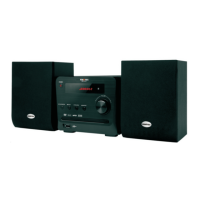
CONNECTION WITH AMPLIFIER
Setup of Digital Audio Output
Connect the optical and coaxial output jack to the amplifier. In the status of play or stop, press
SETUP button on the remote controller to open the system setup page. Switch to the audio setup page
by pressing the direction buttons, then move the cursor to Digital Audio Output. Select digital output,
then choose SPDIF/RAW or SPDIF/PCM and press the PLAY/ENTER button to finish. Press the
SETUP button again to exit this setup.
MENU SETUP
Video connecting cable
Connected to video input
Left channel
Right channel
TV
( Select one of the two digital
connecting wires)
Dolby Amplifier
Coaxial output
Optical output
2
1
TV Display (4:3PS, 4:3LB, 16:9)
• No matter which format you select, if the screen is 4:3 display, the image is displayed in 4:3.
• The DVD screen format is changeable.
• When the screen is displayed in 4:3, the image will be compressed horizontally to display the
DVD format in 16:9.
TV Mode
This option is used to select the scan mode: P-scan and interlaced.
Note: When the Video output is CVBS, this option is unavailable.
Video Output
This option is used to select the video output mode: CVBS, YPbPr.
Note: Make sure that you set the player to the correct video mode.
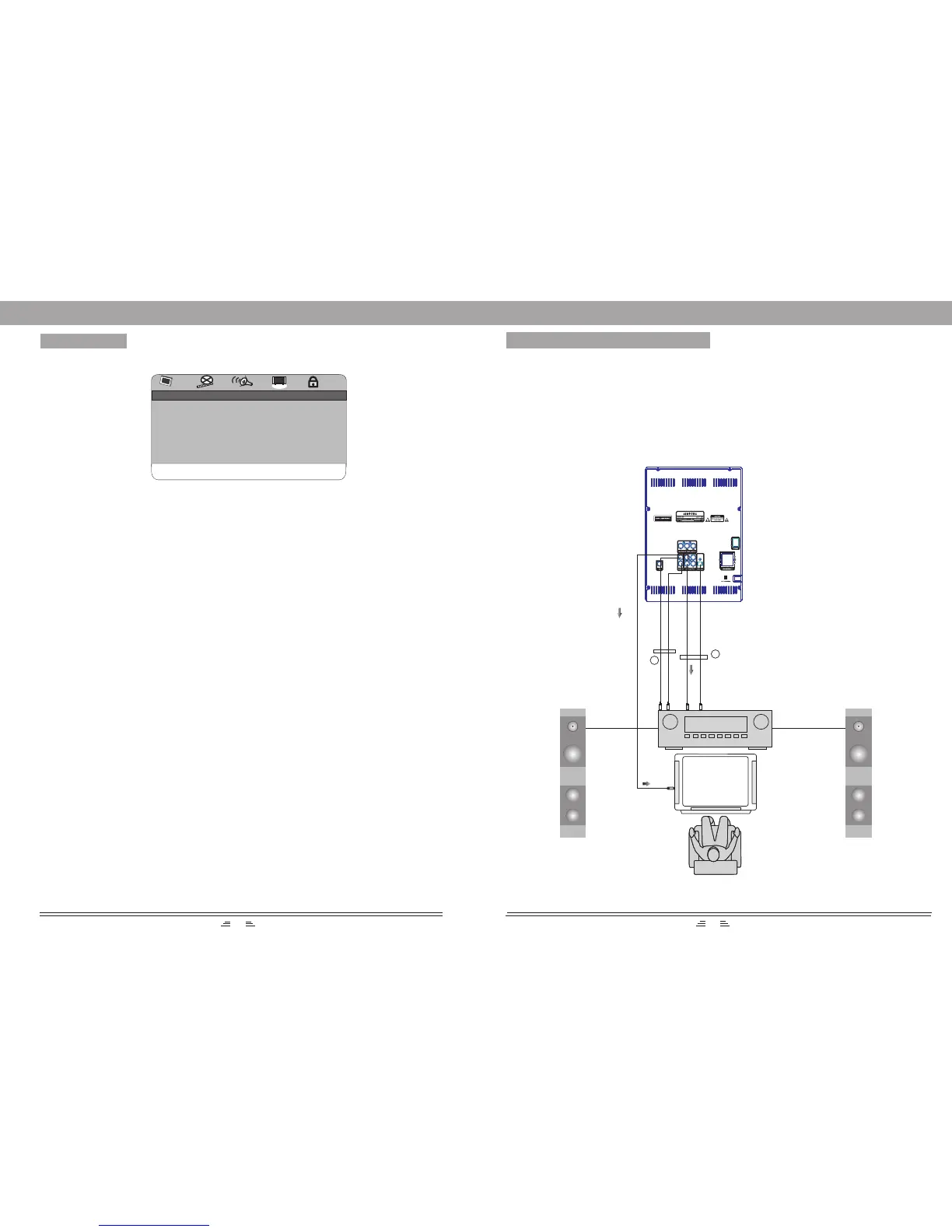
Video Setup Page
TV Type
This system supports such formats: PAL, AUTO, NTSC.
VIDEO OUTPUT CVBS
TV DISPLAY 4:3PS
TV TYPE PAL
COLOR SETTING
TV MODE
FREQUENCY
PANEL LIGHT
VIDEO SETUP
GOTO VIDEO SETUP PAGE
Color Setting
You can adjust the video output of sharpness, brightness, contrast, gamma, hue, saturation
according to your preference.
The adjustable range of sharpness is: High, Middle and Low.
The adjustable range of brightness is:+/-20(the default is 0).
The adjustable range of contrast is: +/-16(the default is 0).
The adjustable range of hue and saturation are:+/-9(default is 0).
The adjustable range of gamma is: High, Medium, Low and None.
Frequency
This option is used to turn on or off the frequency light of front panel.
Panel Light
This option is used to turn the light of the front panel on or off.


 To Next Page