Sinterit LISA X Short User Manual | 7
2.3 Choosing the le
IMPORTANT!
In order to print, you will need a le prepared in Sinterit Studio, which you can download from our
website www.sinterit.com/software.
IMPORTANT!
• If any part of the printer requires maintenance or replacement, a corresponding message will
appear on the screen.
• It is always possible to go back to the main menu on the screen without interrupting the
printing process.
1. Select PRINTING from the main menu and press ADD NEW PRINT JOB.
2. Choose the new le (USB or UPLOADED from Sinterit Studio) or recently used le (RECENT).
3. The following screen displays some basic information about the processed le (PRINT JOB) as well as the current
status of the printer (PRINTER STATUS). Press next to the component timer for more information. If at this point
you want to choose another le to print, press CHANGE PRINT JOB.
4. Press DONE.
2.4 Filling the print chamber with powder
IMPORTANT!
Remember to close the printer door. Moving parts are blocked when the printer door is open.
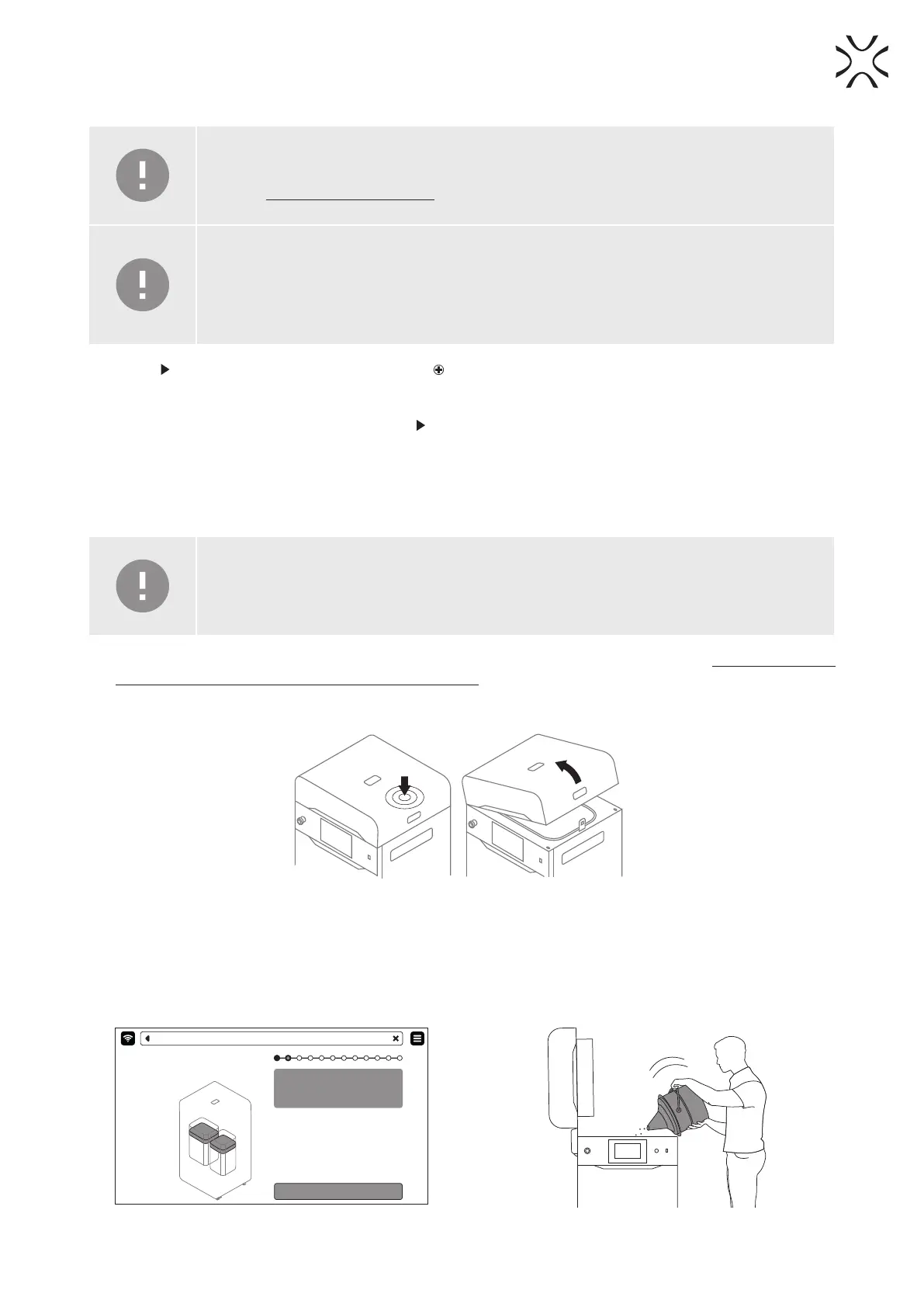
1. Slide the UNLOCK LID button to release the electrolock and allow the print chamber to be opened. Remember, you only
have 10 seconds to open it before the lock activates again.
2. Push on the lid and pull it up using the lid handle (g. 2.3).
Fig. 2.3 Lifting the printer lid.
3. Make sure the print chamber is free of any unwanted items that may interfere with moving the Recoater.
4. Press POSITION BEDS to begin the positioning process of the Beds (g. 2.4).
5. Fill the Feed Bed with the desired powder. You may use the powder funnel provided in the Dedicated Powder Tools
(g. 2.5). Press DONE.
Position Beds for printing.
Make sure that the path of Recoater is not
obstructed
POSITION BEDS
PRINTING - POSITIONING
Fig. 2.4 POSITIONING BEDS screen. Fig. 2.5 Filling the print chamber with powder using a funnel.





 To Next Page