R
R
e
e
a
a
r
r
V
V
i
i
e
e
w
w
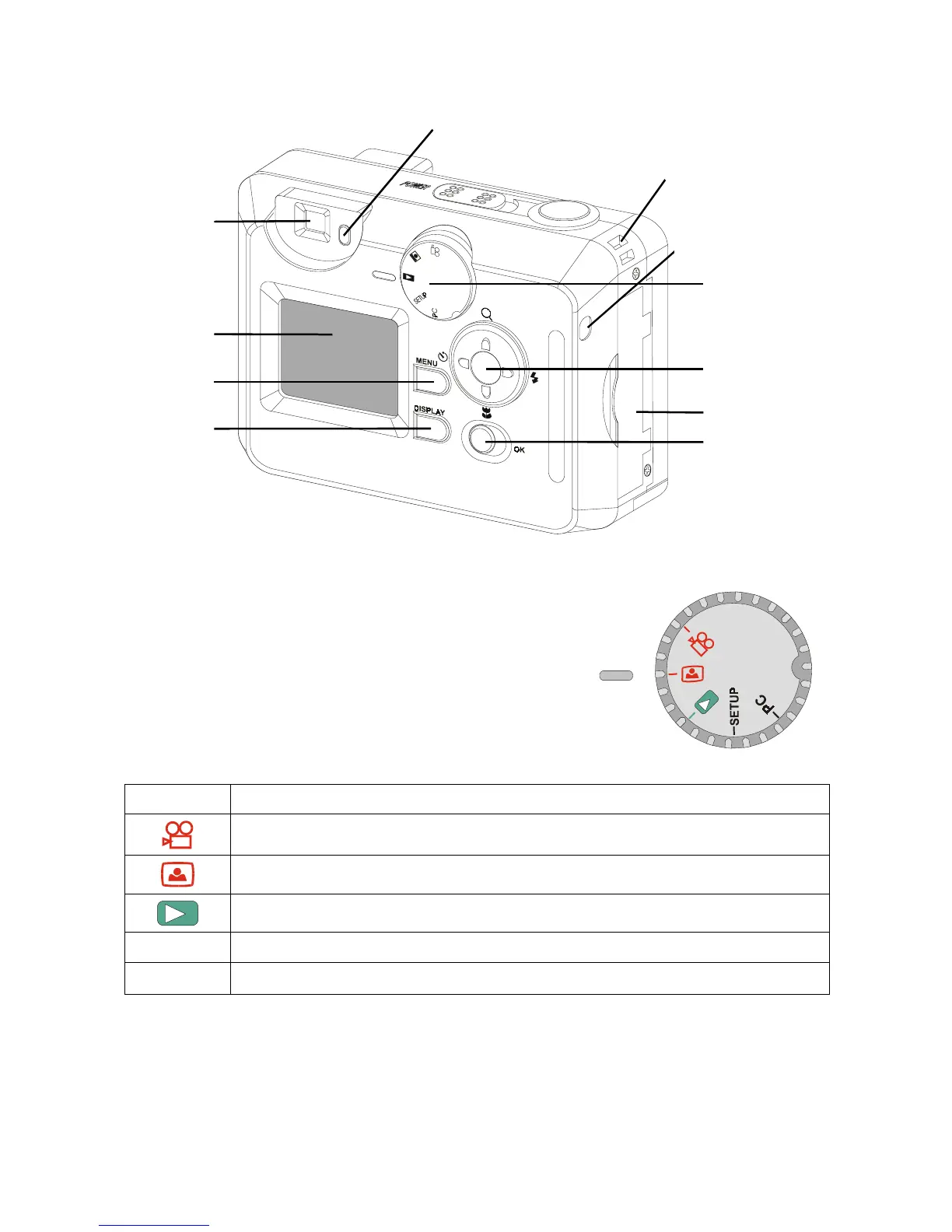
LCD color
monitor
Viewfinder
Mode Selector
Standby LED
MENU button
Display button
Navigator
Zoom
Flash
Macro
Timer
Carrying strap
slot
CompactFlash
card slot
OK button
Memory card
read-write indicator
M
M
o
o
d
d
e
e
S
S
e
e
l
l
e
e
c
c
t
t
o
o
r
r
There are five settings for the Mode Selector; refer to the following
table for a description of each setting.
Icon Description
Use VIDEO mode to take record video in AVI format.
Use CAPTURE mode to take pictures.
Use REVIEW mode to review your pictures and video on the color LCD.
SETUP
Use SETUP mode to modify the camera’s configuration and options.
PC
Use PC mode to download pictures to your computer.
9



 To Next Page