Sirius Technologies, Inc.
418-B Cloverleaf Dr. Baldwin Park, CA 91706
•TEL:(626)934-0100 • FAX:(626)934-0161 •E-Mail: INFO@SIRIUSTEC.COM
Page 11
LCD Display and Setups
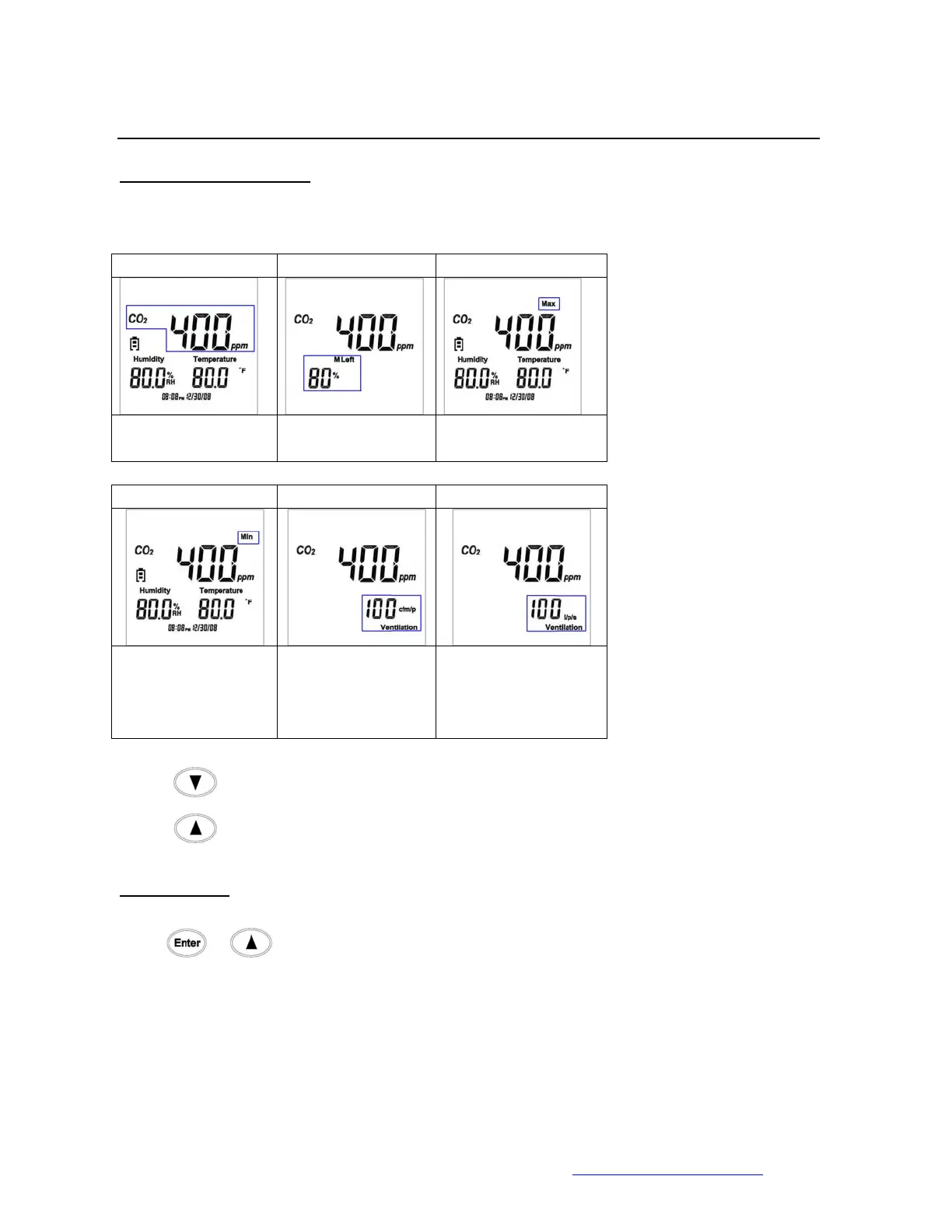
Main Screens (1-6)
1. 2. 3.
Main Screen
% of Memory Left Maximum Reading:
CO2/Rh/Temp
4. 5. 6.
Minimum Reading:
CO2
Humidity &
Temperature
CFM/P ventilation
(Cubic Foot Per
Minute Per
Person)
l/p/s Ventilation
(Liter Per Second)
Press
to rotate the screen in the clockwise direction.
Press
to rote the screen in the counter-clockwise direction.
Clear Memory
Press
& together to clear the datalogging memory and restore the memory
capacity back to 100%.



 To Next Page