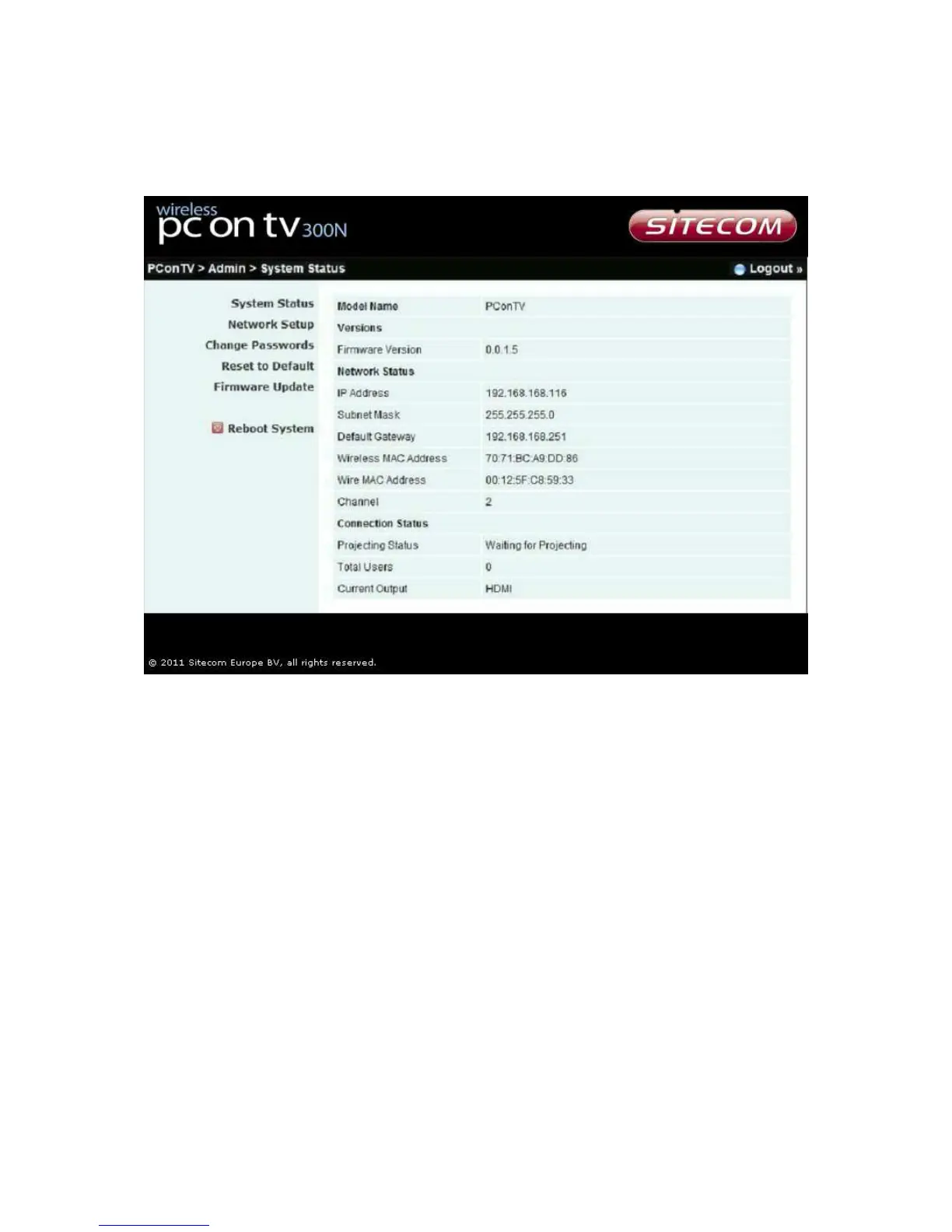
Click [Admin] and then enter the password to login to the web page. The default
password is “admin”.
System status
*** Click [System Status] to show current system status.
Model Name: Product model name
Versions:
♦ Firmware version: Product firmware version number.
Network Status:
♦ IP address: IP address of the PConTV device.
♦ Subnet Mask: subnet mask
♦ Default Gateway: default gateway
♦ Wire MAC address: wired network MAC address


 To Next Page