1.2 LAN
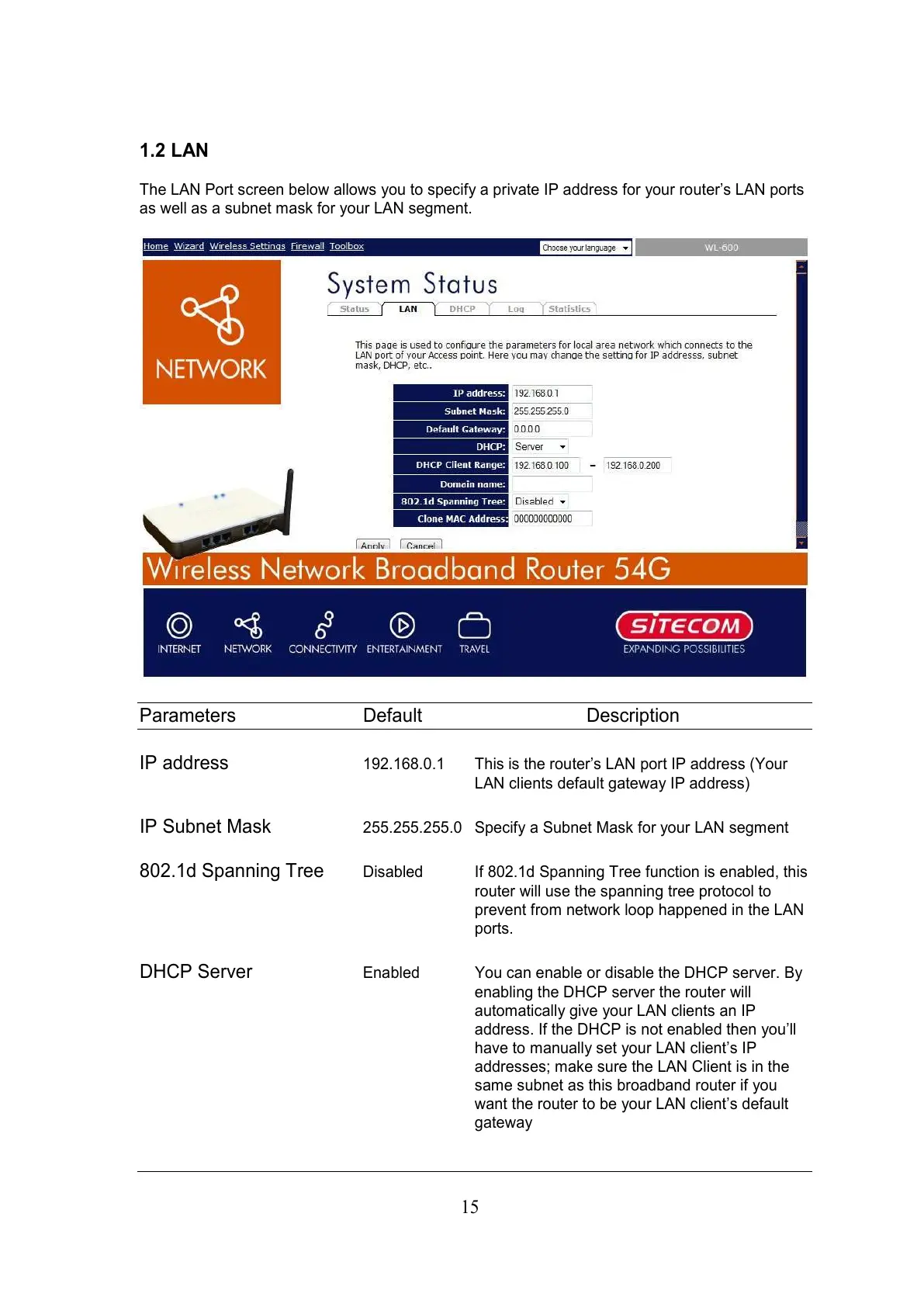
The LAN Port screen below allows you to specify a private IP address for your router’s LAN ports
as well as a subnet mask for your LAN segment.
Parameters Default Description
IP address
192.168.0.1 This is the router’s LAN port IP address (Your
LAN clients default gateway IP address)
IP Subnet Mask
255.255.255.0 Specify a Subnet Mask for your LAN segment
802.1d Spanning Tree
Disabled If 802.1d Spanning Tree function is enabled, this
router will use the spanning tree protocol to
prevent from network loop happened in the LAN
ports.
DHCP Server
Enabled You can enable or disable the DHCP server. By
enabling the DHCP server the router will
automatically give your LAN clients an IP
address. If the DHCP is not enabled then you’ll
have to manually set your LAN client’s IP
addresses; make sure the LAN Client is in the
same subnet as this broadband router if you
want the router to be your LAN client’s default
gateway



 To Next Page