Appendix A
How to Manually find your PC’s IP and MAC address
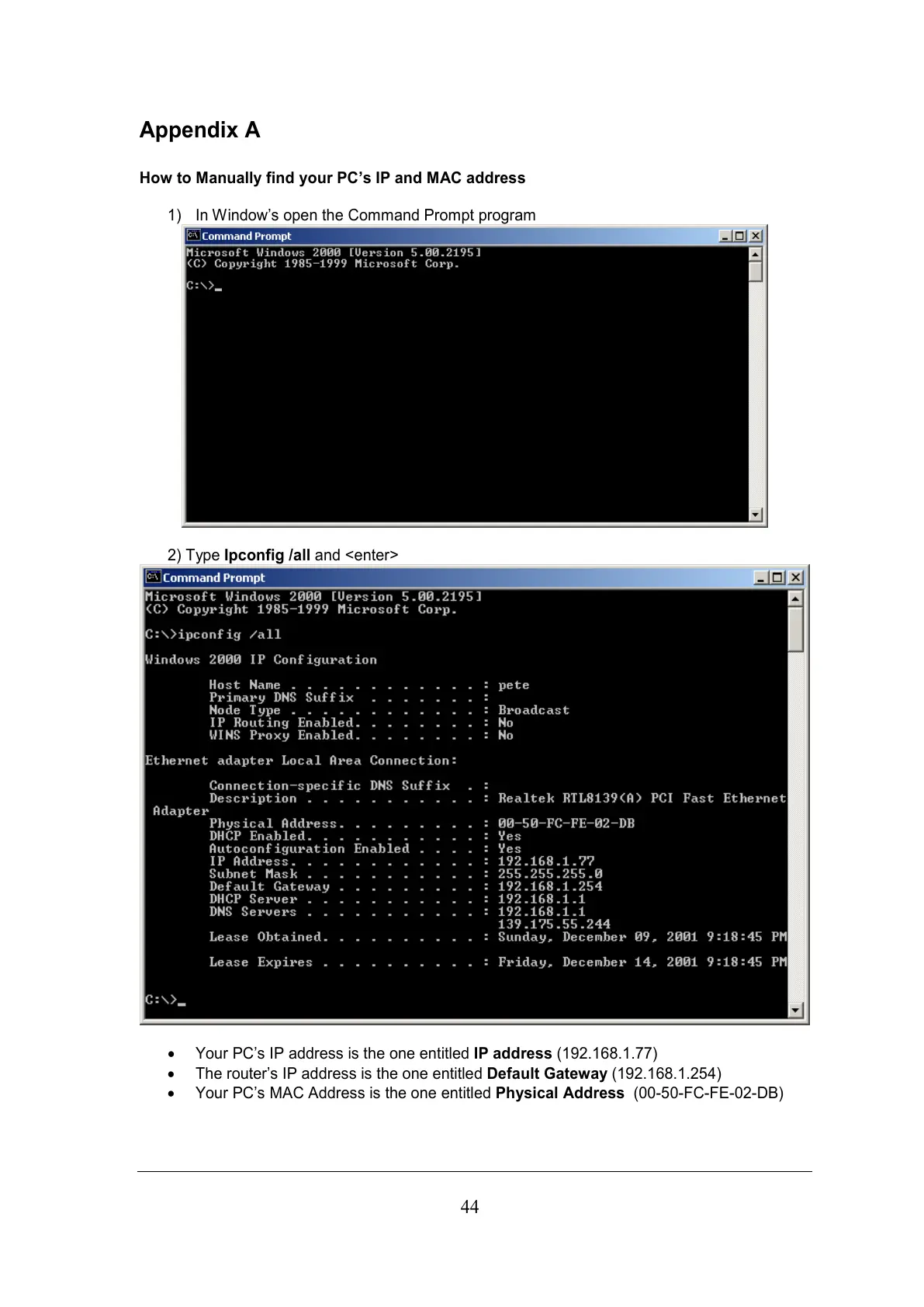
1) In Window’s open the Command Prompt program
2) Type Ipconfig /all and <enter>
• Your PC’s IP address is the one entitled IP address (192.168.1.77)
• The router’s IP address is the one entitled Default Gateway (192.168.1.254)
• Your PC’s MAC Address is the one entitled Physical Address (00-50-FC-FE-02-DB)



 To Next Page