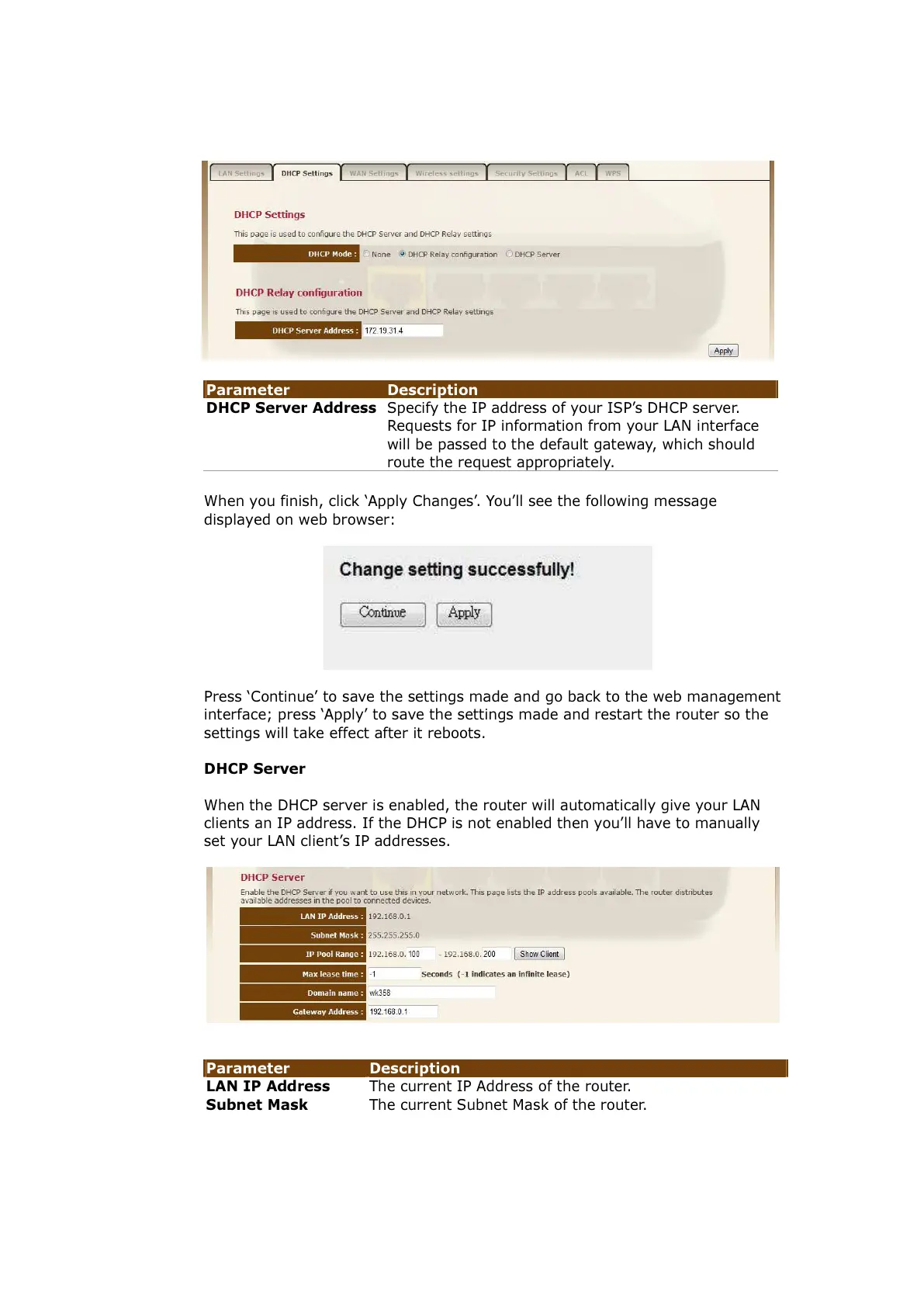
Specify the IP address of your ISP’s DHCP server.
Requests for IP information from your LAN interface
will be passed to the default gateway, which should
route the request appropriately.
When you finish, click ‘Apply Changes’. You’ll see the following message
displayed on web browser:
Press ‘Continue’ to save the settings made and go back to the web management
interface; press ‘Apply’ to save the settings made and restart the router so the
settings will take effect after it reboots.
DHCP Server
When the DHCP server is enabled, the router will automatically give your LAN
clients an IP address. If the DHCP is not enabled then you’ll have to manually
set your LAN client’s IP addresses.
Parameter Description
LAN IP Address The current IP Address of the router.
Subnet Mask The current Subnet Mask of the router.



 To Next Page