WAN Settings
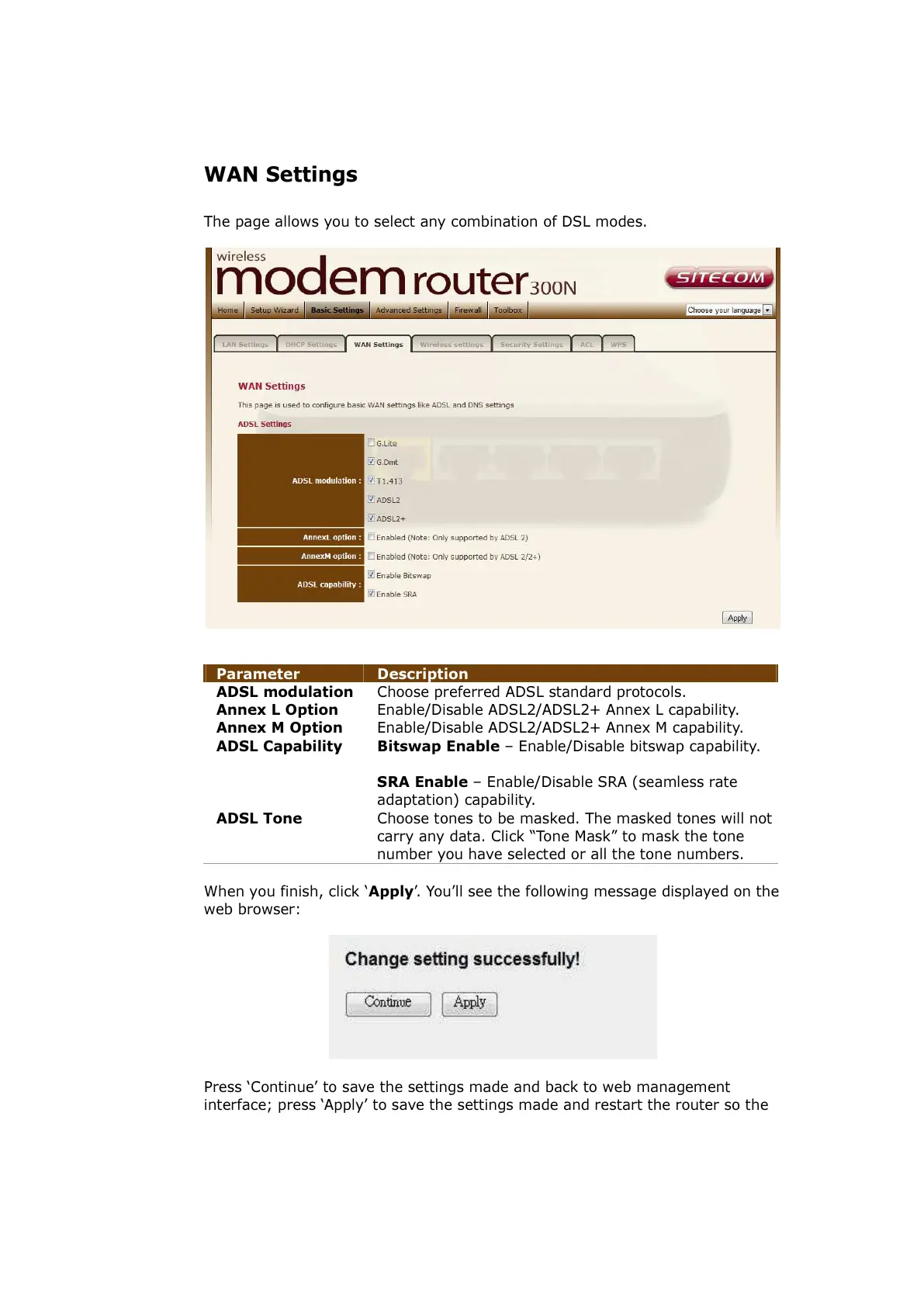
The page allows you to select any combination of DSL modes.
Parameter Description
ADSL modulation Choose preferred ADSL standard protocols.
Annex L Option Enable/Disable ADSL2/ADSL2+ Annex L capability.
Annex M Option Enable/Disable ADSL2/ADSL2+ Annex M capability.
ADSL Capability Bitswap Enable – Enable/Disable bitswap capability.
SRA Enable – Enable/Disable SRA (seamless rate
adaptation) capability.
ADSL Tone Choose tones to be masked. The masked tones will not
carry any data. Click “Tone Mask” to mask the tone
number you have selected or all the tone numbers.
When you finish, click ‘Apply’. You’ll see the following message displayed on the
web browser:
Press ‘Continue’ to save the settings made and back to web management
interface; press ‘Apply’ to save the settings made and restart the router so the



 To Next Page