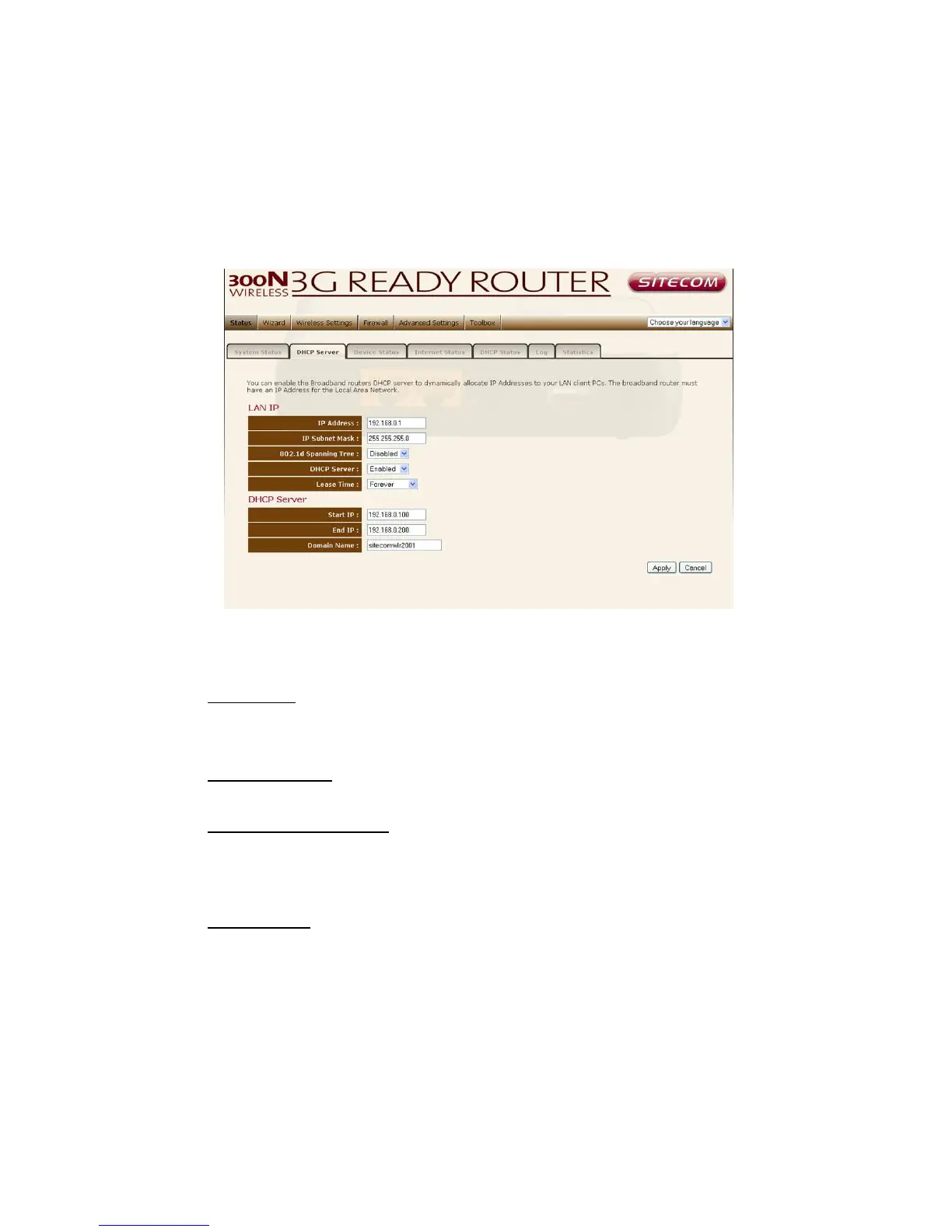
LAN settings
The LAN tab gives you the opportunity to change the IP settings of the WLR-
2001.
Click <Apply> at the bottom of this screen to save any changes.
IP address 192.168.0.1. It is the router’s LAN IP address (Your LAN clients
default gateway IP address).
IP Subnet Mask 255.255.255.0 Specify a Subnet Mask for your LAN segment.
802.1d Spanning Tree is Disabled by default. If the 802.1d Spanning Tree
function is enabled, this router will use the spanning tree protocol to prevent
network loops.
DHCP Server Enabled by default. You can enable or disable the DHCP server.
When DHCP is disabled no IP-addresses are assigned to clients and you have to
use static IP-addresses. When DHCP server is enabled your computers will be
assigned an IP-address automatically until the lease time expires.



 To Next Page