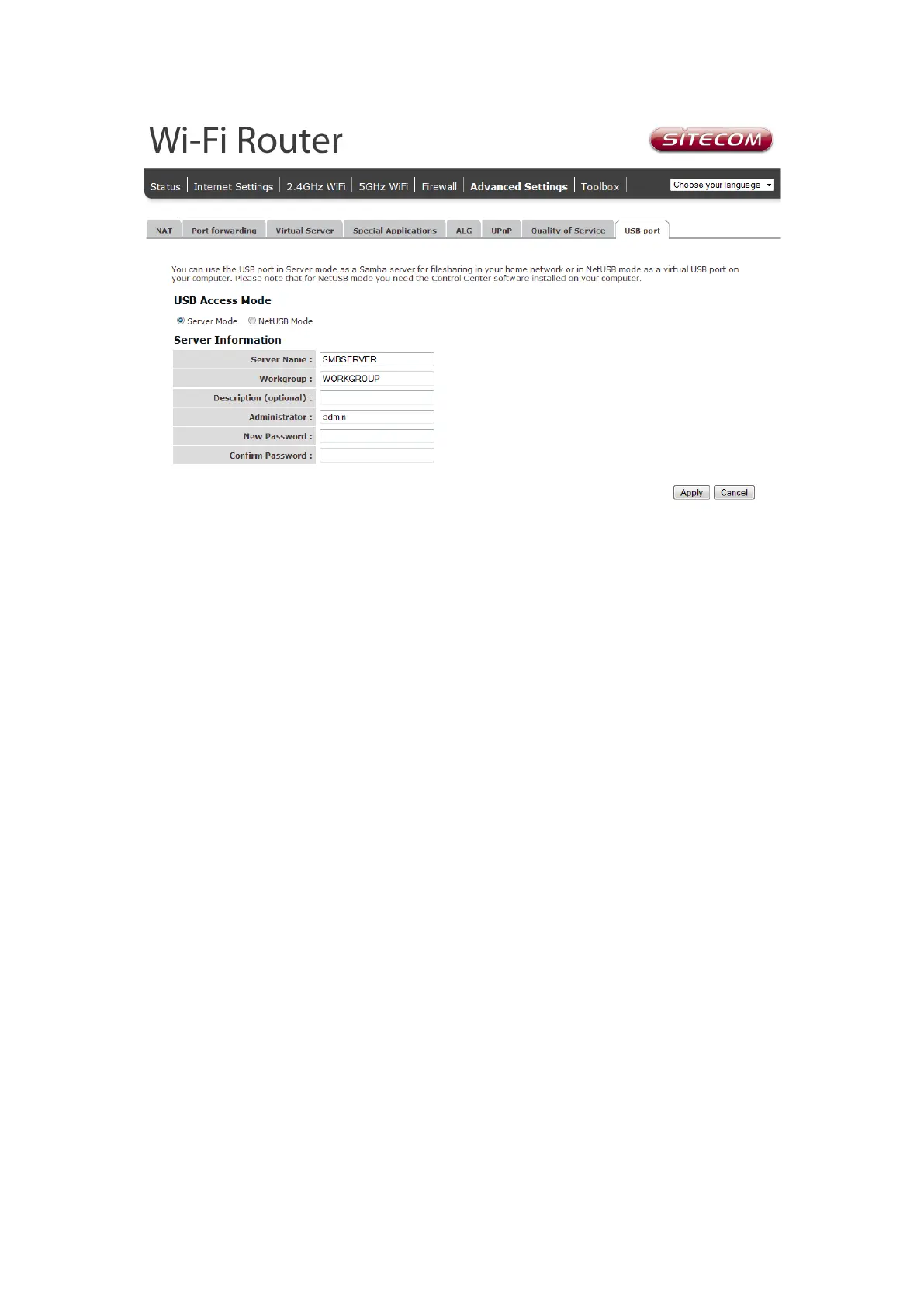
Server name: Enter a name for the network share.
Workgroup: If you wish to add the share to your workgroup enter the workgroup
name here.
Description: Enter a desired description for the share.
Administrator: Enter a desired username for access to the share.
New Password: Enter the password for access to the share and confirm this
password by re-entering it in the Confirm password field
For netUSB make sure the radio button next to netUSB is selected and press Apply.
Please see Addendum A: USB Port Control Center for more information about netUSB.



 To Next Page