Time Zone
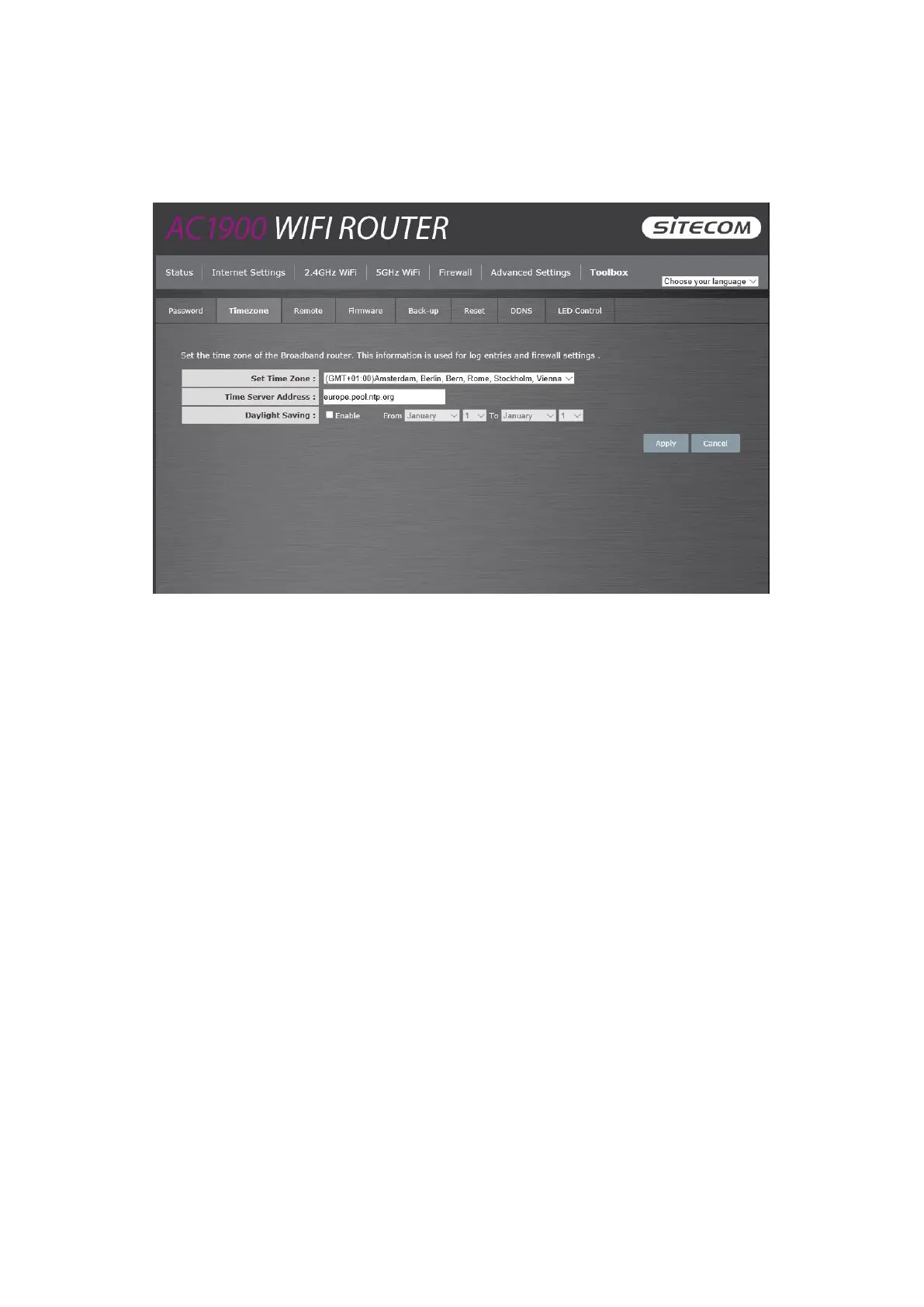
The Time Zone allows your router to base its time on the settings configured here, which will
affect functions such as Log entries and Firewall settings.
Set Time Zone: Select the time zone of the country you are currently in. The router will
set its time based on your selection.
Time Server Address: You can set an NTP server address.
Enable Daylight Savings: The router can also take Daylight savings into account. If you
wish to use this function, you must check/tick the enable boxto enable your daylight
saving configuration (below).
Start Daylight Savings Time: Select the period in which you wish to start daylight
Savings Time.
End Daylight Savings Time: Select the period in which you wish to end daylight Savings
Time.
Click Apply at the bottom of the screen to save the above configuration.



 To Next Page