Remote Management
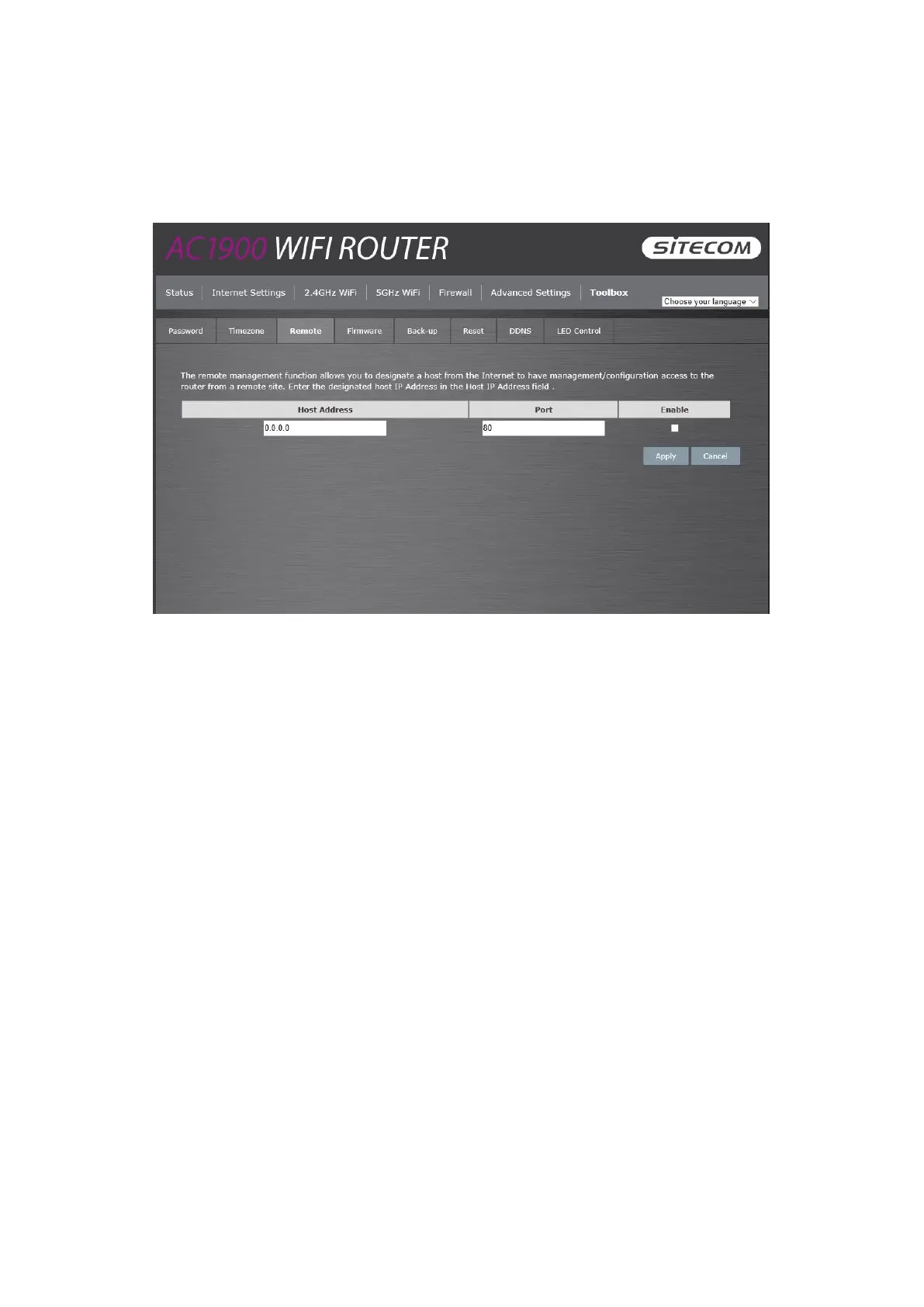
The remote management function allows you to designate a host in the Internet the ability to
configure the Broadband router from a remote site. Enter the designated host IP Address in the
Host IP Address field.
Host Address: This is the IP address of the host in the Internet that will have
management/configuration access to the Broadband router from a remote site. If the
Host Address is left 0.0.0.0 this means anyone can access the router’s web-based
configuration from a remote location, providing they know the password.
Port: The port number of the remote management web interface.
Enabled: Select “Enabled” to enable the remote management function.
Click Apply at the bottom of the screen to save the above configuration.



 To Next Page