
 Need help?
Do you have a question about the Siyata Mobile SD7 and is the answer not in the manual?
Instructions for removing the battery and installing SIM cards.
Steps to turn the device on and off, and select power options.
Details on using the rotary knob for channel selection, menu navigation, and volume control.
Overview of the device's display screen and status bar icons.
Configuration options for the SOS button, including PTT SOS and Emergency SMS.
Guide to editing text, including cut, copy, share, and select all options.
Guidelines for device operation, handling, and environmental exposure.
Important warnings and procedures for handling and disposing of lithium batteries safely.
Guidelines for safe connection and use of the device charger.
Information on device identification (IMEI) and security measures against theft.
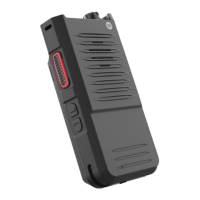
The Siyata SD7 is a rugged LTE device designed for robust communication and reliable performance in demanding environments. It is a powerful tool for professionals who require a durable and highly functional communication device.
The SD7 primarily functions as a push-to-talk (PTT) device, enabling instant communication over 4G LTE networks. It supports Mission Critical Push-to-Talk (MCPTT), making it suitable for critical communication scenarios where immediate and clear voice transmission is essential. The device features a dedicated PTT button, ensuring quick and easy access to this core function. In addition to PTT, the SD7 supports standard cellular calls, offering crystal-clear call quality through its loud speaker.
A key feature of the SD7 is its multifunction rotary knob. This knob allows users to easily select channels or scroll through menus by rotating it left or right. Pressing down on the rotary knob acts as a selection or menu button. Furthermore, the rotary knob can be pressed and rotated simultaneously for additional functions, such as adjusting the volume (default setting). A long press on the rotary knob within device menus will return the user to the previous menu, enhancing navigation efficiency.
The device also includes an SOS button, which can be configured for emergency situations. Users can set the SOS button to activate a PTT SOS function, assigning it to a PTT application for immediate group communication in emergencies. Alternatively, it can be set to send an Emergency SMS to pre-defined numbers, including a customizable message content. If an emergency number is entered, holding the SOS key will cause the device to dial that number, providing a direct line for urgent assistance.
For general use, the SD7 features a 2.5 Watt loud speaker, ensuring excellent sound quality for both calls and PTT communications, even in noisy environments. It also includes a flashlight for illumination in low-light conditions.
The SD7 is designed for straightforward and intuitive operation. Powering the device on or off is done by holding down the Power key. A vibration feedback confirms that the device has powered on. To power off, holding the Power key will bring up options on the LED screen, from which "Power Off" can be selected by pressing the rotary knob.
The device's OLED display provides essential information at a glance, including date, time, battery status, and network signal. From the home screen, pressing the rotary knob grants access to the device menu, which can then be navigated using the rotary knob. The status bar on the display shows Bluetooth connectivity, WiFi connectivity, network signal and mode, battery percentage, time, and date, keeping the user informed about the device's status.
Inserting and removing SIM cards (Nano SIM x2) and microSD cards is a simple process. Users must power off the device before handling the cards. The SIM tray holder slides up to open, allowing the SIM cards to be placed with gold contacts facing down, then closed and locked. Similarly, the microSD tray holder slides left to open, and the card is inserted with gold contacts facing down, then closed and locked.
Text editing on the SD7 is also user-friendly. By clicking on the text to be edited, it becomes highlighted in green. Users can drag a highlighting tab to adjust the selection range, and a menu will appear with options such as Cut, Copy, Share, and Select all, facilitating efficient text manipulation.
The SD7 is designed to be a reliable companion in various professional settings, offering robust communication capabilities and user-centric features for ease of use.
Maintaining the SD7 involves several key practices to ensure its longevity and optimal performance. The device is designed with an IP68 rating, indicating its ruggedness and resistance to dust and water ingress, which contributes to its durability in harsh conditions.
Battery management is crucial for the SD7. To remove the battery, users push both sides of the battery latches and pull it out. When inserting or removing SIM or microSD cards, it is essential to power off the device first. For optimal operation, the battery should be fully charged. If the device freezes or fails to switch on, checking the battery contacts, removing and reinstalling the battery, and ensuring it has at least 20 minutes of charge are recommended troubleshooting steps. If the device does not respond, restarting it by pressing and holding the Power key, or removing and re-inserting the battery, can resolve the issue.
Proper charging is also vital. Users should ensure they are using the battery and charger provided in the box. The battery must be inserted correctly, and its contacts clean, before plugging in the charger. If the battery is completely discharged, it may take around 20 minutes for the battery charger indicator to appear on the screen. Charging should always be carried out under normal conditions, specifically between 0°C and +40°C.
To prolong battery life, it is advised to follow the complete charge time (a minimum of 3 hours). After a partial charge, the battery level indicator might not be exact, so waiting at least 20 minutes after removing the charger can provide a more accurate indication. Deactivating Bluetooth, Wi-Fi, or GPS when not in use also helps conserve battery power.
The SD7 is designed to withstand a wide range of operating temperatures, from -20°C to +60°C, with a humidity range of 20%-90%. However, at temperatures above 60°C, the display's legibility may be temporarily impaired, though this is not a serious issue.
For general care, the device should be handled with care and kept in a clean, dust-free place. It should not be exposed to adverse weather or environmental conditions such as excessive moisture, humidity, rain, liquid infiltration, dust, or sea air. Users are advised not to open, dismantle, or attempt to repair the device themselves. Dropping, throwing, or bending the device should be avoided. If the glass screen is damaged, cracked, or broken, the device should not be used to prevent injury. Painting the device is also not recommended.
Only batteries, battery chargers, and accessories recommended for the device model should be used. It is also important to make back-up copies or keep a written record of all important information stored in the device.
The SD7 is identified by an IMEI (device serial number) found on the packaging label and in the device's memory. Users are encouraged to note this number and keep it in a safe place, as it can be used by police or operators to block the device if stolen, preventing unauthorized use even with a different SIM card.
These maintenance guidelines ensure that the Siyata SD7 remains a reliable and effective communication tool throughout its lifespan.
 General
| GSM Bands | 850/900/1800/1900MHz |
|---|---|
| NFC | Yes |
| Bluetooth Version | 5.0 |
| Processor Speed | Up to 2.0 GHz |
| RAM | 4GB |
| Internal Storage | 64GB |
| LTE Bands | B2, B4, B5, B12, B13, B14, B17, B25, B26, B41, B66 |
| WCDMA Bands | B1, B2, B4, B5, B8 |
| Wi-Fi | 802.11 a/b/g/n/ac |
| Operating System | Android |
| PTT Button | Yes |
| Charging | USB-C |

 To Next Page