9
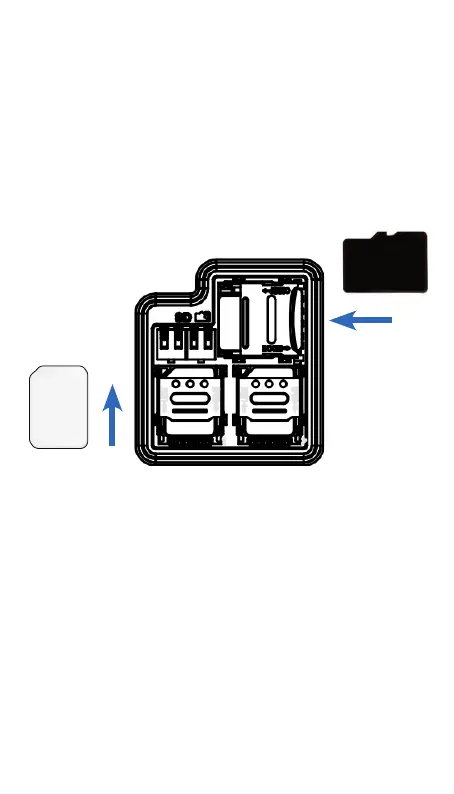
Installing and removing the microSD card
Push the microSD tray holder left to open it and
place the card with the gold contacts facing down.
Make sure that it is correctly inserted. Close and
lock the tray holder over the microSD card.
To remove the card, release the tray holder to open
and remove the microSD card.
Nano SIM x2
microSD
* Insert in this direction but with the gold contacts
facing down
2.2 Power on / Power off the device
Hold down Power key until the device powers on,
A vibration feedback will be felt when the device
powers on.
Hold down Power key until the device options
appear on top of the LED screen, Select Power Off
by pressing down the rotary knob.
nano SIM
microSD


 To Next Page