8
2 Getting started
2.1 Set-up
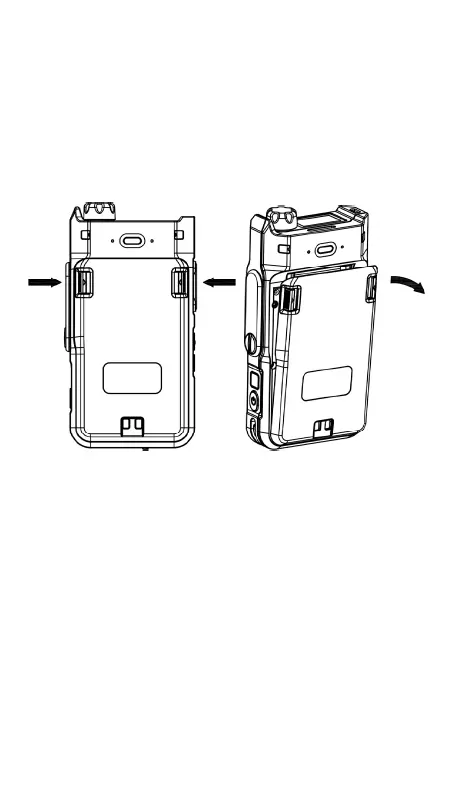
Removing the battery
Pushing both sides of Battery Latches, pull out the
battery.
Inserting and Removing the Nano SIM cards
Power off your device before inserting or removing
the SIM cards.
Slide up the SIM tray holder in order to open it and
place the SIM cards with the gold contacts facing
down. Make sure that it is correctly inserted. Close
and lock the sim tray holder over the SIM cards.
To remove the SIM cards, release the tray holders to
open and remove the SIMS.


 To Next Page