4
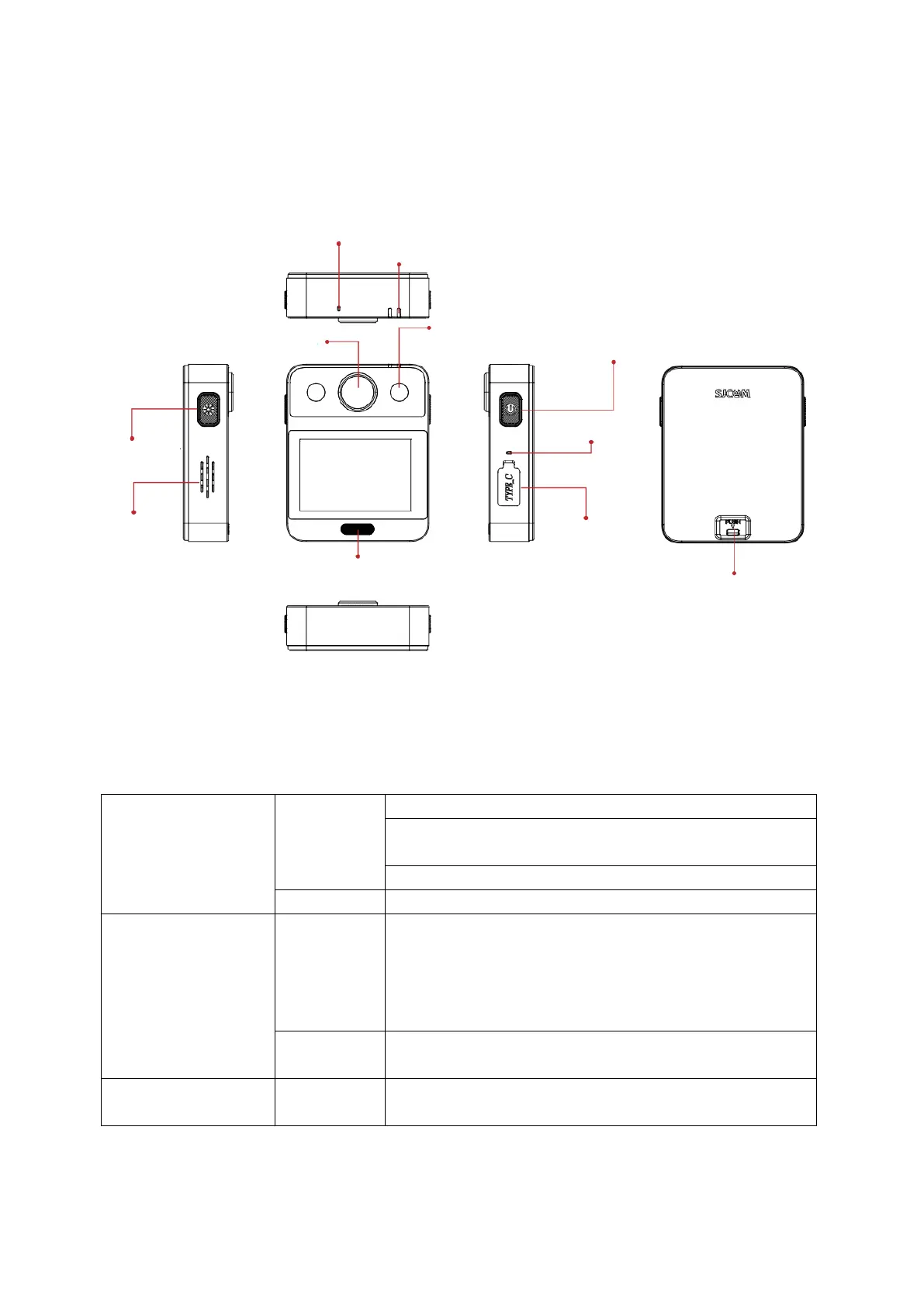
Device Overview
Function Keys Overview
In Photo mode, a short press captures a photo.
In Video mode, a short press starts or stops
recording.
In Settings, short-press once for OK.
Long-press for 2 seconds to power on/off.
In standby mode, a short press of the button
controls the LED, offering three settings. The first
press activates the strong light, the second press
activates the normal light, and the third press turns
off the LED.
Press and hold for 2 seconds to initiate data
transmission (indicated by red and blue lights).
The button also serves as the data transmission and
charging interface.


 To Next Page