18
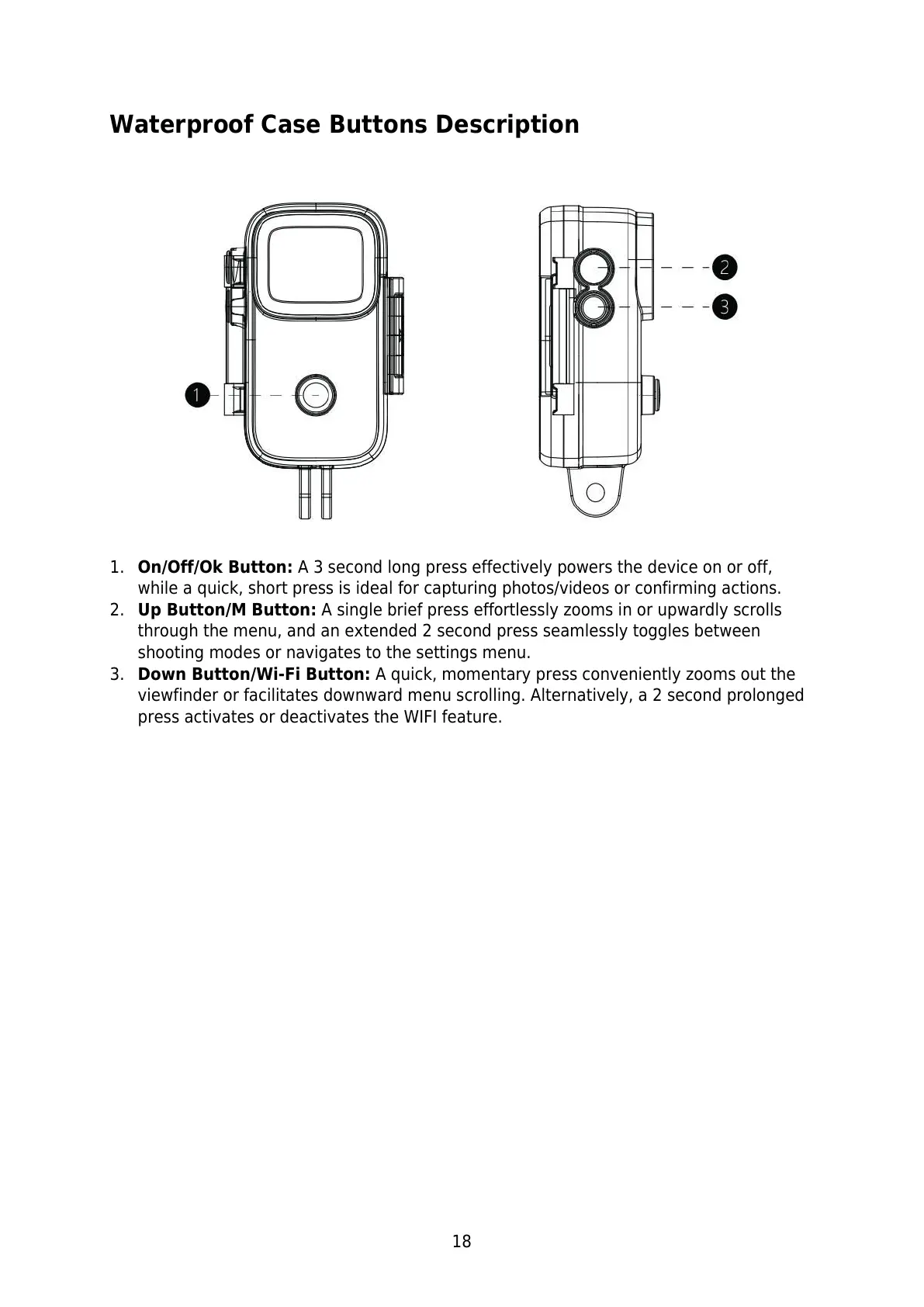
Waterproof Case Buttons Description
1. On/Off/Ok Button: A 3 second long press effectively powers the device on or off,
while a quick, short press is ideal for capturing photos/videos or confirming actions.
2. Up Button/M Button: A single brief press effortlessly zooms in or upwardly scrolls
through the menu, and an extended 2 second press seamlessly toggles between
shooting modes or navigates to the settings menu.
3. Down Button/Wi-Fi Button: A quick, momentary press conveniently zooms out the
viewfinder or facilitates downward menu scrolling. Alternatively, a 2 second prolonged
press activates or deactivates the WIFI feature.



 To Next Page