9
Camera Buttons Description
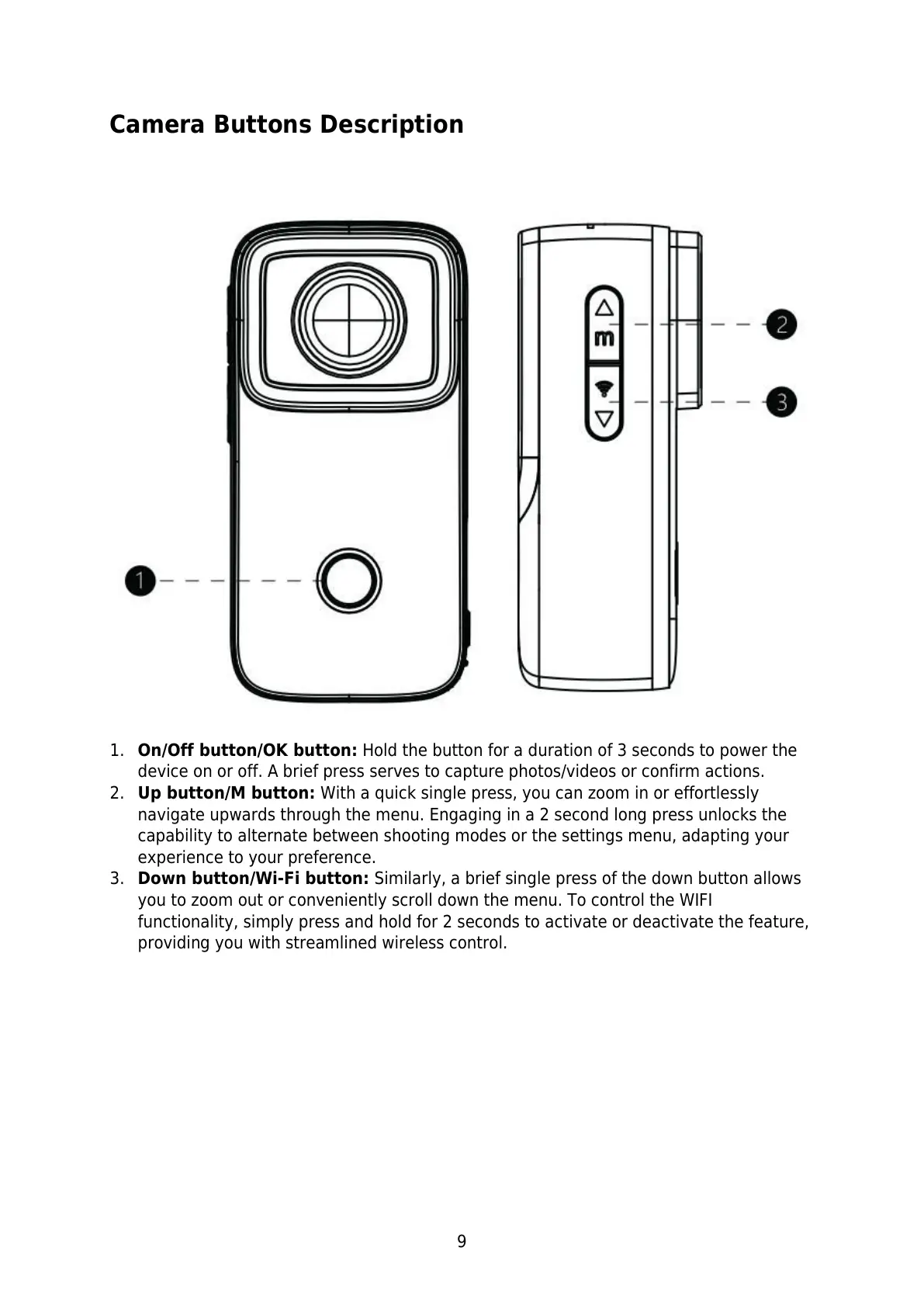
1. On/Off button/OK button: Hold the button for a duration of 3 seconds to power the
device on or off. A brief press serves to capture photos/videos or confirm actions.
2. Up button/M button: With a quick single press, you can zoom in or effortlessly
navigate upwards through the menu. Engaging in a 2 second long press unlocks the
capability to alternate between shooting modes or the settings menu, adapting your
experience to your preference.
3. Down button/Wi-Fi button: Similarly, a brief single press of the down button allows
you to zoom out or conveniently scroll down the menu. To control the WIFI
functionality, simply press and hold for 2 seconds to activate or deactivate the feature,
providing you with streamlined wireless control.



 To Next Page